Superb quality and spec AB-Com PULSe 4K SE. Crazy offer! Only £129! FREE UK DELIVERY! 4K UHD, Enigma 2, Multiboot 4 images & more!...
Superb quality and spec AB-Com PULSe 4K Rev II Twin Satellite tuner only £179! FREE UK DELIVERY! 4K UHD, Enigma 2, SATA HDD facility, Multiboot 4 images & more!...

[VU+ Duo2] Hades possible WiFi issues

Walt

New member
Joined
Jan 17, 2014
Messages
366
Reaction score
0
Points
0
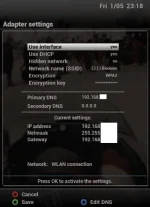
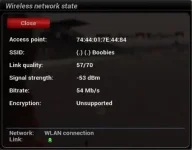
I've just flashed Hades and couldn't get the built in WiFi to be stable. Kept coming up with encryption unsupported, even though I was using exactly the same settings as with Apollo. Could someone take a look at it and see if it's a bug or my receiver playing up?

Cheers.
 
same here.WIFI not working even with encryption.Going back to apollo
 
Same here... :-(

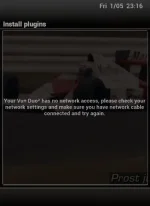
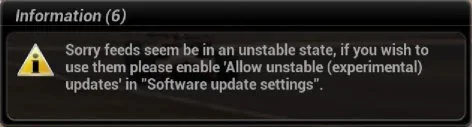
OK,I correct that. The wifi is working. I can stream iptv. It is the plugin feeds where I get a message that the Lan isn't connected. Also the software update link says to allow unstable feeds pick that in the software update settings. I have done that and no joy.

Could it be due to plugin site has not been set up yet for the new image?
 
Last edited:
Tried WPA/WPA2 and WPA2 on its own. Sorry, forgot to enable logs.
 
got WLAN working after setting up 4 times with wpa+wpa2.Seems OK (save) not workig as it should be.But not possible to find feeds for plugins so useless for the moment.
 
got WLAN working after setting up 4 times with wpa+wpa2.Seems OK (save) not working as it should be.Plugins not possible.Got back to english and cabled internet.Downloading fine and installing plugins.After that configured WIFI and working fine now.
 
only problem is downloading plugins on WIFI.Even CrossEPG is working fine now and box starting much faster.Thx guys for the update :lifting::thumbsup::thumbsup::thumbsup:
 
This wifi problem emerged already with the latest apollo versions in my ultimo. Software update and plugin download won't work with wifi, only with fixed lan. All the plugins work with wifi, the network is connected. This must be a software issue. It exludes the wifi.
 
Is there any update on this issue?
 
can one of you guy's run

Code:
ifconfig

in telnet
 
on ethernet box :

eth0 Link encap:Ethernet HWaddr 00:1D:EC:05:E1:DB
inet addr:192.168.1.110 Bcast:0.0.0.0 Mask:255.255.255.0
inet6 addr: fe80::21d:ecff:fe05:e1db/64 Scope:Link
inet6 addr: 2a02:a03f:24c4:7500:21d:ecff:fe05:e1db/64 Scope:Global
UP BROADCAST RUNNING MULTICAST MTU:1500 Metric:1
RX packets:2309200 errors:0 dropped:3 overruns:0 frame:0
TX packets:3494637 errors:0 dropped:0 overruns:0 carrier:0
collisions:0 txqueuelen:1000
RX bytes:242475999 (231.2 MiB) TX bytes:4093303294 (3.8 GiB)

lo Link encap:Local Loopback
inet addr:127.0.0.1 Mask:255.0.0.0
inet6 addr: ::1/128 Scope:Host
UP LOOPBACK RUNNING MTU:65536 Metric:1
RX packets:478 errors:0 dropped:0 overruns:0 frame:0
TX packets:478 errors:0 dropped:0 overruns:0 carrier:0
collisions:0 txqueuelen:0
RX bytes:56493 (55.1 KiB) TX bytes:56493 (55.1 KiB)

On WIFI box :

lo Link encap:Local Loopback
inet addr:127.0.0.1 Mask:255.0.0.0
inet6 addr: ::1/128 Scope:Host
UP LOOPBACK RUNNING MTU:65536 Metric:1
RX packets:72 errors:0 dropped:0 overruns:0 frame:0
TX packets:72 errors:0 dropped:0 overruns:0 carrier:0
collisions:0 txqueuelen:0
RX bytes:6216 (6.0 KiB) TX bytes:6216 (6.0 KiB)

wlan0 Link encap:Ethernet HWaddr 78:44:76:B5:5D:85
inet addr:192.168.1.120 Bcast:0.0.0.0 Mask:255.255.255.0
inet6 addr: fe80::7a44:76ff:feb5:5d85/64 Scope:Link
UP BROADCAST RUNNING MULTICAST MTU:1500 Metric:1
RX packets:8096 errors:0 dropped:0 overruns:0 frame:0
TX packets:4392 errors:0 dropped:0 overruns:0 carrier:0
collisions:0 txqueuelen:1000
RX bytes:11865138 (11.3 MiB) TX bytes:402446 (393.0 KiB)
 
Last edited:
You all need to be hard wired instead of the shitty temperamental wifi dongles.


Sent from my iPhone using Tapatalk
 
This wifi problem emerged already with the latest apollo versions in my ultimo. Software update and plugin download won't work with wifi, only with fixed lan. All the plugins work with wifi, the network is connected. This must be a software issue. It exludes the wifi.
Sounds as though the default route isn't set up, so it can't reach any system off its own network.
 
You all need to be hard wired instead of the shitty temperamental wifi dongles.


Sent from my iPhone using Tapatalk

Your posts are usually sensible but on this ocassion you may wish to wind your neck in. Some people do not have the ability to hard wire and have bought a WiFi compatible receiver to use the WiFi part of it. It works in the Duo² flawlessly if the image is working properly so please stop moaning at others for using THEIR receivers the way THEY choose to use them.
 
quote : You all need to be hard wired instead of the shitty temperamental wifi dongles

Bloody shit.In my VU duo2 there is standard WIFI and that is not working anymore to for plug ins.Not everybody has the possibility to have cables all over the house.
PS : worked fine before ,even with apollo 166.
 

OpenViX Feeds Status

Back
Top