Superb quality and spec AB-Com PULSe 4K SE. Crazy offer! Only £129! FREE UK DELIVERY! 4K UHD, Enigma 2, Multiboot 4 images & more!...
Superb quality and spec AB-Com PULSe 4K Rev II Twin Satellite tuner only £179! FREE UK DELIVERY! 4K UHD, Enigma 2, SATA HDD facility, Multiboot 4 images & more!...

[VU+ Duo2] Help - stuck in start up loop

timofee

Member
Joined
Jan 14, 2014
Messages
589
Reaction score
0
Points
16
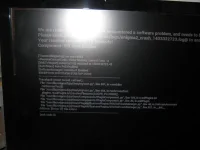
I loaded MGcam on my box but left CCCam on autostart (so probably my mistake). When I restart the box it is now stuck in a start up loop. The main message is "EXCEPTION IN PYTHON STARTUP CODE"

I have loaded the full screen shot.

Is there a quick way to fix this - thanks in advance for any help.
 

Attachments

  • 002.webp
    002.webp
    34.2 KB · Views: 20
I loaded MGcam on my box but left CCCam on autostart (so probably my mistake). When I restart the box it is now stuck in a start up loop. The main message is "EXCEPTION IN PYTHON STARTUP CODE"

I have loaded the full screen shot.

Is there a quick way to fix this - thanks in advance for any help.


Try this m8, it might help>>>>>>....go into /etc and delete the >>>>>>>>>>>> automount.xml file, [ this is for a green screen loop startup ] ???
 
Thanks for that - tried deleting automounts.xml in /etc/enigma2 but same result.

Will wait an hour or so for any other solutions, then I will load a new image from USB. I want to avoid that as my last settings back up is a few weeks old.


Note: Apologies for double post - please delete the other post and keep this thread alive. Also note the image is Helios 016
 
Impossible to tell from a photo of a crash log.
Upload the crash log , found in /home/root/logs by default.
 
Thank to everyone those who helped and those who looked at this thread.

I tried various things - I managed to get the Duo2 to work by deleting the autostart line in the settings file. But the softcam manager was corrupt and I could not get any cam to start. It was easier to load Apollo 008 - just done that and all is now ok.

Feedback. Can someone look at this MGcam/CCCam problem. I was definitely warned not to run both cams at the same time, but it was too easy to forget that CCcam was set to autostart. Can this potential crash situation be captured in the start up routines so that it does not crash the Duo.

Would welcome any feedback on this.
 

OpenViX Feeds Status

Back
Top