

Here's a quick easy guide on how to patch and use CCcam / Newcamd on the new range of Technomate HD receivers, TM-5402, TM-6902 and TM-7102.
1. Download latest patches and addon here: -
TM-5402
Addon patch
TM-6902
Patch
Addon
TM-7102
2. Copy patch and addon patch to root of a USB stick and connect USB stick to receiver.
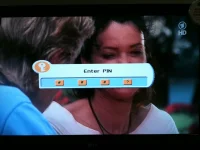
3. Press USB button on remote, you will then get a screen asking for pin number, enter 0000
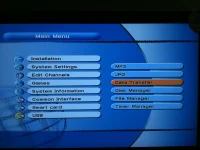
4. Select Data Transfer.
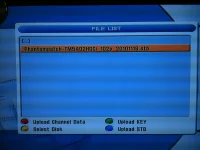
5. Select Phantom patch and press ok.
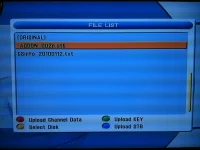
6. Now do the same for the addon patch.
7. Now patches have been applied and receiver has rebooted press the IP button on the remote and enter pin 0000 or from normal viewing TV screen enter 8281 to access server list.
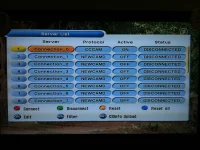
8. Select a Connection and press OK, below are examples of a CCcam and Newcamd connection.
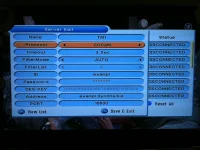
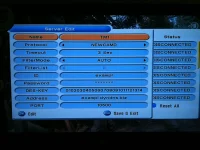
To work what your details are from a C line see below: -
C: exampl.dyndns.biz exampl password 10500
Address = exampl.dyndns.biz
ID = exampl
Password = password
Port = 10500
This should help a few happy Technomate owners
1. Download latest patches and addon here: -
TM-5402
Code:
http://download.for-better.biz/bbs/list.php?board=tm5402hdAddon patch
Code:
http://download.for-better.biz/bbs/reply.php?board=tm5402hd&num=6TM-6902
Patch
Code:
http://download.for-better.biz/bbs/list.php?board=tm6902Addon
Code:
http://download.for-better.biz/bbs/list.php?board=tm6000hdTM-7102
Code:
http://download.for-better.biz/bbs/list.php?board=tm71002. Copy patch and addon patch to root of a USB stick and connect USB stick to receiver.
3. Press USB button on remote, you will then get a screen asking for pin number, enter 0000
4. Select Data Transfer.
5. Select Phantom patch and press ok.
6. Now do the same for the addon patch.
7. Now patches have been applied and receiver has rebooted press the IP button on the remote and enter pin 0000 or from normal viewing TV screen enter 8281 to access server list.
8. Select a Connection and press OK, below are examples of a CCcam and Newcamd connection.
To work what your details are from a C line see below: -
C: exampl.dyndns.biz exampl password 10500
Address = exampl.dyndns.biz
ID = exampl
Password = password
Port = 10500
This should help a few happy Technomate owners


