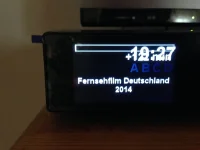
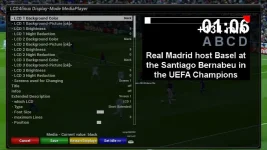
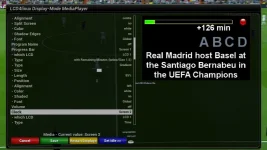
when you are playing a recording go in to menu/setup/system/Front Display Panel select LCD4Linux press the Blue Button Twice and it will bring up the screen what you now need to do is move or delete the clock scroll down till you get to it and set it to screen 2 and it should be gone press the Green Button to save
I actually changed it as I was writing this as I had forgotten to set it up for myself
thanks a lot. will do it tonight. in which file is this configuration stored?
i don't understand why this can't be fixed in the image... once and for all.
I have same problem, been like this since the start of Helios. You'd have thought it would have been setup nicely like 808 was. Not sure why the setup file was changed when it looked great as it was.
I always overwrite the LCD4 skin after the update.If anyone wants a good one I will be glad to send it to you.I already did that in another topic on the same subject.
The files are stored in etc and etc/enigma2
well, i think /etc/enigma is part of the settings backup anyway... so now i should be ok until the next clean image update.
still hope, that it get's fixed in the image to avoid this unnecessary manual intervention.
This site uses cookies to help personalise content, tailor your experience and to keep you logged in if you register.
By continuing to use this site, you are consenting to our use of cookies.