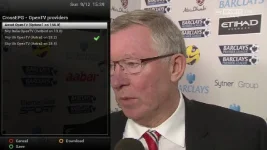
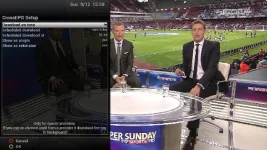
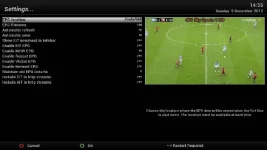
come on guys, i know tempers can get a little frayed at times but were all here to help each other, so with that in mind @ mickyblueys if you can post your EPG setup we can look to see how or why it's having the affect it is when used on a USB stick.
But as I said I'm happy with my setting on hdd. It could quite possibly have something to do with the USB sticks I use... I don't know.
If there is something wrong with my settings let me know.
Cheers Phoenix.
It would be nice if you could explain to you're Dutch friend that "tits up" is a very English technical term. That he may not get!
Just found an article on early energy saving lightbulbs interfering with virgin media boxes causing random channel changes etc but I've turned off all bulbs and its still happening.
Running out of ideas now. Its not the remote, HDMI CEC is diabled, I've done a clean install of the latest vix.
Any suggestions or should I be thinking about trying to get a replacement duo?
A couple of options:
1- Disconnect the HDMI-lead; that way you're sure HDMI-CEC can't interfere (or de-install the plugin);
2- Put a dark tape or paper before the IR-receiver; that way you're sure IR (from whatever which source) can't interfere. Make sure the tape is much wider then the IR-receiver (you can see it through the display window if you shine a strong light on it);
3- Activate debuglogs and look into it at them moment such an event happens; button pushes show up there.
This site uses cookies to help personalise content, tailor your experience and to keep you logged in if you register.
By continuing to use this site, you are consenting to our use of cookies.