Superb quality and spec AB-Com PULSe 4K SE. Crazy offer! Only £129! FREE UK DELIVERY! 4K UHD, Enigma 2, Multiboot 4 images & more!...
Superb quality and spec AB-Com PULSe 4K Rev II Twin Satellite tuner only £179! FREE UK DELIVERY! 4K UHD, Enigma 2, SATA HDD facility, Multiboot 4 images & more!...

New skin: Simple Ten Eighty

I've uploaded a video, this is unlisted so only visible from this link.
Only the Picon changes when you scroll left to right, it does not change the channel name in the Info Bar or the EPG information:

https://youtu.be/_nJfNe5p-lY
 
Hello! Is it possible to arrange this menu: cc*am info (via blue button)?
regards

This has been added. Hope it's fine as testing was limited.

You can update using script in post 5 or just wait until next image.
 
Last edited:
I've uploaded a video, this is unlisted so only visible from this link.
Only the Picon changes when you scroll left to right, it does not change the channel name in the Info Bar or the EPG information:

https://youtu.be/_nJfNe5p-lY

Thank you for the video of the Infobar EPG. I have deleted the "QuickEPG" screen for now. The screen from the default/fallback/emergency skin will be used until we re-instate it.
 
I have this skin running on two of my VU+Solo 2 and extremely happy (Great Skin) Can I ask if this skin is able to work with a VU + Uno 4K SE which I am now looking at purchasing?

Regards
John.
 
I have this skin running on two of my VU+Solo 2 and extremely happy (Great Skin) Can I ask if this skin is able to work with a VU + Uno 4K SE which I am now looking at purchasing?

Regards
John.

Yeah works fine with the Vu+ Uno 4K SE. [emoji1360]


Sent from my iPhone using Tapatalk
 
Andy, many thanks for your very prompt and positive response.

Regards
John.
 
Dear guys,

I would like to ask you how to change the satellite names displayed in the second infobar to the correct ones.

For example Eutelsat 36E in my satellites.xml file is Eutelsat 36C/AMU1. Intelsat 45E is Intelsat 904 and so on but in the second infobar are displayed different.

How to change it?

1_0_1_6978_1B_FD_1680000_0_0_0_20180706013233.webp
 
Dear guys,

I would like to ask you how to change the satellite names displayed in the second infobar to the correct ones.

For example Eutelsat 36E in my satellites.xml file is Eutelsat 36C/AMU1. Intelsat 45E is Intelsat 904 and so on but in the second infobar are displayed different.

How to change it?
The names are nothing to do with the skin. They are the generic names of each position, stored in the converter. They are not the names of the satellites (except for a few European satellites). Using the individual names of each satellite would make this a maintenance nightmare.

https://github.com/OpenViX/enigma2/...omponents/Converter/PliExtraInfo.py#L471-L560

Eutelsat 36E
Intelsat 45E
That is the operator and the position. i.e. 36E means 36 east.
 
Last edited:
Hello Maybe I missed it but where is the download link for this skin please?
 
I like Simply Ten Eighty, but it only takes one "difficult to read" osd to get me switching back to the default skin.

So here are 4 :) which I struggle with on a small tv.

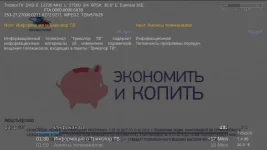
Tags: Self explanatory.

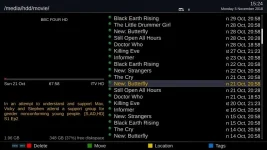
Movie List: The yellow text, bottom left pane, very difficult to read due to colour and/or size.
Movie List: With the text size large enough, the date/time is truncated in the right hand pane.

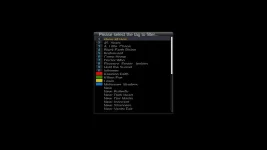
Ok-Ok: Text at the top is very difficult to read, some more than others.

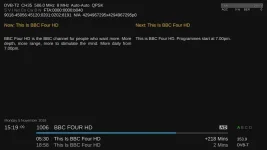
Info: Just not quite big enough text.

The attachments are much easier to read than they are on the tv !!

Maybe there are some more menu settings I can change?
 

Attachments

  • tags.webp
    tags.webp
    10.1 KB · Views: 44
  • movies.webp
    movies.webp
    44.5 KB · Views: 44
  • ok.webp
    ok.webp
    23.2 KB · Views: 39
  • info.webp
    info.webp
    28.9 KB · Views: 37
The attachments are much easier to read than they are on the tv !!

The tv picture is about 20% smaller than the attachments viewed on a pc, when I line them up.
 
I like Simply Ten Eighty, but it only takes one "difficult to read" osd to get me switching back to the default skin.
Which is why I don't use it - to many places in the skin code where I'd have to increase font sizes.
With Confluence 1080 I only need to do it in two places - something I did ages ago and have been happy with. since.
 
The tv picture is about 20% smaller than the attachments viewed on a pc, when I line them up.
How big is the TV screen? What is the viewing distance?

Mine is 32 inch and viewing distance about 8 feet.

Of all the 1080 skins this is one of the most readable on a small tv. If you are having trouble reading it I suggest you switch to one of the 720 skins, e.g. ViX-HD, or getting a television set that is sufficiently big to be practical for your viewing distance (and eyesight).
 
How big is the TV screen? What is the viewing distance?

Mine is 32 inch and viewing distance about 8 feet.

Of all the 1080 skins this is one of the most readable on a small tv. If you are having trouble reading it I suggest you switch to one of the 720 skins, e.g. ViX-HD, or getting a television set that is sufficiently big to be practical for your viewing distance (and eyesight).

It's a 26" tv with a viewing distance of about 9 feet.

I've been on the lookout for a new tv for ages, but manufacturers seem obsessed with producing decent tv's the size of a barn door.

The alcove the tv sits in is a very limiting factor.

Am I to assume that the tags screen I posted is correct/acceptable?

The Ok-Ok screen just needs a tweek, if it's on the screen for longer I could manage, but I don't want to increase the length any more than it already is.

The yellow colour (not easy is it?) used in Movie list really is difficult to read, but maybe too much to ask for it to be changed?

The skin is described as "Clear and readable on televisions of all sizes", all I'm doing is making suggestions to help the smaller tv users.

And I'll ask again, are there any other settings I can change to improve the 4 screens I referred to in the earlier post?
 
Last edited:
The feedback is welcome. We will look at it. Sorry no timescales.

The skin will need to be edited.
 
It's a 26" tv with a viewing distance of about 9 feet.
If you can't find a suitable TV set for your current viewing distance you could get yourself a telescope instead. :D
 
It's a 26" tv with a viewing distance of about 9 feet.
I have a 32" at ~14 feet, so arguably worse.
It mostly affect the programme detail displays, which are always too small and cannot be configured (without putting in overrides for that section of the skin).
 

OpenViX Feeds Status

Back
Top