Superb quality and spec AB-Com PULSe 4K SE. Crazy offer! Only £99! FREE UK DELIVERY! 4K UHD, Enigma 2, Multiboot 4 images & more!...
Superb quality and spec AB-Com PULSe 4K Rev II Twin Satellite tuner only £149! FREE UK DELIVERY! 4K UHD, Enigma 2, SATA HDD facility, Multiboot 4 images & more!...

openvixhd

  • Thread starter Thread starter rossi2000
  • Start date Start date
Status
Not open for further replies.
Morning All,

I have DUO2 feeding an external Lumagen XE video processor for up-scaling of SD channels and use Auto-Resolution plugin to reduce any processing performed by the DUO itself.

Like the look of VIX-HD - though one question I am guessing the auto-resolution plugin will not work as applying an HD skin to an SD feed will render incorrectly or has this been allowed for?

Many thanks
-Steve
 
Hi Rossi,

Beautiful skin mate:thumbsup:

Flashed the latest build on my duo and it looks really nice. Wanted to say Thankyou to yourself and the vix team, great work. :)

One small request (if possible) I do miss having the mini tv when looking at the epg or channel list, is it possible to integrate that instead of having the theme in front of what's currently showing?
Thanks again !
 
This would look very nice on my tm t3 please please ?

regards
Stavo
 
This would look very nice on my tm t3 please please ?

regards
Stavo

You would need to convince Technomate to activate the 1080 frame buffer in their drivers.
 
hi, rossi,please added nemesis atemio image:)

At the moment this receiver is not supported in ViX but even if it were it would still need support for the 1080 frame buffer from the manufacturer before a ViX HD image could be built for it.


Sent from my iPad Air using Tapatalk
 
Is the Vix Night and Day skin going to get at HD uplift?
 
Is the Vix Night and Day skin going to get at HD uplift?

I hope so, I like rossi's skin but i think the windows are too small, when i browse my 14 lines in channel search (arrow down) i like to be able to clearly read, its a bit of a squint with the HD skin, and a couple of my plugins are not formated correctly that can make them a bit of a pain to use.
 
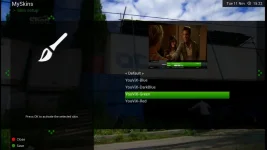
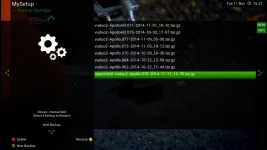
Love the new Green skin very nice and the saveed backup now shows that it is HD Thank you rossi :thumbsup::D

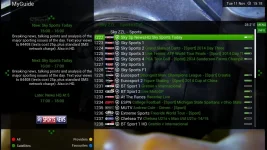
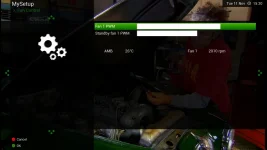
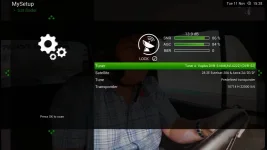
vix green 1.webp vix green.webp vix green 3.webp vix green 4.webp
vix Green 5.webp
 
Last edited:
you still have youvix-blue in your skins list, this should have been removed, hmmm
youvix-blue doenst exist anymore its now <Default>
 
The Blue is your original vix HD skin mate working perfect did a restart and loaded it back in to check here is a screen shot

Vix-HD Blue 1.webp
 
Can I ask a question relating to the screenshot that nsw9154 has posted above.

Firstly I apologies in advance if my question should be posted in another sub forum.

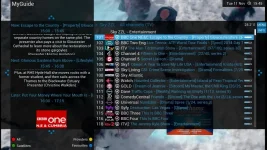
I notice from the screenshot above that he has the channel name identification logo for each channel which looks good and adds to the functionally of these new skins from rossi, firstly what is the correct terminology/name for this type of channel name indent, and secondly is it something that we can all install running a VU+solo2 with the latest image.

Regards
John.
 
press menu in the channelselect screen and then find the option, enable picons in servicelist. set to yes
and there they'll be :)
 
I hope so, I like rossi's skin but i think the windows are too small, when i browse my 14 lines in channel search (arrow down) i like to be able to clearly read, its a bit of a squint with the HD skin, and a couple of my plugins are not formated correctly that can make them a bit of a pain to use.

With your 14 lines showing press Menu and Settings and change the 3 font sizes to a value of 4.

I love the skin but my YAMP music player doesn't. It looks great with the larger font. Its the same with the EPG Guide.
 
Rossi2000, thank you for your prompt reply.

For me its small learning steps and its just a case of getting used to the overall functionality of VU+Solo2, of course following the good advice given via the forum members is a massive thumbs up from me.

Rossi, I switched last night over from the light blue hd skin to the new red hd skin and for me it's working much better visually in term of reading the channel names from a distance guess the overall contrast works better for me - thank you for this alternative option.

Regards
John
 
With your 14 lines showing press Menu and Settings and change the 3 font sizes to a value of 4.

I love the skin but my YAMP music player doesn't. It looks great with the larger font. Its the same with the EPG Guide.


i was going to skin yamp and make it look right but i tried to install it but got a load of missing modules
i'll try again, dont worry its on my to-do list.
 
Status
Not open for further replies.

OpenViX Feeds Status

Back
Top