Superb quality and spec AB-Com PULSe 4K SE. Crazy offer! Only £99! FREE UK DELIVERY! 4K UHD, Enigma 2, Multiboot 4 images & more!...
Superb quality and spec AB-Com PULSe 4K Rev II Twin Satellite tuner only £149! FREE UK DELIVERY! 4K UHD, Enigma 2, SATA HDD facility, Multiboot 4 images & more!...

[VU+ Solo2] OPKG Update error when trying to install plugins

  • Thread starter Thread starter Martincape
  • Start date Start date
M

Martincape

Guest
Hi guys,

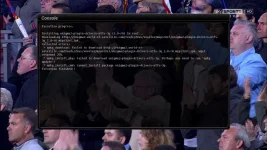
Just tried to install the NTFS driver from the feeds, got the error that was mentioned a few days ago. Need to update opkg or something. Can't install from feeds again now :(
 
Hi guys, I cant check for software updates either, just says background check in progress. It was doing this on 808 too. Thought it would have been sorted. I now cannot download from the feeds or check for updates. Why does this keep happening?
 
Last edited by a moderator:
There's nothing to fix for us: it must be a local issue.
Did you reboot your router to see if that makes any difference?
 
Well, the proof is on the pudding: you have exactly the same issue as before, with a fresh set-up new image. So there is definitely something the matter with the internet connection of the box.

FYI: just installed the NTFS drivers on the Solo2 from the feeds without any issue.
 
I did restart router before. It must have stopped working after a restart pal.

How would I get around that issue pal? Or what could be causing it? Any setting I can go into on the box to restart or refresh?
 
I bet if I reflashed it would work again. What could I do on the box to sort of refresh the internet connection. Like it does on the startup wizard.
 
On the side of the box the only thing you can do is set up the adapter correctly. Did you try using DHCP? And what does the network test tell you?
And from then on all components in your LAN could have developed a fault: connectors, cables, switches, router, what have you. Even the NIC may have a problem (not very likely, but possible). Do you have a WiFi dongle you could use to test how it goes then?
 
Cheers pal. I have a dongle I can try.

It seems like if the router is restarted when the box already has an established connection it doesn't like it. But it only seems to stop the connection needed to connect to you guys. FTP works, intermittently. Hopefully I'll get it sussed. I'll try different methods pal.
 
Sorry, DCHP is set up pal, haven't ran the network test. How do I do that?
 
..... FTP works, intermittently....
Well, there you go: 'intermittent' means there is a problem.

haven't ran the network test. How do I do that?
Choose adapter and then Network test.

But then again: since you stated 'intermittent' a network test won't tell you much if it's OK atm of testing.

You'd better give the telnet command
Code:
ping www.world-of-satellite.com
and let it run for some time to see if time-outs or long times delays occur.
 
I'll try again when I get home pal. I know the it won't download the plugins at the min but it does download the plugin list. I don't know how the connections work really.

I know I can ping WOS from laptop connected wirelessly, but I'll try the box later pal.
 
Are you 100% sure you've flashed Zeus?

101.363% pal. Got the new splash screen. Plus I downloaded Zeus.

It's something to do with router I reckon. It's like it's randomly blocking a connection. But I don't understand how downloading the plugin list and actually downloading and installing the plugin is different.
 
If the connection is intermittent, that could explain it. The list is very small and when it's in it's in: it's just text.
An ipk is generally bigger, and could be corrupted/incomplete on such a connection.
 
Maybe that's what's causing it pal. Going to try a few things later. It's almost as if the router upon restarting, doesn't like that the box is already connected to it and trying to make a connection through it. Whereas upon reflashing, it's originally not making a connection through it, until the section. In the wizard. It was fine till I rebooted the router.
 
I am facing exactly the same issues as mentioned! new flash sorts it out but then once all set up the feeds and background check sets in... I even turned background checks off... I had the same issues with 808 and now Zeus

Sent from my GT-I9300 using Tapatalk
 
Using virgin media internet

Sent from my GT-I9300 using Tapatalk
 
I'm going to try sorting it today. See what cures it. I was gonna look yesterday but was rushed to hospital :(
 

OpenViX Feeds Status

Back
Top