Superb quality and spec AB-Com PULSe 4K SE. Crazy offer! Only £99! FREE UK DELIVERY! 4K UHD, Enigma 2, Multiboot 4 images & more!...
Superb quality and spec AB-Com PULSe 4K Rev II Twin Satellite tuner only £149! FREE UK DELIVERY! 4K UHD, Enigma 2, SATA HDD facility, Multiboot 4 images & more!...

Pausing live TV does not work reliably

divil_a_bit

New member
Joined
Jan 28, 2014
Messages
176
Reaction score
0
Points
0
==========================
Gigablue Quad Plus

Problem reproduced on:
- OpenViX Apollo.062
- OpenViX Apollo.088
I also reproduced it from a factory reset of the box WITHOUT restore settings.

Problems occur on both skins:
- ViX Night HD skin
- ViX Blue HD V3 skin
==========================


==========================
Pausing live TV does not work reliably.
==========================

Timeshift setting:
Timeshift location: /media/hdd/timeshift/
Automatically start timeshift after: 2 seconds
Show warning when timeshift is stopped: No
Timeshift-save action on zap: Don't save
Stop timeshift while recording?: No
Use timeshift seekbar while timeshifting?: Yes

I'm using a 1TB internal 2.5 inch HD that came with the box from WOS.

Steps to reproduce:
1. Turn on box
2. Flick to any channel
3. Wait for more than 2 seconds for TS to kick in (as per my settings)
4. Hit play/pause on the remote. At this point, the live feed will pause
5. Wait for some period of time, say 10 seconds (this time does not really matter, it fails whether I wait for 1 second or 1 minute)
6. Hit play/pause on the remote again to resume playback. More often than not, playback will resume at live TV and not and the point where I paused it. This can also be seen from the time on the infobar.

After the problem occurs, I can still rewind live TV back to the point where I originally paused it ... but I shouldn't have to do that. It should resume from the point I paused it at.

As I said, sometimes it works, sometimes it doesn't. The problem occurs approx every 4 of of 5 attempts which is very annoying.

In the attached DEBUG log, the 2nd from last pause/resume worked perfectly. I beleive this is on line 1314 in the log: "Start timeshift!"
The very last pause/resume failed. Line 1652 in the log: "Start timeshift!"
The logs are clean - box only booted a few minutes and there is very little activity.

Play/Pause works perfectly when watching a recorded show.

Is this a know issue? Is there some setting I'm missing?
 

Attachments

==========================
Gigablue Quad Plus

Problem reproduced on:
- OpenViX Apollo.062
- OpenViX Apollo.088
I also reproduced it from a factory reset of the box with no plugins installed.

Problems occur on both skins:
- ViX Night HD skin
- ViX Blue HD V3 skin
==========================


==========================
Pausing live TV does not work reliably.
==========================

Timeshift setting:
Timeshift location: /media/hdd/timeshift/
Automatically start timeshift after: 2 seconds
Show warning when timeshift is stopped: No
Timeshift-save action on zap: Don't save
Stop timeshift while recording?: No
Use timeshift seekbar while timeshifting?: Yes

I'm using a 1TB internal 2.5 inch HD that came with the box from WOS.

Steps to reproduce:
1. Turn on box
2. Flick to any channel
3. Wait for more than 2 seconds for TS to kick in (as per my settings)
4. Hit play/pause on the remote. At this point, the live feed will pause
5. Wait for some period of time, say 10 seconds (this time does not really matter, it fails whether I wait for 1 second or 1 minute)
6. Hit play/pause on the remote again to resume playback. More often than not, playback will resume at live TV and not and the point where I paused it. This can also be seen from the time on the infobar.

After the problem occurs, I can still rewind live TV back to the point where I originally paused it ... but I shouldn't have to do that. It should resume from the point I paused it at.

As I said, sometimes it works, sometimes it doesn't. The problem occurs approx every 4 of of 5 attempts which is very annoying.

In the attached DEBUG log, the 2nd from last pause/resume worked perfectly. I beleive this is on line 1314 in the log: "Start timeshift!"
The very last pause/resume failed. Line 1652 in the log: "Start timeshift!"
The logs are clean - box only booted a few minutes and there is very little activity.

Play/Pause works perfectly when watching a recorded show.

Are other users seeing this issue? Is there some setting I'm missing?

View attachment Enigma2-01-01-1970_01-00-20.log
 
Does the same happen when you press the OK button?
 
Is this the same problem i seeing on Vu Duo on automatic time shift problem
 
Does the same happen when you press the OK button?

Yes - same problem using the OK button.

Sorry for the multiple threads. I thought one thread in the general openvix support forum and one thread in the Gigablue Quad+ forum would cover more users.
 
For what it's worth, I have the same issues on my solo2 has divil and Gary (reported on his thread). I find the pause issue is more annoying for me than the rewind.
 
For what it's worth, I have the same issues on my solo2 has divil and Gary (reported on his thread). I find the pause issue is more annoying for me than the rewind.

Yep - I can get over the rewind into the previous program.
The pause not working could be a deal breaker with the better half :( ... and even for myself. It's actually very annp
When I purchased the Gigablue Quad+ from WOS, I asked them to flash it with the latest openvix (apollo.62 at the time). I have never seen what Gigablue actually ship on the box - I assume Pause will work properly with whatever image that happens to be.
I might have a look at installing the original image that should come with the Gigablue Quad+ - anybody have any pointers at where I can download it?
Is it easy to restore openvix with all my settings if I decide to revert? Is it worth the effort putting the original Gigablue on it?

Thanks for the help and comments so far everyone!
 
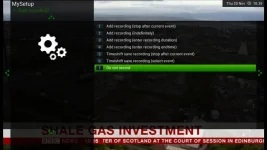
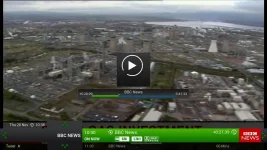
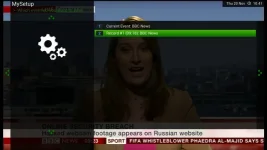
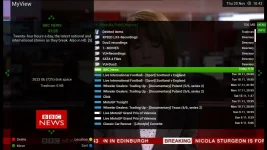
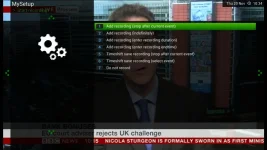
Timeshift is working perfectly on my Duo2 running openvixHD Apollo 088, but after reading this I thought that I had better check it again been running it in timeshift for a while, i have paused it rewound it fast forward it at different speeds played it paused it again and finally Recorded it with the option of present or previous timeshift programs and it worked faultlessly, i have captured some screens as it was being tested and they are numbered from 1st to last

timeshift 1.webp timeshift 2.webp timeshift 3.webp timeshift 4.webp timeshift 5.webp
timeshift 7.webp timeshift 8.webp timeshift 9.webp
 
Thanks for the info nsw9154

For those more familiar with these problem - is it likely to be a driver issue?
I'm new to Enigma2/openvix and linux satellite receivers (although I do have quite a bit of experience with linux)

Is the kernel + drivers bundled with openvix? If I try another "distro" of Enigma2 am I likely to hit the same issue?
 
Probably mate I know that they are having problems with the Gigablue drivers hopefully they will get them fixed one day as my Duo2 is working perfect
 
Probably mate I know that they are having problems with the Gigablue drivers hopefully they will get them fixed one day as my Duo2 is working perfect

Can you rewind to previous program, when not been paused? i.e Does your PTS work as thats an issue too
 
Can you rewind to previous program, when not been paused? i.e Does your PTS work as thats an issue too

I see what you mean I will do a few tests on a different channel as using the news channel only gives me the news and is not really a fair test :eek:
 
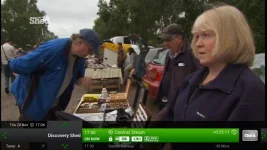
Well I ran in timeshift for over 2 hours watching (1) 1 hour and (2) 30 minute programs then went and recorded the 1st 30 minute program from the timeshift menu then went back to watch TV and the picture locked up, I tried rewinding and fast forwarding and pressing the stop button but the picture just juddered and sort of jumped then stopped as if in pause, I pressed play and it started to play so I paused it but their was no pause indicator showing I had to change to another channel to get access to the receiver :confused: here is a screen shot of it in pause and the recorded program only showing about 10 mins even though it was a 30 minute program, I use timeshift a lot but only to watch programs from and have never tried doing a recording so have never picked this up it's a very strange one to describe but defiantly a bug
timeshift paused.webp timeshift recording 1.webp timeshift recording 2.webp
 
Great test. So you can say for sure the Apollo image does have a problem with time shift and permanent time shift
 
I'm new to Linux receivers. Is the kernel + drivers bundled with openvix? If I try another "distro" of Enigma2 am I likely to hit the same issue?
According to openvix, the "Driver date" is 20141020

What's something like this going to be like:
http://image.openmips.com/4.2/index.php?open=gbquadplus

I wish I knew the problems with the Gigablue Quad Plus before I purchased it :(
 
With what happened with me when I tried it I would defiantly sat YES their is a problem, but I would presume only with trying to record a program while in timeshift as I never had a problem just trying to watch something as it has always worked fine :confused:
 
I'm new to Enigma2/openvix and linux satellite receivers (although I do have quite a bit of experience with linux)

Is the kernel + drivers bundled with openvix? If I try another "distro" of Enigma2 am I likely to hit the same issue?
The OS is Linux (a limited OE (Open Embedded) version), and of course Linux contains kernel and drivers.
Drivers are closed source, provided by the manufacturer, and compiled against the kernel.
The application in use = Enigma 2

An image = Linux + E2 + a skin + some plugins

Linux & E2 will vary over teams (as do skins and plugins), but the drivers (and hence the kernel) is the same for every team.
 

OpenViX Feeds Status

Back
Top