Superb quality and spec AB-Com PULSe 4K SE. Crazy offer! Only £99! FREE UK DELIVERY! 4K UHD, Enigma 2, Multiboot 4 images & more!...
Superb quality and spec AB-Com PULSe 4K Rev II Twin Satellite tuner only £149! FREE UK DELIVERY! 4K UHD, Enigma 2, SATA HDD facility, Multiboot 4 images & more!...

Planner not loading

  • Thread starter Thread starter Drsayus
  • Start date Start date
D

Drsayus

Guest
Hi

The planner on my vu duo has stop loading, and it now just shows completely empty and i have no idea how to sort it.

I have tried obvious like turn off and on but still nothing.

Any ideas on how to sort this would be much appreciated!

Thanks

Adam
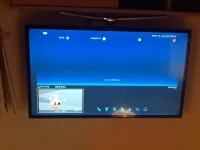
 
Ahh sorry, bit new to this!! Done what you said and nothing shows up...
 
Alternatively
Menu > Information > Devices


You can grab a screenshot by pasting the following in your browser. Change x to make your IP address.
Code:
http://192.168.XX.XX/grab?format=jpg
 
Tried to do screenshot as per your link and it doesnt work.

I did the menu>info>devices and doesnt show any detected devices
 
I'm guessing so!! It has been fine and for some reason has just gone this morning!

Done a reboot and still not showing up. Getting the error "no hdd found or hdd not initialised" when try to record.
 
And at the minute, my box isnt actually hooked up to the internet, due to line fault in new house. So right now im just getting freeview channels.

But it has been working fine like this for past 2 weeks. All of a sudden today the hdd has vanished!!
 
Last edited by a moderator:
I would remove the HDD from your VU and test it in a pc or laptop if you have the right lead, not difficult to do. If your PC sees the drive it is OK, format it and then put it back into your VU and mount as shown in an earlier post.
 
Last edited:
I dont have the leads to be able to do that unfortunately, plus I have a large crack across my laptop at the minute so its kind of tricky to use at all, let alone check and format a HDD!!

Is there any other basic alternatives I could try, such as flashing the vu duo?
 
Yes a reflash would probably be a good idea and it won't hurt any thing to try it, as long as you backup all important info first like cam config files. And make a full image backup too just to be safe. You can get the image and a flashing tutorial via our download site www.openvix.co.uk


Sent from my iPad Air using Tapatalk
 

OpenViX Feeds Status

Back
Top