Superb quality and spec AB-Com PULSe 4K SE. Crazy offer! Only £99! FREE UK DELIVERY! 4K UHD, Enigma 2, Multiboot 4 images & more!...
Superb quality and spec AB-Com PULSe 4K Rev II Twin Satellite tuner only £149! FREE UK DELIVERY! 4K UHD, Enigma 2, SATA HDD facility, Multiboot 4 images & more!...

Please help me setup my box

  • Thread starter Thread starter Tw4T
  • Start date Start date
Ok, Read all I need to read but everything states I need to use DBedit or similar. My problem is I am running a Linux box so cannnot run any of these programs. All I want to know is what directories I need to MANUALY copy over the files from Catseye E2 Settings File 75 East-58 West 05.03.2011.rar to. Cheers. And sorry for being a pain.

Look closely at the screenshots in the guide ;)

Make sure the extract the rar file.

Dreambox edit is run on your PC, or do you mean you are running a Linux PC?
 
Because you are running a linux box you need to use one of those programs, why do you want to manually install them, those software are made for linux box thats what they are meant to do

Sic i dont think he wants to use any software to transfer the files
 
ok if your so insistent on ftp'ing them over instead of using programmes specifically written for the job here goes.
(these are the default locations for E2 systems, although some teams can and do change these locations.)

services and bouquet files plus user bouquet files go into
/etc/enigma2/
satellites.xml file goes into
/etc/tuxbox/
picons go into
/media/usb/picons/
 
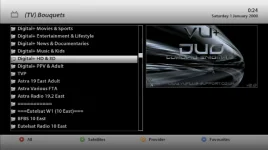
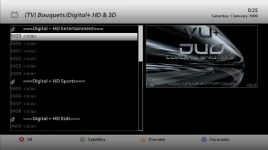
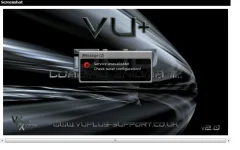
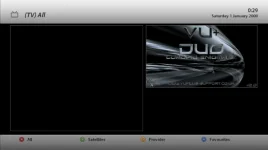
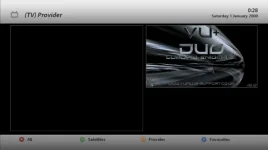
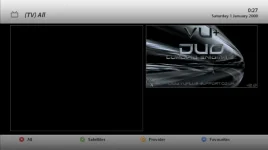
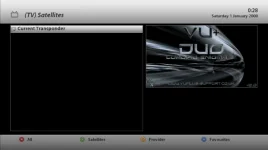
Hi, I factory reset my box and setup the LNB settings etc. I then copyied the the files over from Catseye E2 Settings File 75 East-58 West 05.03.2011.rar to the correct directories. I restarted the box but have came across a problem. Basicly, I can not get any channels. I have included a few screenshots to show what I mean. What can I be doing wrong? Surely I do not need to do a scan, or do I? I`m stumped. Thank you for being patiant with me, I know your going to get a bit sick of me soon so I am trying to get this sorted as fast as I can. Cheers.


screenshot.1.webpscreenshot.2.webpscreenshot.3.webpscreenshot.7.webpscreenshot.5.webpscreenshot.4.webpscreenshot.6.webp
 
Hi, I factory reset my box and setup the LNB settings etc. I then copyied the the files over from Catseye E2 Settings File 75 East-58 West 05.03.2011.rar to the correct directories. I restarted the box but have came across a problem. Basicly, I can not get any channels. I have included a few screenshots to show what I mean. What can I be doing wrong? Surely I do not need to do a scan, or do I? I`m stumped. Thank you for being patiant with me, I know your going to get a bit sick of me soon so I am trying to get this sorted as fast as I can. Cheers.


View attachment 6615View attachment 6621View attachment 6620View attachment 6619View attachment 6618View attachment 6616View attachment 6617

this is why you need to use specific programmes as they have the option to "reload" the settings once they have been transferred. this is a essential part of the process.
 
OK, I see. It looks like I will have to just bite the bullet and use the program you suggested, UNLESS there is a way of manually "reloading" the settings once Ive tranfered the files? Thanks

EDIT: Is there a Telnet command to reload the settings once copied over?
 
Last edited by a moderator:
Here is how i set up Dreamset for use with the VU+ and using these type of programs you can edit/delete/move settings around as needed:D
 
Is there a Telnet command to reload the settings, surely all the program does is send said command to the box ?
 
Just restart GUI on the box its a lot faster than getting a telnet session going
 
OK Guys, Ive sussed it out :) After Id FTP`d the files over to the box I had to do a manual scan on all the satellites; it only took half an hour but im up and running now (for the first part of my action plan at least ;) ). Theres a few oddites and glitches but at least thats another thing I have learnt. THANK YOU ALL WHO HAVE HELPED ME IN THIS THREAD :)
 
OK Guys, Ive sussed it out :) After Id FTP`d the files over to the box I had to do a manual scan on all the satellites; it only took half an hour but im up and running now (for the first part of my action plan at least ;) ). Theres a few oddites and glitches but at least thats another thing I have learnt. THANK YOU ALL WHO HAVE HELPED ME IN THIS THREAD :)

lol. ive been at this game since 1989 and i'm still learning every day. glad you got it sussed though.
 

OpenViX Feeds Status

Back
Top