steveharman
New member
- Joined
- Mar 8, 2014
- Messages
- 175
- Reaction score
- 0
- Points
- 0
- Age
- 57
Hi,
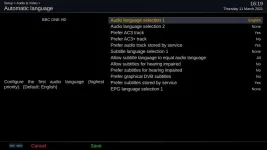
Somehow our box has recently defaulted to showing subtitles all the time on regular free-to-air channels such as BBC One, BBC Two and the rest.
I've tried hunting around in settings but nothing I change seems to make any difference, so every time we change channel I have to go into Audio > Audio > [deselect subtitle language'
On a similar note, is there a "I never want to see subtitles when playing downloaded content ever again" setting?
It's a similar story to the above - every time we playback say an AVI or MP4 the English subtitles [on English language movies] always appear until I to go into Audio > Audio > [deselect subtitle language]
Many thanks,
Somehow our box has recently defaulted to showing subtitles all the time on regular free-to-air channels such as BBC One, BBC Two and the rest.
I've tried hunting around in settings but nothing I change seems to make any difference, so every time we change channel I have to go into Audio > Audio > [deselect subtitle language'
On a similar note, is there a "I never want to see subtitles when playing downloaded content ever again" setting?
It's a similar story to the above - every time we playback say an AVI or MP4 the English subtitles [on English language movies] always appear until I to go into Audio > Audio > [deselect subtitle language]
Many thanks,