Superb quality and spec AB-Com PULSe 4K SE. Crazy offer! Only £129! FREE UK DELIVERY! 4K UHD, Enigma 2, Multiboot 4 images & more!...
Superb quality and spec AB-Com PULSe 4K Rev II Twin Satellite tuner only £179! FREE UK DELIVERY! 4K UHD, Enigma 2, SATA HDD facility, Multiboot 4 images & more!...

[VU+ Ultimo4K] radio.mvi not displaying

thecaretaker

Forum Supporter
Donated Member
Joined
Apr 22, 2012
Messages
327
Reaction score
4
Points
18
Location
Southern UK
Website
www.thecaretakers.co.uk
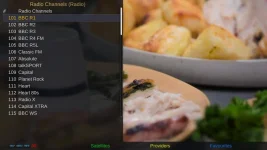
I confess I have not listened to a Radio channel for some time. But I'm not seeing the Radio background. Has the location for the radio.mvi file changed or does VIX no longer support Radio backgrounds?

I have a radio.mvi file (1920x1080) in /usr/share with the bootlogo and backdrop files and also in enigma2 folder.

EDIT: Just to add I have my radio channels in a category in the TV Channels.
 
Last edited:
The radio background shows for me but my radio channels are in the radio section.

Using vix 5.4.005 on my uno4k
 
I have them here: \Root\var\etc\enigma2\ and they are working.
 
The only (original) radio.mvi file on my box is in /usr/share/enigma2, it's dated 4/8/2020 and it displays ok on the tv, but I can't grab a screenshot - it comes up with a black screen.
 
The only (original) radio.mvi file on my box is in /usr/share/enigma2, it's dated 4/8/2020 and it displays ok on the tv, but I can't grab a screenshot - it comes up with a black screen.

That was an Ultimo4k (the OSD gets picked up), on my ET10K, same file, I can grab a screenshot....
 

Attachments

  • radio.webp
    radio.webp
    77.8 KB · Views: 6
Last edited:
I have a radio.mvi file (1920x1080) in /usr/share with the bootlogo and backdrop files and also in enigma2 folder.
I put my own into /etc/enigma2 and it seems to work. Although that may just refer to seeing it during a recording playback.

EDIT: Just to add I have my radio channels in a category in the TV Channels.
So do I.
Given that the service id describes it as a radio channel I've never understood why there are separate bouquets for TV and radio.
 
Last edited:
OK, I'm a silly clump. Probably because I bought an OLED TV and didn't want to burn the screen, at some point I changed my radio.mvi for a completely black image. I kept replacing my saved image which obviously didn't show anything (just a black screen). I have made myself a very faint image now and it is working as it always used to. I'll get me coat.

Thanks for your help peeps.
 
Last edited:
The only (original) radio.mvi file on my box is in /usr/share/enigma2, it's dated 4/8/2020 and it displays ok on the tv, but I can't grab a screenshot - it comes up with a black screen.

One final comment, fwiw, on the Ultimo4k, if I grab screenshots every 1 second in OpenWebif, and switch repeatedly between tv and radio, once in a blue moon the radio.mvi shows for a split second.
 
I put my own into /etc/enigma2 and it seems to work. Although that may just refer to seeing it during a recording playback.

So do I.
Given that the service id describes it as a radio channel I've never understood why there are separate bouquets for TV and radio.
Because a radio channel and a tv channel could have the same LCN. Just because it is not like that on Freeview UK doesn't mean it is always not like that.
 
"radio.mvi" is fetched with the priorities of SCOPE_ACTIVE_SKIN and overridden by SCOPE_CONFIG.

Code:
radiopic = resolveFilename(SCOPE_ACTIVE_SKIN, "radio.mvi")
if os.path.exists(resolveFilename(SCOPE_CONFIG, "radio.mvi")):
	radiopic = resolveFilename(SCOPE_CONFIG, "radio.mvi")

To understand the priorities you need to look in Tools.Directories.

Code:
		skin = os.path.dirname(config.skin.primary_skin.value)
		resolveList = [
			os.path.join(defaultPaths[SCOPE_CONFIG][0], skin),
			os.path.join(defaultPaths[SCOPE_CONFIG][0], "skin_common"),
			defaultPaths[SCOPE_CONFIG][0],  # Can we deprecate top level of SCOPE_CONFIG directory to allow a clean up?
		]
		if not "skin_default" in skin:
			resolveList.append(os.path.join(defaultPaths[SCOPE_SKIN][0], skin))
		resolveList += [	
			os.path.join(defaultPaths[SCOPE_SKIN][0], "skin_fallback_%d" % getDesktop(0).size().height()),
			os.path.join(defaultPaths[SCOPE_SKIN][0], "skin_default"),
			defaultPaths[SCOPE_SKIN][0]  # Can we deprecate top level of SCOPE_SKIN directory to allow a clean up?
		]
		for item in resolveList:
			file = os.path.join(item, base)
			if pathExists(file):
				path = file
				break

https://github.com/OpenViX/enigma2/blob/Dev/lib/python/Tools/Directories.py#L127-L143

Which gives us this (highest priority to lowest):

  • /etc/enigma2/<skin-name>/radio.mvi
  • /etc/enigma2/skin_common/radio.mvi
  • /etc/enigma2/radio.mvi
  • /usr/share/enigma2/<skin-name>/radio.mvi
  • /usr/share/enigma2/skin_fallback_xxx/radio.mvi
  • /usr/share/enigma2/skin_default/radio.mvi
  • /usr/share/enigma2/radio.mvi

Then the SCOPE_CONFIG override is tagged on the end (/etc/enigma2/radio.mvi), which does not make any sense and should be deleted as that location is already tested by SCOPE_ACTIVE_SKIN.
 
Last edited:
radio.mvi is present on my ax61hd in /usr/share/enigma2 directory, but it doesn't display when I select a radio channel. I've copied it to /etc/enigma2/ and I'll restart once a recording has finished. I've never seen the radio background on this box on Vix, although it does work on OpenATV.
 
Radio.mvi showing fine on my SF8008 but the ATV forum have a few posts about it not showing on the Zgemma H9 series. Someone said it may be a driver problem :confused:
 
I done some test before I added this radio.mvi. Some machines show it and some don't. Also found some machines don't show the initialial boot screen, only the 2nd one.
 
I checked this on my GB Quad plus. radio.mvi displays correctly. I checked the file versus the one on the ax61 and they are the same. Log file on both show similar entries, but the ax61 is blank. Checked ATV again and it is blank there also.
 
Because a radio channel and a tv channel could have the same LCN. Just because it is not like that on Freeview UK doesn't mean it is always not like that.
But they will have a different service type, so the service reference shows what type it is.

Or do you mean that there could be a channel 100 in TV and a channel 100 in Radio?
 
And by the way LCN has a top limit of 1024 (i.e. 10 bit), so not an endless resource.
 
Last edited:
I put my own into /etc/enigma2 and it seems to work. Although that may just refer to seeing it during a recording playback.

So do I.
Given that the service id describes it as a radio channel I've never understood why there are separate bouquets for TV and radio.
It's up to you if you want to use the two; you can also mix TV & radio.
I do indeed use different bouquets for radio & TV.
 
Last edited:

OpenViX Feeds Status

Back
Top