


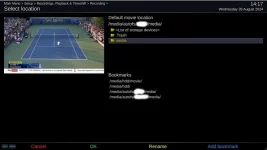
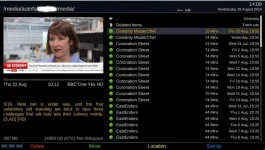
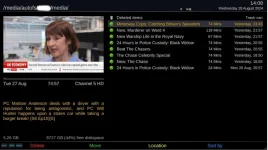
With all sorts of network location issues that wouldn't resolve (I think the box had become corrupted) I decided to re-flash the box and rebuild the installation which has been successful apart from one oddity as illustrated in the attached images.
Despite the network storage locations being identical, though on different Synology NAS boxes, when I check the location of recordings the screen for Management's recordings (probably obvious with the list of soaps!) includes a ".. Directory" link at the top. This might not sound important but Management is a technophobe and it will cause problems, for me, so I'd like to get rid of it and present her with a screen that has only her recordings and the Trash folder.
A second issue, presumably linked to the oddity, is that pressing red on the Trash folder doesn't delete the contents.
Anyone suggestions for a fix please?
Despite the network storage locations being identical, though on different Synology NAS boxes, when I check the location of recordings the screen for Management's recordings (probably obvious with the list of soaps!) includes a ".. Directory" link at the top. This might not sound important but Management is a technophobe and it will cause problems, for me, so I'd like to get rid of it and present her with a screen that has only her recordings and the Trash folder.
A second issue, presumably linked to the oddity, is that pressing red on the Trash folder doesn't delete the contents.
Anyone suggestions for a fix please?
Attachments
Last edited:


