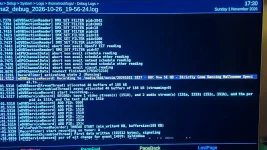
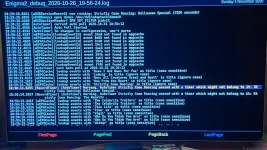
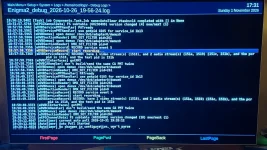
The clue is in the timing and your observation that "just before 7pm, the box seems to restart the same recording twice".
On OpenViX running on a VU+ Duo4K SE, predictable Saturday evening dropouts like this are almost always caused by one of two background scheduling mechanisms hitting the DVB transport stream and storage controller simultaneously:
1. Recording Pre-Roll Margin & VPS / Accurate Recording
Strictly Come Dancing typically starts around 18:50 or 19:00. OpenViX by default has a 2 to 5-minute pre-recording padding ("Margin before recording").
- If the programme is scheduled for 18:55 or 19:00, the recording daemon initiates at 18:50 or 18:53.
- When the timer fires, the box does a filesystem sync/write to the hard drive, opens a new recording thread, and if you have VPS (Video Programming System) / Accurate Recording or AutoTimer enabled, the box monitors dynamic EIT event status. If the broadcaster sends an updated EIT event tag at the boundary, OpenViX can restart or split the recording stream.
- When this disk I/O burst occurs, video buffers have large enough ring buffers to avoid dropped frames, but AC3 / Dolby Digital bitstreams over HDMI passthrough lose clock synchronisation (PTS) for a fraction of a second, causing an external AVR or TV soundbar to mute and re-lock its HDMI audio handsh
2. Automated Background Tasks (EPG-Importer / CrossEPG / AutoTimer Polling)
Many users have their automated EPG download or AutoTimer background poll set to run on the hour or half-hour.
- Go to: Menu -> Setup -> EPG -> EPG Importer -> press Blue/Menu for Sources/Schedule. Verify what time the automated daily import is scheduled. If it is set to anywhere between 18:00 and 20:00, move it to 04:00 AM. Parsing multi-megabyte XMLTV/Rytec databases consumes significant CPU cycles and creates heavy SQLite/file writes.
- Go to: Menu -> Timers -> AutoTimer -> Menu -> Settings. Check the "Poll automatically" interval. If set to poll every 60 minutes or at specific hours, ensure it's restricted to overnight hou
3. Hard Drive Spin-Up Latency
If your recordings go to an internal spinning mechanical hard drive (HDD) that is set to sleep after 5 or 10 minutes of inactivity:
- When the timer fires at 18:55, the HDD has to spin up from standby (often taking 3 to 5 seconds). During that drive spin-up delay, the write cache can stall the I/O bus, interrupting the live audio stream.
- In Menu -> Setup -> System -> Harddisk -> Harddisk setup: check "Harddisk standby after". Setting it to "No standby" (or using an SSD) completely eliminates spin-up bus laten
4. Audio Passthrough vs Downmix Test
To verify if this is an HDMI/AVR audio handshake dropout:
- Go to: Menu -> Setup -> Audio & Video -> Audio -> Dolby Digital / DTS Downmix.
- If you set Downmix to ON, the Duo4K SE decodes the AC3 stream to stereo PCM internally. PCM streams recover instantly without the soundbar muting while re-negotiating bitstream handshak
Check your EPG Importer schedule and hard drive spin-up settings first—moving any scheduled jobs away from prime-time viewing usually resolves this permanently.
es.cy.rs.ake.