
What image/skin are you using?


class DsayersCustomMixImporterScreen(Setup):
	skin = """
		<screen position="340,70" size="600,620">
			<widget source="key_red" render="Label" position="0,0" size="140,40" valign="center" halign="center" zPosition="4" foregroundColor="white" backgroundColor="#9f1313" font="Regular;18" transparent="1"/>
			<widget source="key_green" render="Label" position="150,0" size="140,40" valign="center" halign="center" zPosition="4" foregroundColor="white" backgroundColor="#1f771f" font="Regular;18" transparent="1"/>
			<widget source="key_yellow" render="Label" position="300,0" size="140,40" valign="center" halign="center" zPosition="4" foregroundColor="white" backgroundColor="#a08500" font="Regular;18" transparent="1"/>
			[COLOR="#FF0000"]<widget source="key_blue" render="Label" position="450,0" size="140,40" valign="center" halign="center" zPosition="4" foregroundColor="white" backgroundColor="#a08500" font="Regular;18" transparent="1"/>[/COLOR]
			<widget name="HelpWindow" pixmap="skin_default/buttons/vkey_icon.png" position="450,550" zPosition="1" size="541,720" transparent="1" alphatest="on"/>
			<ePixmap name="red" position="0,0" zPosition="2" size="140,40" pixmap="skin_default/buttons/red.png" transparent="1" alphatest="on"/>
			<ePixmap name="green" position="150,0" zPosition="2" size="140,40" pixmap="skin_default/buttons/green.png" transparent="1" alphatest="on"/>
			<ePixmap name="yellow" position="300,0" zPosition="2" size="140,40" pixmap="skin_default/buttons/yellow.png" transparent="1" alphatest="on"/>
			[COLOR="#FF0000"]<ePixmap name="blue" position="450,0" zPosition="2" size="140,40" pixmap="skin_default/buttons/blue.png" transparent="1" alphatest="on"/>[/COLOR]
			<widget name="config" position="10,50" size="580,350" scrollbarMode="showOnDemand"/>
			<widget name="description" position="50,385" size="500,80" font="Regular;18" halign="center" valign="top" transparent="0" zPosition="1"/>
		</screen>""
class DsayersCustomMixImporterScreen(Setup):
	skin = """
		<screen position="340,70" size="600,620">
			<widget source="key_red" render="Label" position="0,0" size="140,40" valign="center" halign="center" zPosition="4" foregroundColor="white" backgroundColor="#9f1313" font="Regular;18" transparent="1"/>
			<widget source="key_green" render="Label" position="150,0" size="140,40" valign="center" halign="center" zPosition="4" foregroundColor="white" backgroundColor="#1f771f" font="Regular;18" transparent="1"/>
			<widget source="key_yellow" render="Label" position="300,0" size="140,40" valign="center" halign="center" zPosition="4" foregroundColor="white" backgroundColor="#a08500" font="Regular;18" transparent="1"/>
			<widget source="key_blue" render="Label" position="450,0" size="140,40" valign="center" halign="center" zPosition="4" foregroundColor="white" backgroundColor="#a08500" font="Regular;18" transparent="1"/>
			<widget name="HelpWindow" pixmap="skin_default/buttons/vkey_icon.png" position="450,550" zPosition="1" size="541,720" transparent="1" alphatest="on"/>
			<ePixmap name="red" position="0,0" zPosition="2" size="140,40" pixmap="skin_default/buttons/red.png" transparent="1" alphatest="on"/>
			<ePixmap name="green" position="150,0" zPosition="2" size="140,40" pixmap="skin_default/buttons/green.png" transparent="1" alphatest="on"/>
			<ePixmap name="yellow" position="300,0" zPosition="2" size="140,40" pixmap="skin_default/buttons/yellow.png" transparent="1" alphatest="on"/>
			<ePixmap name="blue" position="450,0" zPosition="2" size="140,40" pixmap="skin_default/buttons/[COLOR="#FFFF00"]yellow.png[/COLOR]" transparent="1" alphatest="on"/>
			<widget name="config" position="10,50" size="580,350" scrollbarMode="showOnDemand"/>
			<widget name="description" position="50,385" size="500,80" font="Regular;18" halign="center" valign="top" transparent="0" zPosition="1"/>
		</screen>"""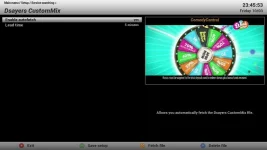
You should add setup3buttons and setup4buttons to your skin. They are in default skin so you must have an old copy of ATV.
That has blue button as yellow.png instead of blueThe skin issue is cured in the version in post 184.
<ePixmap name="blue" position="450,0" zPosition="2" size="140,40" pixmap="skin_default/buttons/yellow.png" transparent="1" alphatest="on"/>



 with atv default its just a small box like my screen shots.