Superb quality and spec AB-Com PULSe 4K SE. Crazy offer! Only £129! FREE UK DELIVERY! 4K UHD, Enigma 2, Multiboot 4 images & more!...
Superb quality and spec AB-Com PULSe 4K Rev II Twin Satellite tuner only £179! FREE UK DELIVERY! 4K UHD, Enigma 2, SATA HDD facility, Multiboot 4 images & more!...

SF8008 Connectivity issue

JACKRUSSNORTH

New member
Joined
May 25, 2022
Messages
9
Reaction score
0
Points
0
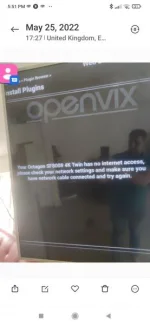
Hi I have just purchased an SF8008 from World of Satellite but I am having issues connecting to the internet. I filled in all the details on settings and when I test the network in settings menu I get all green lights and all appears fine. but when I try to download a plugin on Openvix (latest version came preinstalled today), I just get a Vix logo in left corner for a minute or so then it says the box has no internet access.

Thanks
 
What OpenViX version do you see in the "about" screen? Should be 6.2 but that is very recent.
 
Hi I have just purchased an SF8008 from World of Satellite but I am having issues connecting to the internet. I filled in all the details on settings and when I test the network in settings menu I get all green lights and all appears fine. but when I try to download a plugin on Openvix (latest version came preinstalled today), I just get a Vix logo in left corner for a minute or so then it says the box has no internet access.

Thanks
How are you connecting? Lan or WiFi?
 
Yes connected through wireless to Vodafone router. When I go into setup and network test all works and goes green.
 
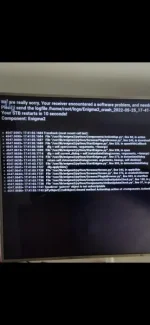
I have also tried connecting with homeplugs and the VIX sign rotates in corner for around a minute then it crashes and has to restartScreenshot_2022-05-25-17-42-03-840_com.miui.gallery.webp
 
So can you turn on debug logs.
Menu/setup/system/logs/settinngs. Enable debug, change location from flash to your hdd.
Then post both crash & debug logs here(attach the logs - no need to zip etc).. logs will be in /media/hdd/logs on the sf8008
 
So can you turn on debug logs.
Menu/setup/system/logs/settinngs. Enable debug, change location from flash to your hdd.
Then post both crash & debug logs here(attach the logs - no need to zip etc).. logs will be in /media/hdd/logs on the sf8008

I did what you said and now it works fine???

Thanks for all the help
 

OpenViX Feeds Status

Back
Top