Superb quality and spec AB-Com PULSe 4K SE. Crazy offer! Only £99! FREE UK DELIVERY! 4K UHD, Enigma 2, Multiboot 4 images & more!...
Superb quality and spec AB-Com PULSe 4K Rev II Twin Satellite tuner only £149! FREE UK DELIVERY! 4K UHD, Enigma 2, SATA HDD facility, Multiboot 4 images & more!...

[GiGaBlue QUAD+ PLUS] Slow network/FTP ???

  • Thread starter Thread starter 007xico
  • Start date Start date
0

007xico

Guest
Hi,

every time i try to go to plugins it takes 20 sec to show the option list and up to 30 sec to download anything.

The other sign of problem is when FTP picons or even a single file to the receiver it takes forever. Picon even say days left and gives error 40 seconds in.

I am wired to router, changed cables and installed different builds. It wasn't like that before but don't know when it started .

Any help would be welcome .
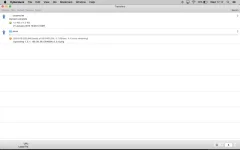
 
Just flashed latest image and bootloader at the same time but network still slow.

Screen Shot 2015-01-21 at 17.17.52.webp
 
Have you tried a factory reset on the router? Or tried another 1?
 
Is the box still slow to download plugins direct since you updated ?
If not you could try changing the wi fi channel, but if it is then I have no idea.
Maybe try an old vix image or backup.
 
Just flashed latest image and bootloader at the same time but network still slow.

View attachment 40256

Now thats a very silly thing to do, if you end up corrupting the bootsector with a failed bootloader update you will essentially kill the receiver to the point of needing it j-tagging back to life.

Bootloader updates are akin to bios updates, you should never load the image and bootloader at the same time to minimize the risk of accidental bootsector corruption.
 
Now thats a very silly thing to do, if you end up corrupting the bootsector with a failed bootloader update you will essentially kill the receiver to the point of needing it j-tagging back to life.

Bootloader are akin to bios updates, you should never load the image and bootloader at the same time to minimize the risk of accidental bootsector corruption.

I updated first boot-loader and booted , after new image and booted again :thumbsup:

I think I found the issue on the network , the problem is my superhub. Tried to reset it and changed cables and ports but no luck.
Now I am using a "150Mbps Wireless N Nano Router TL-WR702N" and seems to be fine.

Now have to find what the problem is with the router.
 

OpenViX Feeds Status

Back
Top