Superb quality and spec AB-Com PULSe 4K SE. Crazy offer! Only £99! FREE UK DELIVERY! 4K UHD, Enigma 2, Multiboot 4 images & more!...
Superb quality and spec AB-Com PULSe 4K Rev II Twin Satellite tuner only £149! FREE UK DELIVERY! 4K UHD, Enigma 2, SATA HDD facility, Multiboot 4 images & more!...

[VU+ Solo2] Software update

sataday

Member
Joined
Aug 13, 2014
Messages
294
Reaction score
2
Points
18
Location
Pandora, Alpha Centauri.
When I select "Software update" the bar used to go across once and it was loaded. It now goes across about 20-30 times, taking about 5 mins to load.
Any thoughts why this is?
(Apollo 070)
 
Now when I select "Software update" I get: "A background update check is in progress, please wait a few minutes and try again"
This has been happening all day, what does it mean?
 
log

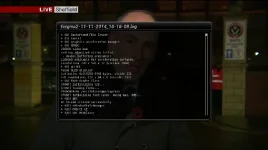
These are the screen shots of my logs. I hope you can read them. I'm not sure how else to post them. sorry.
 

Attachments

  • 1_0_19_1B1D_802_2_11A0000_0_0_0.webp
    1_0_19_1B1D_802_2_11A0000_0_0_0.webp
    23.2 KB · Views: 39
  • 123.webp
    123.webp
    29.6 KB · Views: 25
Last edited:
The debug logs are found at /home/root/logs/

To attach it to the forum, Click on "Go Advanced", "Manage Attachments" , "Add files", "Browse to where you saved on PC and then select them", "Upload", "Done", "submit reply"
 
I've just updated to 079 via VIX Image manager. All went OK up to restore settings then I get the message "A background update check is in progress, please wait for retry" which counts down from 8 to 0, and then does it again and again in a continuous loop.
I can stop it by pressing "exit".
I doesn't seem to a great problem, but is it part of the above problem?
 
Your logs do not show any update process as far as I can see, I may be mistaken.

What plugins have you got installed?
 
Update:
I did a usb flash of 080 without restoring backups, and that seems to have sorted the problem, However now when I check for software updstes it takes about 6 mins to download and all that is there is a picons file that I already have installed.
When I Telnet to box with "opkg list-upgradable" I get the following:
root@vusolo2:~# opkg list-upgradable
Collected errors:
* opkg_conf_load: Could not lock /var/lib/opkg/lock: Resource temporarily unav
ilable.

Sorry to go on about this but any ideas please?
 
Using your ftp program, can you navigate to /var/lib/opkg/

Take a scrennshot and post here please.
 

OpenViX Feeds Status

Back
Top