Superb quality and spec AB-Com PULSe 4K SE. Crazy offer! Only £99! FREE UK DELIVERY! 4K UHD, Enigma 2, Multiboot 4 images & more!...
Superb quality and spec AB-Com PULSe 4K Rev II Twin Satellite tuner only £149! FREE UK DELIVERY! 4K UHD, Enigma 2, SATA HDD facility, Multiboot 4 images & more!...

[ABM-DVB-S/S2] timeout

  • Thread starter Thread starter golfmeghol
  • Start date Start date
G

golfmeghol

Guest
as a complete NOOB I have tried looking for an answer but cannot seem to find one
I recently upgraded my spiderbox to a new Linux technomate 3t nano and got WOS to install latest skin etc, excellent service
I have managed to figure out adding CCcam etc but seem to be struggling with some of what I would of thought were the simplier tasks
ABM constantly goes to timeout, I have downloaded ZoomZoom 28.2 list and it still goes to timeout.
I have also gone down the road of manually scanning sats but I cannot seem to get SD channels on 28.2 all I get are HD ones

has anyone got any quick fixes for me
 
What is your dish setup? Do all three tuners have a wire connected to them? How many channels do you get with a normal scan?
 
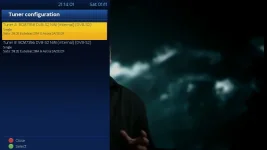
In addition to what abu baniaz has mentioned, I assume you have set your Tuner configuration (within Menu > Setup > Service Searching > Tuner configuration) to that as shown here

Tuner1.webpTuner2.webp
 
my first tuner is set up as dvb s2 with positioner, second tuner not set up and third set as terrestrial tuner. a normal scan on 28.2 gives me 505 channels
also noticed there is a problem with 23.5 only has 3 channels loaded and 19.2, 13 sats also only have hd not sd channels

any help much appreciated
 
you lost a lot of channels on a scan ,think its over 900+on 28.2,thinking dish allignment issue.
 
had aerial installer out, first said likely to be a problem with LNB, got me to put old box on and channels were fine, so left saying fault with technomate tuner.
if I have over 4000 stations tuned it is highly unlikely to be the tuner is it?
should I get another installer out before sending box back?
 
Do a manual single satellite scan and post how many channels are found. Menu > Setup > Service Searching > Manual Scan > Set type of scan to 'Single Satellite'.
 

Attachments

  • scan-single-satellite.webp
    scan-single-satellite.webp
    29.8 KB · Views: 14
RESOLVED
Thanks for all your help. turned out it was a faulty LNB, now replaced and everything working fine, just downloaded my first autobouquet it is fabulous. Many Thanks Zoom Zoom
 

OpenViX Feeds Status

Back
Top