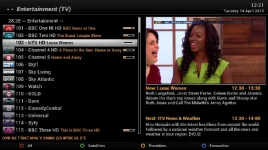
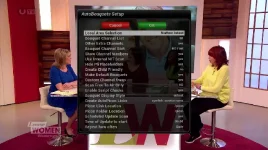
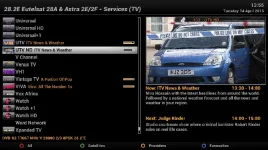
Superb quality and spec AB-Com PULSe 4K SE. Crazy offer! Only £99! FREE UK DELIVERY! 4K UHD, Enigma 2, Multiboot 4 images & more!...
Superb quality and spec AB-Com PULSe 4K Rev II Twin Satellite tuner only £149! FREE UK DELIVERY! 4K UHD, Enigma 2, SATA HDD facility, Multiboot 4 images & more!...

UKCvS AutoBouquets E2 by LraiZer BETA.

AB was initialy coded so that it can be run totaly in the background without any python engima2 GUI interface via a cron job. you can simply run the autobouquets.sh script with your options passed to the script. the DVB_FRONTEND="-1" at the top of the script means it is set by default to use the frontend currently in use by E2, but can be manualy overriden and set to 0,1,2,3 for the autoboquuetsreader binary to read from a specific tuner.
 
Last edited:
AB was initialy coded so that it can be run totaly in the background without any python engima2 GUI interface via a cron job. you can simply run the autobouquets.sh script with your options passed to the script. the DVB_FRONTEND="-1" at the top of the script means it is set by default to use the frontend currently in use by E2, but can be manualy overriden and set to 0,1,2,3 for the autoboquuetsreader binary to read from a specific tuner.
Thank you for that information.

Looking at that script, I see it has some 'defaults' if no options have been passed to the script so I've been trying to change these defaults to my own preference I have setup, to save the hassle of figuring out how (and what) to pass as options to the script.

However, I'm having problems choosing 'SD' version only (and removing any non FTA HD channels) but can't seem to figure out which default setting to change? I have included the section that determines the defaults below and I would greatfull if someone could advise where i'm going wrong?
Code:
	DATA="4101"
	REGION="07"
	EXTRA="1"
	CUSTOM_SORT="0"
	NUMBERING="1"
	UPDATE="true"
	UPDATE_FLAG="1"
	PLACEHOLDER_FLAG="1"
	PARENTAL_CONTROL="0"
	DEFAULT_BOUQUETS="true"
	CUSTOM="2"
	FTA_ONLY="0"
	SCRIPTCHECKS="true"
	STYLE="2"; STY="  - -  "
	PICONLINK="1"
	PICONFOLDER="3"
	PICON_STYLE="0"
 
Hi, I have just downloaded and installed the latest vix image 166 on Vu+Duo, everything has went well apart from a slight problem with a picon not showing. I installed AutoBouquet E2 from the feeds and set my region as Northern Ireland, also set syslinks for picons as shown on page 139, downloaded Ocram latest picons from the feeds, all other picons are showing in the channel list apart from my local 103 utvhd, I have checked the picon folder on the usb stick and it is there just not showing on screen. Hope someone here knows why its not showing.

Thanks in Advance
 
There is an outstanding issue with Irish channels. This may be affecting it.

Additionally, plugin never worked with symlinked picon sets IIRC. Can you post a screenshot of your settings please?

Are you using numbers next to names?
Are you customising your bouquets?
How many tuners does your receiver have?
 
Last edited:
I have placed the 20150427 version here
http://www.world-of-satellite.com/s...obouquets-28-2&p=352745&viewfull=1#post352745

Code:
15/04/2015
Added code to deal with unlinked bouquets. Thanks Lraizer
Changed default service details
Renamed Scan FTA Only and options
Added ITV Encore HD to suppplement file

27/04/2015
Some GUI rework
Renamed some options/values to make then easier to understand
Re-ordered options too
Ipk now using all architecture. SH4 users must replace autobouquetsreader
 
Is it just me or is anyone else having problems with Sly One, Living and Atlantic. Picons missing and channels not working?
 
Hi everyone

Iv found a problem with the swap not working and cant work out why, Iv been using this plugin for a long time on lots of different images and never had this problem to i tried the new vti 8.2.0

The only thing i can see that when installing the list is different to anything iv seen before.

For example : this is what i see on any other image iv tried

- - movies
- - sports
etc etc
and channels as -101 -102 etc etc

but on the vti image i have

= = movies
= = sports
etc etc
and channels = 101 = 102 etc etc.

So could it be the = ??

Iv tried many different versions, tried differents styles, manual install from working files and changed permissons etc etc but nothing works. spent a few days trying to work it out and reading and reading and still no wiser lol

I know i could use another image like vix but it just got me thinking why lol

Any ideas??
 
Sounds like encoding is mapped wrong in that image. Try a USB keyboard and enter some text in one of the text fields.
 
Sounds like encoding is mapped wrong in that image. Try a USB keyboard and enter some text in one of the text fields.


what text field would you suggest i try? as ive tried 2 different usb keyboards and only numbers work ?? no letters
 

OpenViX Feeds Status

Back
Top