ccs
ViX Beta Tester
- Joined
- Sep 6, 2014
- Messages
- 5,836
- Reaction score
- 5
- Points
- 0
were do i find the systemInfo.py file please
Ignore that, I was just querying something which turned out to be irrelevant.


were do i find the systemInfo.py file please

@thedoc11
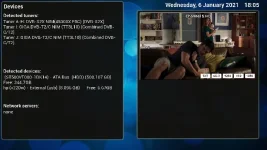
Please post a screenshot of a the following page on your Gigablue:
Menu > Information > Devices
Secondly, if you still have your Solo2, can you hook that up to the Unicable LNB, exactly as you did in your diagram. You will only be able to set tuner A & B. Do both these tuners work fine? Experiment with changing the preferred tuner, put box into standby, then wake up box. This will rule out the LNB.
still no luck and the channels didn't store on the tv, lost the signal so looks like the LNB and cabling needs checking.Ok so it looks like my LNB is working correctly as my sony TV has the capability to utilise unicable and it is finding channels fine and working as it should so does that irons out the LNB is that correct ?
I may try and re flash and not restore settings and try from scratch and see what happens will get back to you in due course
I'm new to Unicable but would expect that if you have tried the Unicable cable feed directly from LNB (not the other legacy cable feeds) to your Sony TV and it worked then that would rule out that specific cable and F connector.
Have you tried Unicable cable from LNB directly to Gigablue box (without splitter) into Tuner A without setting up additional tuners and does this work, albeit limited on tuners that can be used? Also have you tried the same thing directly into Tuner B and not A and is that same?
Legacy is still connectedBefore you spend money on a call out charge...
Which dish is the LNB installed on?
Who installed the LNB?
Are you testing the same services to hit the error?
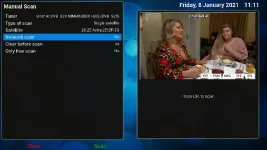
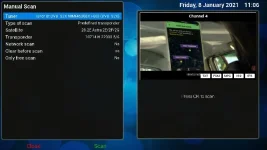
I presume you have the legacy ports still connected. Perform a manual scan, single satellite, (do not enable network scan). How many services do you find? Do not use plugins like ABM for this test.
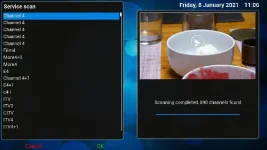
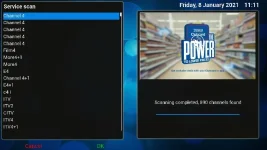
Completed a full automatic scan and got 893 channels scannedLegacy is still connected
manual scan I get 0 channels downloaded
ABM was not used
Am using a zone 2 60cm mesh dish
Installed by an approved installer
I took your advise not to get anyone out just yet,
1. i got on a ladder and clipped off the old connector, and put on a brand new compression fitting on.
2. Tested the system and i got exactly the same issue.
3. Clipped off the other end off the cable attached to the unicable and fitted a new compression fitting and attached this to the input of the power splitter
4. got some new shotgun cable and made a brand new cable up from the power pass splitter to the tuner
5. Connected one to the TUNER A and One to TUNER B
6. powered up the STB and the channels came on immediately.
7. placed the STB into standby for 5 mins and the Channels appeared immediately
8. Left the STB powered down for 15mins Approx and then powered up the Channels came on Immediately
Just tried to change the channels and am back at square one no channels not displaying again
Since writing the above all my channels are back again
Checking/re-terminating the cables is a good start. Fault finding needs to be methodical and systematic and limit the variables. Can we leave out the unicable for time being and just use the legacy connections?
A screenshot of Menu > Information > Devices is still pending to remove the query about which tuner modules you have.
The services/channels being tested need to remain constant as far as possible.
Once you have the the legacy connections set hooked up and tuners configured correctly, can you please conduct the following two tests.
A manual scan, Tuner A, single satellite, No to network scan, should yield 880+ services.
A manual scan, Tuner A, single satellite, No to network scan, should yield 880+ services.
Just out of curiosity, do you still have the solo 2 available? No need to do anything with it just yet.
That black screen can be avoided by setting the priority of tuner A to "1 (less than auto)" - it won't then be used for viewing/recordingI'd connect both. In some situations this is an advantage. E.g. you can run ABM without a blackout.

That is a workaround to leave the sole available root tuner vacant. What I suggested means there are two root tuners available.That black screen can be avoided by setting the priority of tuner A to "1 (less than auto)" - it won't then be used for viewing/recording

Checking/re-terminating the cables is a good start. Fault finding needs to be methodical and systematic and limit the variables. Can we leave out the unicable for time being and just use the legacy connections?
A screenshot of Menu > Information > Devices is still pending to remove the query about which tuner modules you have.
The services/channels being tested need to remain constant as far as possible.
Once you have the the legacy connections set hooked up and tuners configured correctly, can you please conduct the following two tests.
A manual scan, Tuner A, single satellite, No to network scan, should yield 880+ services.
A manual scan, Tuner A, single satellite, No to network scan, should yield 880+ services.