Superb quality and spec AB-Com PULSe 4K SE. Crazy offer! Only £99! FREE UK DELIVERY! 4K UHD, Enigma 2, Multiboot 4 images & more!...
Superb quality and spec AB-Com PULSe 4K Rev II Twin Satellite tuner only £149! FREE UK DELIVERY! 4K UHD, Enigma 2, SATA HDD facility, Multiboot 4 images & more!...

[Mut@nt] HD51 Unresponsive Box

Xiaomi

Forum Supporter
Donated Member
Joined
May 7, 2018
Messages
150
Reaction score
0
Points
0
Location
N.I.
Hi,

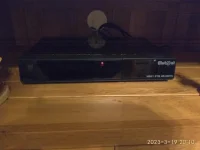
Parents house has a Mutant HD51. I don't remember the setup or what image is currently on the box.

I noticed that some channels were missing, so I decided to rescan for channels. I then decided to run ABM, but since then the box has become unresponsive. I've tried to flash the unit via USB, but not response.

When I power on the unit 'Booting...' momentarily appears before a series of '=' icons progress across the display:
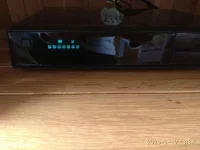
box.webp

It then goes to the Openvix starting screen:
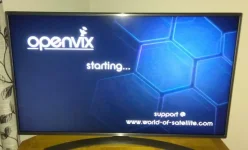
starting.webp

And then onto:

splash.webp

Before going back to standby:

standby.webp


Any ideas as to how I can recover this box?
 
You will need a lot of patience and a bit of know how. With the fault you have your best bet is to use recovery mode and this should delete all the software and start from new but the make of USB you use is very important. Kingston is preferred. Apparently this is a common glitch with this box.

When using the USB try the front slot with the box powered on. Put in usb and then hold the power button for a good long time until flashing appears in display.

go here and download the recovery file

https://www.openvix.co.uk/index.php/downloads/mutant-images/hd51/

The USB size should be 4gb. But format to fat 32 before you put file on it.

If it works don't get hung up on ABM just do an automatic scan to get all the channels.

I have the AXHD61 the next one up.
 
Last edited:
When formatting to FAT32 what allocation size should be used?
 
This also might be a power supply and might you have another power supply to check.

Images are best on max size of 8gb and no other usb plugged in
 
I've only got a 32GB USB2.0 stick.

Format options are: 8192bytes, 16kB, 32kB or 64kB.


I'll check tomorrow for another power supply. Highly annoying (putting it mildly) as the box is rarely used.
 
Jist checked Kingston there and their 4Gb USB sticks are circa £80. Would be better off buying a new box than that.
 
If your on Amazon
Integral INFD8GBCOU 8GB USB Memory 2.0 Flash Drive Courier Blue

5.49
I have used Cruzer , Integral , and Kingston 8gb for flashing boxes . Look around your house to see if any other power supplies are the same.

Your the second person with red light issue on that model

Forgot to mention in your first post box went into boot without instructing it to flash box.

Did you read the flashing guides if buttons need to be pressed to start the process.
 
Last edited:
I reformatted the USB and now when I power on the box (turn off at mains, hold power button in and then switch on) a 'no partition' message appears before going again to the above sequence.

Suggestions?
 
Yes should do as i have used those data travellers.

Format it fat32 and extract image to usb stick.
 
are you real???? I posted a link for the kingston and you posted another asking if it would work!!! You will never get that box fixed. I told you in post 2 another method and to use the recovery I am wasting my time trying to help you.
 
Last edited:

OpenViX Feeds Status

Back
Top