Superb quality and spec AB-Com PULSe 4K SE. Crazy offer! Only £99! FREE UK DELIVERY! 4K UHD, Enigma 2, Multiboot 4 images & more!...
Superb quality and spec AB-Com PULSe 4K Rev II Twin Satellite tuner only £149! FREE UK DELIVERY! 4K UHD, Enigma 2, SATA HDD facility, Multiboot 4 images & more!...

VIX Team Vu+ Duo Image - 05/09/2010 - Discussion

Status
Not open for further replies.
sorry should have made it clearer guys
i mean to down load the motor settings that gives u the channel list
saves me scanning as didnt save of old image(my fault i know slap me hard)
 
sorry guy's

i've had to uninstall the image i need the CCcam info, and its's just not displaying correctly, and what with the general text display problems i'm having, the image is just not functioning as i would like.

i hope that the bugs can be sorted, and then i can and will reinstall.

regards: canthackit
 
sorry guy's

i've had to uninstall the image i need the CCcam info, and its's just not displaying correctly, and what with the general text display problems i'm having, the image is just not functioning as i would like.

i hope that the bugs can be sorted, and then i can and will reinstall.

regards: canthackit

pm me all your probs, and i'll take a look :)
 
sorry guy's

i've had to uninstall the image i need the CCcam info, and its's just not displaying correctly, and what with the general text display problems i'm having, the image is just not functioning as i would like.

i hope that the bugs can be sorted, and then i can and will reinstall.

regards: canthackit


may be u'd like to try font magnifier. it has been tried on the image and works beautifully.
 
sorry should have made it clearer guys
i mean to down load the motor settings that gives u the channel list
saves me scanning as didnt save of old image(my fault i know slap me hard)


aaaaah ok :)

this is not available yet in our image. u need to download the list from the forum and then transfer it to the box using dbedit for example
 
To get cccam working on the box, download the cccam from the image server (long blue -> green -> cams). This way, it integrates with the softcam in the image, and also runs the camcheck script to ensure cccam is always running


Thanks for the advice M8 done that have not had chance to see if its working with two sons an er indoors using the tv
 
could someone please upload me the VIX Vu_HD_plus skin folder please. Dont ask why lets just say I had a blond moment and dont really want to reflash the box as I still have FTP acess.
 
could someone please upload me the VIX Vu_HD_plus skin folder please. Dont ask why lets just say I had a blond moment and dont really want to reflash the box as I still have FTP acess.

here you mate :)
 

Attachments

Am loving the new image guys ..."nice one" Keep up the good work
Sloth
 
Thanks for the nice image. I also have an issue with EPG. I'm watching mostly 39E and the provider is Bulsatcom. With the other images I never need to download any information. When I installed VIX image, the EPG stay empty. On the info bar I can see now/next broadcast, but nothing in EPG menu. From the sources I can download the epg that I need. Please advise me what to do and sorry for my poor english.

P.S.

Also, I can't scan 16E, whole satellite. I get message to check my tuner configuration. No such problems with other sats.
 
Well done lads

Alot of hard work has gone into creating this image for us Vu users-your efforts are appreciated by us:cool:

Ive not had chance yet to install it myself as ive been really busy lately

Apart from updating settings, mrs catseye has got me stripping (wallpaper not clothes):D

Any decorators free this weekend for a few hours whilst i nip out ??:sofahide:
 
@ andy

how do i post screen shots as attachments on PM's please?

regards: canthackit
 
here you go mate.

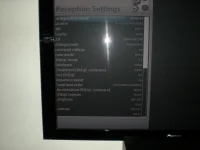
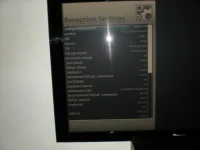
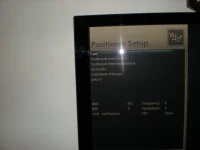
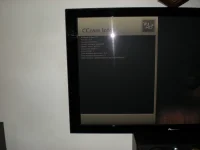
sorry about this i know you and the guy's have put a lot of hard work in for us, and i do like the image generaly speaking.

its' just this text problem driving me nuts.

i can't seem to add attachments to PM's, so i'll post 'em here.

just to add it's the text on CCcam info it's not a consistant size each page has a varying degree.

regards: canthackit
 

Attachments

  • DSCN0086.webp
    DSCN0086.webp
    208.7 KB · Views: 32
  • DSCN0087.webp
    DSCN0087.webp
    195.3 KB · Views: 39
  • DSCN0088.webp
    DSCN0088.webp
    187.4 KB · Views: 45
  • DSCN0090.webp
    DSCN0090.webp
    174.7 KB · Views: 49
Last edited:
Hi

First of all , thanks to everyone involved for a great image.

I have a slight problem with my setup with this image. I have a multiu LNB setup, 4 lnbs into a switch. When I setup the switch I get 2 of the LNB's seeing only Horizontal frequencies, and the other two only vertical.

Does anyone know off the top of their head to save me a bit of time reflashing my old image, what setting in the advanced services searching menu effects this ?

I guess that it is different than in the DE images.
 
canthackit have you tried adjusting aspect ratio on your tv?

I have had to change mine to just scan and not 16:9
 
P.S.

Also, I can't scan 16E, whole satellite. I get message to check my tuner configuration. No such problems with other sats.[/QUOTE]


Manafa

Do search for the strongest transponder on that sat and scan it manually
 
here you go mate.

sorry about this i know you and the guy's have put a lot of hard work in for us, and i do like the image generaly speaking.

its' just this text problem driving me nuts.

i can't seem to add attachments to PM's, so i'll post 'em here.

just to add it's the text on CCcam info it's not a consistant size each page has a varying degree.

regards: canthackit

as i dont really want to change this for the main image, as it will look worse on tv with good overscan (my TV allows me to turn overscan off, so i get get FULL 1080x1920 pixels :D), how about if i add a option into the "Skin Setting" to shift the menus to the right abit when enabled ?

as the ecm, i'll take look at the font size :)
 
Last edited:
Thanks for the image, just installed it all and it's working great so far.

One quick question If I may.
I'm trying to run a combination of OSCAM and MGCAMD.
I can't find a way to get these to start on this image.

Is the correct place for this to be started in /etc/init.d
And do the files script have to be set-up with a particular name (mine is currently softcam.OSCAM_MGCamd)
AM I missing something obvious here?

Thanks for any pointers.
 
Status
Not open for further replies.

OpenViX Feeds Status

Back
Top