Superb quality and spec AB-Com PULSe 4K SE. Crazy offer! Only £99! FREE UK DELIVERY! 4K UHD, Enigma 2, Multiboot 4 images & more!...
Superb quality and spec AB-Com PULSe 4K Rev II Twin Satellite tuner only £149! FREE UK DELIVERY! 4K UHD, Enigma 2, SATA HDD facility, Multiboot 4 images & more!...

[VU+ Duo] Vu+ Duo reboots when I try to access any HDD

  • Thread starter Thread starter wubbster
  • Start date Start date
Is it not rebooting when it crashes?
No, it's restartng E2 & it's too late at that stage as the corrupt settings are still being used.
So, init 4, edit the file, then issue reboot in telnet rather than init 3.
A reflash might be easier for you?
 
Do I lose any settings with reflash?
Yes if you don't restore them. You shouldn't as you've already seen, you are restoring a settings file with mount points that don't exist.

What settings do you want to keep?
It could be a lot faster for you just to reflash if you can't remove the problem settings lines.
 
I have had problems in the past with bouquets, but i think the channel numbers match Sky now are built into vix?
 
Is there an easy way to reflash (nothing built into system now?) or just follow the guide with using USB etc.
 
Is there an easy way to reflash (nothing built into system now?) or just follow the guide with using USB etc.

Blue button -> ViX -> Image Manager -> Yellow button (for downloads).
Blue button -> ViX -> Image Manager -> Blue button (to restore image just downloaded)

Don't use your settings backup when it reboots.
And yes, ABM built into the image will do your Sky numbers and a lot more.
 
I had already done this, it crashed a few times, an the time it didnt crash nothing happened. Just a 59 second countdown which says "please wait while the restore prepares", no option about keeping settings(or not) either. Build number is on 018 after earlier attempt at this. Tried again, and when the countdown reaches zero it goes back to image manager. Nothing reboots/restarts.
 
I had already done this, it crashed a few times, an the time it didnt crash nothing happened. Just a 59 second countdown which says "please wait while the restore prepares", no option about keeping settings(or not) either. Build number is on 018 after earlier attempt at this. Tried again, and when the countdown reaches zero it goes back to image manager. Nothing reboots/restarts.

:confused: confused by this? if you didn't select to restore you wouldn't see the "please wait while the restore prepares" message.
Just do a clean flash, select no restore options. The box will not crash.
 
:confused: confused by this? if you didn't select to restore you wouldn't see the "please wait while the restore prepares" message.
Just do a clean flash, select no restore options. The box will not crash.
IIRC you get that couch flashing
 
:confused: confused by this? if you didn't select to restore you wouldn't see the "please wait while the restore prepares" message.
Just do a clean flash, select no restore options. The box will not crash.
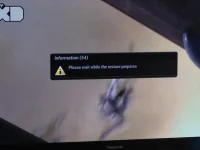
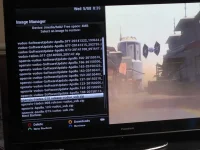
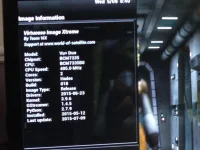
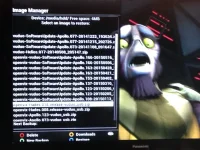
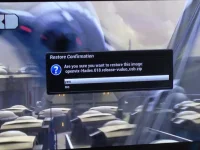
I believe I am doing it correctly. Here are some crude photos of the process. After 3rd picture times out it just reverts to the 4th picture(same menu as picture 1).Last pictures just shows about info.
IMG_1488.webpIMG_1489.webpIMG_1490.webpIMG_1491.webpIMG_1492.webp
 
i am not sure how to do a "clean" flash. I am getting no restore options using above method.
 
The "settings restore" option comes after you have flashed/restored an imaget. The "image restore" (couch flash) is not completeing for you either.

Can you upload the file called "settings". It is located in /etc/enigma2/ Please read it first just incase you have your email address on it. If you do delete that bit. Zip it and add as an attachment to this thread.

May actually help with dealing this longstanding issue.
 
Please try the following:

Download the attached file.
Extract the attached file.
Put Enigma2 to sleep with "init 4" command.
Wait for spinner to stop.
Transfer extracted file to /etc/enigma2/
Restart receiver with "init 6" command
Check storage devices are mounted correctly. (Blue > Vix > Mount Manger)
Check media playback issue, you may have to select location.
If media playback/selection issue has gone away, double check EPG and Timeshift settings.
 

Attachments

I have now restarted box after init 6 command, it appears to be a fresh install, asking me now if i want t restore settings or not, I selected yes(as you gave me new settings) but it just lists the backup files which I am concerned contain the corrupt settings. How should I proceed?
 
Answer in this post is on presumption of you not having flashed/restored an image.

Say No.
 

OpenViX Feeds Status

Back
Top