
Superb quality and spec AB-Com PULSe 4K SE. Crazy offer! Only £129! FREE UK DELIVERY! 4K UHD, Enigma 2, Multiboot 4 images & more!...
Superb quality and spec AB-Com PULSe 4K Rev II Twin Satellite tuner only £179! FREE UK DELIVERY! 4K UHD, Enigma 2, SATA HDD facility, Multiboot 4 images & more!...
You are using an out of date browser. It may not display this or other websites correctly.
You should upgrade or use an alternative browser.
You should upgrade or use an alternative browser.

B
birdman99
Guest
there is no settings in my log page

Stanman
Well-known member
- Joined
- May 1, 2010
- Messages
- 11,284
- Reaction score
- 44
- Points
- 48
- Age
- 59
there is no settings in my log page
Can you press menu than info and take a picture of the info as what has been posted is in VIX bar very early releases.
Are you certain you are on the latest release?

pooface
V.I.P
- Joined
- Jun 1, 2010
- Messages
- 9,731
- Reaction score
- 25
- Points
- 48
Try one thing for me if you could...
Can you go to Menu -> Plugins.
Please post a screenshot of what comes up as soon as you go there. If, when you are in there, you get any error messages, then please take the screenshot of these msgs
Can you go to Menu -> Plugins.
Please post a screenshot of what comes up as soon as you go there. If, when you are in there, you get any error messages, then please take the screenshot of these msgs
B
birdman99
Guest
its messed up its ,theres no epg settings page so i cant set usb to epg no log page ,do you mean take photo with phone?
in menu/plugine i see cross epg
cross epg force reload,epg refresh,media scanner,openwebif,picture player,xmltv importer
in menu/plugine i see cross epg
cross epg force reload,epg refresh,media scanner,openwebif,picture player,xmltv importer

basilyoung
V.I.P - R.I.P - Will never be forgotten...
- Joined
- Jul 10, 2010
- Messages
- 3,233
- Reaction score
- 11
- Points
- 0
have you got a usb stick on your system?
I have a feeling, that epg is your problem, in that when you download epg,..its going into your flash, rather than storage on the usb
I have a feeling, that epg is your problem, in that when you download epg,..its going into your flash, rather than storage on the usb
B
birdman99
Guest
yea i have usb and hdd internal i usually use usb for epg
basilyoung
V.I.P - R.I.P - Will never be forgotten...
- Joined
- Jul 10, 2010
- Messages
- 3,233
- Reaction score
- 11
- Points
- 0
can you see the usb, in image manager?
do you have the option in epg setup, to save to usb?
do you have the option in epg setup, to save to usb?
B
birdman99
Guest
yea usb is there mounted the lot,no its totally blank in that settings page.
basilyoung
V.I.P - R.I.P - Will never be forgotten...
- Joined
- Jul 10, 2010
- Messages
- 3,233
- Reaction score
- 11
- Points
- 0
have you gone to menu/setupsystem/epg?
if not do so,
at the top of the list, you should see EPG location, set it to media/usb, then go to xmltv importer, download say uk,
if not do so,
at the top of the list, you should see EPG location, set it to media/usb, then go to xmltv importer, download say uk,
B
birdman99
Guest
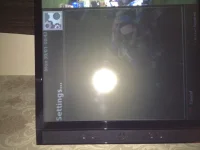
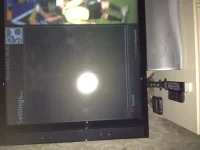
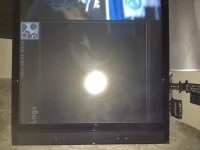 Nor your not getting what im saying thats the problem that settings page is totally blank along with logs manager both totally balnk.so i cant do anything in there as there nothing in the page
basilyoung
V.I.P - R.I.P - Will never be forgotten...
- Joined
- Jul 10, 2010
- Messages
- 3,233
- Reaction score
- 11
- Points
- 0
got you now,.....thats a very odd problem,....not sure what to advise at the mo, but please stay with this thread, dont stray into other peeps threads, as it will confuse the issues
but I am intregged by this, due to time of day, I doubt if others will be around to assist, so best advice is sleep on it, and hopefully, the crew will be onto this tomorrow
but I am intregged by this, due to time of day, I doubt if others will be around to assist, so best advice is sleep on it, and hopefully, the crew will be onto this tomorrow
B
birdman99
Guest
ok basil thanks anyway,speak tommorow,mad thing is everything is working ok apart from this,done so much work trying to get this image right hope i dont have to wipe,will see tho,night......bed bugs...and all that...

Reflash with the latest image in this thread http://www.world-of-satellite.com/showthread.php?14236-Vu-Duo-ViX-2-3-(Linux-3-1-1)-Image-Release-s
How to flash http://www.world-of-satellite.com/showthread.php?3-How-to-flash-a-VU-Duo-using-a-USB-stick
How to flash http://www.world-of-satellite.com/showthread.php?3-How-to-flash-a-VU-Duo-using-a-USB-stick
B
birdman99
Guest
This is the last thing I wanted to hear but if that what it’s going to take then I guess I don’t have an option. I suppose I was hoping someone was going to give some easier way of sorting it.wouldnt mind everything is running spot on its taken me weeks to get this image stable. I have all my sats and other things that I won’t mention running like a dream. If this is the only option could someone give me advice on How to save my sats and tell me if I should save any setting or just start from scratch incase I bug it up again. Also will I have to use boot before flashing image.

Larry-G
V.I.P ,
- Joined
- May 19, 2010
- Messages
- 32,540
- Reaction score
- 405
- Points
- 0
- Age
- 48
its messed up its ,theres no epg settings page so i cant set usb to epg no log page ,do you mean take photo with phone?
in menu/plugine i see cross epg
cross epg force reload,epg refresh,media scanner,openwebif,picture player,xmltv importer
To do a screenshot like those i posted follow this tutorial
How to Take a screenshot from your satellite receiver
Click Here
You may also need to follow this one too
How to enable the default Telnet client in Windows 7 - Click Here
pooface
V.I.P
- Joined
- Jun 1, 2010
- Messages
- 9,731
- Reaction score
- 25
- Points
- 48
This is the last thing I wanted to hear but if that what it’s going to take then I guess I don’t have an option. I suppose I was hoping someone was going to give some easier way of sorting it.wouldnt mind everything is running spot on its taken me weeks to get this image stable. I have all my sats and other things that I won’t mention running like a dream. If this is the only option could someone give me advice on How to save my sats and tell me if I should save any setting or just start from scratch incase I bug it up again. Also will I have to use boot before flashing image.
Best thing to do, go to image manager in vix menu, and take an image backup. ftp in to your box, and copy the backup to your computer. Then, if you have really bad problems setting back up, you can restore this image...
Next, take a normal backup from within the vix menu.
Then, backup your bouquets to your computer using dreamset or dbedit or something similar.
Then, you should have everything backed up to allow you to update and restore.
As a final thing, you may want to manually backup files such as your softcam configs, e2 settings, timers etc... But, this should only be done if you know what you're doing...
B
birdman99
Guest
Problem
Thanks for all your help but I wouldn't have the knowledge to do all that I would be happy just saving sats if anyone can find tutorial I'm not sure I should do it tho because I've had worse problems than this and I think I'll have other problems with re flashing I think I'll wait till a update or more stable image comes through. Thanks anyway
Thanks for all your help but I wouldn't have the knowledge to do all that I would be happy just saving sats if anyone can find tutorial I'm not sure I should do it tho because I've had worse problems than this and I think I'll have other problems with re flashing I think I'll wait till a update or more stable image comes through. Thanks anyway
Thanks for all your help but I wouldn't have the knowledge to do all that I would be happy just saving sats if anyone can find tutorial I'm not sure I should do it tho because I've had worse problems than this and I think I'll have other problems with re flashing I think I'll wait till a update or more stable image comes through. Thanks anyway
204 is the latest build and proberlby more stable than the build you are on now.
I really dont know how to take you, one min you ask for help, you get the answers you need then come out with another daft comment of 'I'll wait till a update or more stable image comes through'.

Loads of FAQ here http://www.world-of-satellite.com/forumdisplay.php?301-ViX-Team-Images-FAQ-s-and-Guides-Here
Another guide here http://www.world-of-satellite.com/s...ave-Enigma-Settings-to-the-VUDuo-using-DBEdit
Enigma 2 settings / bouquets http://www.world-of-satellite.com/forumdisplay.php?21-Enigma-2-Settings
Similar threads

- Replies
- 55
- Views
- 43K


- Locked
- Replies
- 0
- Views
- 6K