S
sonc
Guest
Hi,
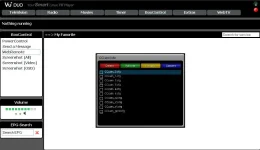
"CCcam Info" --> "Menu" to switch config files - screen shows list of CCcam.cfg files and which one is active.
If you scroll to a different file, e.g. CCcam_1.cfg and press "green" this switches the CCcam.cfg to CCcam_1.cfg
However if you press OK instead of green, it just deletes the current CCcam.cfg and green screens.
You then have no CCcam.cfg, and if you go back to the switch config menu and try to activate any CCcam.cfg file it green screens again.
The only way to fix it is to logon to the receiver and recreate a CCcam.cfg by copying one of the other files to CCcam.cfg.
Its more intuitive to press 'OK' to activate, so I think 'OK' should have the same function as the 'green' button on the switch config screen.
Thanks (hope that made sense)
"CCcam Info" --> "Menu" to switch config files - screen shows list of CCcam.cfg files and which one is active.
If you scroll to a different file, e.g. CCcam_1.cfg and press "green" this switches the CCcam.cfg to CCcam_1.cfg
However if you press OK instead of green, it just deletes the current CCcam.cfg and green screens.
You then have no CCcam.cfg, and if you go back to the switch config menu and try to activate any CCcam.cfg file it green screens again.
The only way to fix it is to logon to the receiver and recreate a CCcam.cfg by copying one of the other files to CCcam.cfg.
Its more intuitive to press 'OK' to activate, so I think 'OK' should have the same function as the 'green' button on the switch config screen.
Thanks (hope that made sense)