Superb quality and spec AB-Com PULSe 4K SE. Crazy offer! Only £99! FREE UK DELIVERY! 4K UHD, Enigma 2, Multiboot 4 images & more!...
Superb quality and spec AB-Com PULSe 4K Rev II Twin Satellite tuner only £149! FREE UK DELIVERY! 4K UHD, Enigma 2, SATA HDD facility, Multiboot 4 images & more!...

[VU+ Duo] New A/V Settings Issue - Build 763

Rahat786786

New member
Joined
Apr 8, 2012
Messages
369
Reaction score
0
Points
0
Hi, I am on build 763 which has the new video integration. One thing I have noticed is that even when I select Just Scale for 4:3 pictures it still shows the original aspect ratio on AVIs on my external HDD and on youtube videos too. Previously it would scale the picture but now it has the black borders on the sides. Channels do scale properly though.
 
Hi, I am on build 763 which has the new video integration. One thing I have noticed is that even when I select Just Scale for 4:3 pictures it still shows the original aspect ratio on AVIs on my external HDD and on youtube videos too. Previously it would scale the picture but now it has the black borders on the sides. Channels do scale properly though.

please attach a sample i can test on. all my tests it works fine.
 
Any video on Mytube plugin for instance displays at usual aspect ratio rather than scaling.
 
Can I upload the video on a filesharing site and post the link here as it is too large to attach?
 
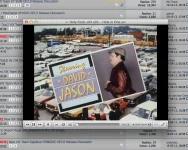
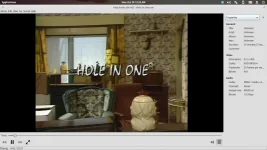
thats is not true 4:3 see for your self
 

Attachments

  • pic1.webp
    pic1.webp
    179.9 KB · Views: 40
I have crash when want change pillarbox.See log
View attachment 29836


as i have said you have not flashed 760 or grater, i know this because we do not use VideoMode plugin any more ViX has it's own VideoMode embedded into image.


Code:
[VideoMode] setting policy: bestfit
Traceback (most recent call last):
  File "/usr/lib/enigma2/python/Components/ActionMap.py", line 66, in action
  File "/usr/lib/enigma2/python/Components/ActionMap.py", line 46, in action
  File "/usr/lib/enigma2/python/Plugins/SystemPlugins/Videomode/plugin.py", line 136, in keyRight
  File "/usr/lib/enigma2/python/Components/ConfigList.py", line 205, in keyRight
  File "/usr/lib/enigma2/python/Components/ConfigList.py", line 40, in handleKey
  File "/usr/lib/enigma2/python/Components/config.py", line 335, in handleKey
  File "/usr/lib/enigma2/python/Components/config.py", line 306, in setValue
  File "/usr/lib/enigma2/python/Components/config.py", line 108, in changed
  File "[B]/usr/lib/enigma2/python/Plugins/SystemPlugins/Videomode/VideoHardware.py[/B]", line 364, in updateAspect
KeyError: 'bestfit'
(PyObject_CallObject(,('SetupActions', 'right')) failed)


please reflash this the latest image.
 
But previously it used to scale to the screen when selecting just scale for 4:3 and black borders with letterbox.
 
It is an odd resolution though, so not sure how it should be handled properly?

Screenshot from 2013-10-28 00:39:35.webp
 
Would it be possible to roll back prior to the video integration to see how it was previously handled? Alot of youtube videos also do not scale now.
 
Would it be possible to roll back prior to the video integration to see how it was previously handled? Alot of youtube videos also do not scale now.

Best bet would be to flash a pre 760 build & enable debug logs, although I'm not sure if the debugging info that woud be required would be included then...
 
1- Please be aware that there is still WiP. First of all make sure you're on the actual build (770 atm), but even then: there's more to come.
2- For files found in the wild: many of them, if not most, have not been coded properly. AspactRatio seems to be a common part of this mis-coding. The same advise as always applies: recode when needed. And please don't forget you bought yourself a receiver, not a multi media player.
 

OpenViX Feeds Status

Back
Top