Superb quality and spec AB-Com PULSe 4K SE. Crazy offer! Only £99! FREE UK DELIVERY! 4K UHD, Enigma 2, Multiboot 4 images & more!...
Superb quality and spec AB-Com PULSe 4K Rev II Twin Satellite tuner only £149! FREE UK DELIVERY! 4K UHD, Enigma 2, SATA HDD facility, Multiboot 4 images & more!...

[ABM-DVB-S/S2] Can't get autobiuquermaker to work

  • Thread starter Thread starter Code2006
  • Start date Start date
C

Code2006

Guest
Hi I'm new here and I'm having problems setting up abm
I bought a vu+ solo 2 with vix from wos
Set it all up
Downloaded the vix beginners guide
On the guide is says use a usb stick but I have installed a hdd
Followed the guide and nothing comes up in the epg


I have selected sky sad for my area and freesat HD

If I use autobouguets e2 i get channels and they work in epg but I don't like the setup
I want it more like sky

Thanks
 
How did you setup your tuners ?.
 
Tuner a
Simple
Single
28.2e eutelsat 28a & Astra 2am/2e/2f

Same as tuner b
Thanks
 
so both tuners are setup as

Simple
Single
28.2 east
no

???. If not make sure they both are and run ABM again.
 
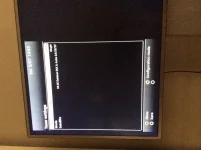
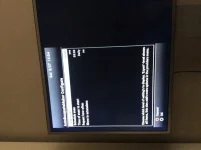
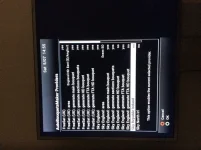
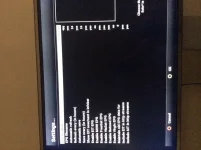
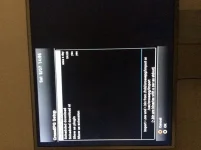
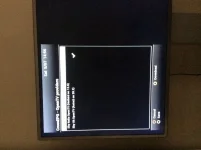
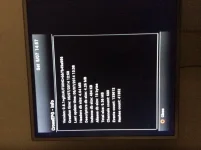
How exactly do you have ABM and CrossEPG setup ?, It may be best to upload a few screen shots rather than typing all the info in here.
 
I have set it up how the guide said
I will try and upload some pics later
 
Which guide exactly ?. as there are several and may contain info that is out of date.
 
yes thats a "old" guide now and needs a little bit of a update to bring it upto current standards, both ABM and CrossEPG have undergone quite a few updates since then, although the setup for both is still pretty much identical.
 
yes thats a "old" guide now and needs a little bit of a update to bring it upto current standards, both ABM and CrossEPG have undergone quite a few updates since then, although the setup for both is still pretty much identical.

Do u have a link to a new one plz?
 
I have no idea why the pictures are like that sorry
I have looked at the new guide
I get channels but no epg
 
Last edited by a moderator:
What happens when you press "guide" on your remote? The settings look ok, by the way - even craning my neck to see them!
 
Just for info, you can take screen shot by enetering the following in your web browser. Replace the X to make your IP addres. Just refresh whenever you want to take a new shot and then save it. Obviously use different names

Code:
http://192.168.X.XX/grab?format=jpg
 
I'm sorry about your neck
My remote doesn't say guide so not sure we're that button is
If I press epg it's empty
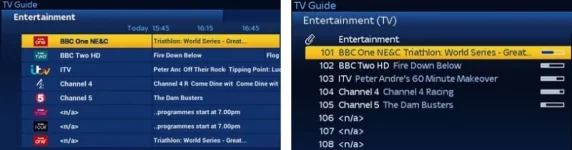
If I press tv which is in the bottom left hand corner channels come up but how do I get this up?
This was taken from someone else's post
image.webp
 
I assume you have pressed the blue button, then option 1 (CrossEPG Downloader) and pressed ok to generate EPG?
 
Even without CrossEPG, the now and next programmes should be populated when you press the EPG/Guide button. I don't use CrossEPG at all, just the Freesat etc. settings in the EPG setup and I get a full 7 day EPG for Freesat and now/next for SKY channels. The CrossEPG screenshot in post #13 above shows a DB size of over 9MB with over 600 channels. It's as if the EPG display has been disabled somewhere in the multiepg settings?
 
That's worked now thanks
But how do I get my box to look like that pic I uploaded?
Thanks
 

OpenViX Feeds Status

Back
Top