
Superb quality and spec AB-Com PULSe 4K SE. Crazy offer! Only £99! FREE UK DELIVERY! 4K UHD, Enigma 2, Multiboot 4 images & more!...
Superb quality and spec AB-Com PULSe 4K Rev II Twin Satellite tuner only £149! FREE UK DELIVERY! 4K UHD, Enigma 2, SATA HDD facility, Multiboot 4 images & more!...
You are using an out of date browser. It may not display this or other websites correctly.
You should upgrade or use an alternative browser.
You should upgrade or use an alternative browser.


Joe_90
Moderator
I'm just back online after watching Dr Who recorded earlier. Full of glitches and stutters. At one stage I had frozen video while the audio continued on. Rewound back 30 seconds and the same passage was fine on replay. Continued with glitching all the way to the end.
Joe_90
Moderator
Having looked through the debug logs (which are a PITA because they have no timestamps!) for the time during which I was watching the playback of Dr. Who I can see sections where the following errors are reported in the logs. Anyone hazard a guess as to what they might be?
Code:
eFilePushThread WRITE ERROR
eFilePushThread WRITE ERROR
eFilePushThread WRITE ERROR
eFilePushThread WRITE ERROR
eFilePushThread WRITE ERROR
eFilePushThread WRITE ERROR
eFilePushThread WRITE ERROR
eFilePushThread WRITE ERROR
eFilePushThread WRITE ERROR
eFilePushThread WRITE ERROR
eFilePushThread WRITE ERROR
eFilePushThread WRITE ERROR
eFilePushThread WRITE ERROR
eFilePushThread WRITE ERROR
eFilePushThread WRITE ERROR
eFilePushThread WRITE ERROR
eFilePushThread WRITE ERROR
eFilePushThread WRITE ERROR
eFilePushThread WRITE ERROR
eFilePushThread WRITE ERROR
eFilePushThread WRITE ERROR
eFilePushThread WRITE ERROR
eFilePushThread WRITE ERROR
eFilePushThread WRITE ERROR
eFilePushThread WRITE ERROR
eFilePushThread WRITE ERROR
eFilePushThread WRITE ERROR
eFilePushThread WRITE ERROR
eFilePushThread WRITE ERROR
eFilePushThread WRITE ERROR
eFilePushThread WRITE ERROR
eFilePushThread WRITE ERROR
eFilePushThread WRITE ERROR
eFilePushThread WRITE ERROR
eFilePushThread WRITE ERROR
eFilePushThread WRITE ERROR
eFilePushThread WRITE ERROR
eFilePushThread WRITE ERROR
T
thestoress
Guest
Is the temperature actually reading in Fahrenheit instead of Celsius ?
Joe_90
Moderator
Is the temperature actually reading in Fahrenheit instead of Celsius ?
If it is on the Quad+ it must be chuffin' freezing in my house

O
Ojustaboo
Guest
Seems I'm not alone, see from post 9 (especially 13 and 14) here
http://www.world-of-satellite.com/s...yway-of-telling-the-bootloader-version-please
http://www.world-of-satellite.com/s...yway-of-telling-the-bootloader-version-please
O
Ojustaboo
Guest
Stef asked me to try flashing 23 and see what happens.
Seems to be getting worse
Recorded 3 things and it got to 99C then rebooted.
Upon reboot, I cancelled the 3 recordings and it was at 96C. I expected it to fall but it crept up to 99C then rebooted just watching live TV and doing nothing else
Seems to be getting worse
Recorded 3 things and it got to 99C then rebooted.
Upon reboot, I cancelled the 3 recordings and it was at 96C. I expected it to fall but it crept up to 99C then rebooted just watching live TV and doing nothing else
Joe_90
Moderator
Have you taken out the hard drive and felt the temperature on the heat sink over the processor? I've seen a report on OpenATV where a user has taken out his hard drive and is operating it externally from the box (leaving the cover off I assume) and no more temperature issues. Obviously, having the cover off is a non-runner from a safety or aesthetic point of view! If it's just an issue with the drivers reporting the temperature incorrectly (as it would appear), then I presume new drivers will sort it out. I really can't understand why enigma would reboot the box when the temperature reached a particular reading, though. If it's a genuine overheating issue, then I could understand if the hardware itself caused a shutdown. Normally, overheating would be caused by some process using the CPU (or video decoder) at 100%. You could try running a fan beside or on the box to create an airstream.
O
Ojustaboo
Guest
I took out the HD and connected via Esata with the lid on and it still overheated a few days ago while playing around trying things. Haven't exactly tried what you suggest.
It's now all packaged up awaiting collection tomorrow.
I think I've been wearing Stefs patience down keep going on about temps, he's insistent it's nothing to do with the temps as they are reported wrong, yet I can repeat time and time again the same thing happening.
Turn it on from cold, it can take 40+ mins to get to 99C hence box works perfectly until then. After it reboots, it's cooled down slightly to about 96C and it will only work for about another 5 - 10 mins as it soon gets back to 99 again. And within a min or 2 of it reaching 99, it will reboot and does so every single time and never reboots unless it's on 99C.
It is reproducible 100% of the time so regardless of whether the temp is correct (I also don't think it is), something is telling the box to reboot when it thinks it's at 100.
I still think it's odd that it was fine before the update and I think it's very odd that Richard has exactly the same problem after upgrading
http://www.world-of-satellite.com/s...version-please&p=309405&viewfull=1#post309405
But I haven't had TV now since last Wednesday and the longer I leave it the longer I am going to be without, especially if it has to go to Germany.
Be interesting to see what Stef finds.
Many thanks for all your help
It's now all packaged up awaiting collection tomorrow.
I think I've been wearing Stefs patience down keep going on about temps, he's insistent it's nothing to do with the temps as they are reported wrong, yet I can repeat time and time again the same thing happening.
Turn it on from cold, it can take 40+ mins to get to 99C hence box works perfectly until then. After it reboots, it's cooled down slightly to about 96C and it will only work for about another 5 - 10 mins as it soon gets back to 99 again. And within a min or 2 of it reaching 99, it will reboot and does so every single time and never reboots unless it's on 99C.
It is reproducible 100% of the time so regardless of whether the temp is correct (I also don't think it is), something is telling the box to reboot when it thinks it's at 100.
I still think it's odd that it was fine before the update and I think it's very odd that Richard has exactly the same problem after upgrading
http://www.world-of-satellite.com/s...version-please&p=309405&viewfull=1#post309405
But I haven't had TV now since last Wednesday and the longer I leave it the longer I am going to be without, especially if it has to go to Germany.
Be interesting to see what Stef finds.
Many thanks for all your help
richardinspain
New member
- Joined
- Dec 17, 2010
- Messages
- 197
- Reaction score
- 0
- Points
- 0
This whole thing is strange..Yes i never had a problem with the box rebooting before i upgraded the boot loader and 026..My reboots weren't even down to recordings, it was just when i was going through the menus or changing channels or just watching tv so upgraded to 028 but it seemed to be more regular.. So as you... i thought i'd just go back to 023/024 (cant remember now which one) but got the reboots where i never had a problem before..It wasn't until you suggested to make a couple of recordings that i could see the temp go up..Ive never had cause to record more than one thing at the same time so maybe i have had this problem longer than i thought...I reverted back to 026 It was ok last night..i recorded a film with no problem and no reboots today with a temp of 84.. Also i'm sure it was with 026 where the playback of the recordings were skitish that seems to be fine too (at the moment)...Will try setting off more than 1 recording, see if it raises the temp again

Guys, I'm saying this one last time, ignore the temps, they are false!
Buy one of these and see for yourselves
Buy one of these and see for yourselves
Code:
https://www.google.co.uk/search?q=infrared+digital+thermometer&ie=utf-8&oe=utf-8&aq=t&rls=org.mozilla:en-US:official&client=firefox-a&channel=sb&gfe_rd=cr&ei=x0oFVNDFNZLCaJ2vgfgH
O
Ojustaboo
Guest
Guys, I'm saying this one last time, ignore the temps, they are false!
Buy one of these and see for yourselves
Code:https://www.google.co.uk/search?q=infrared+digital+thermometer&ie=utf-8&oe=utf-8&aq=t&rls=org.mozilla:en-US:official&client=firefox-a&channel=sb&gfe_rd=cr&ei=x0oFVNDFNZLCaJ2vgfgH
Hi Boss. I've reworded this 10 times already, it still comes across a bit confrontational and I honestly don't mean it to, but I cant seem, to make it sound better, so I apologise in advance.
I feel a little frustrated.
All I'm doing is trying to get to the bottom of whats up with my box and help you guys and Stef in diagnosing the problem, and I sort of feel like I'm getting told to stop going on about temps as I'm speaking crap (by both you and Stef)
I have said in other posts and emails to Stef that I don't dispute the temp readings are incorrect.
I believe you totally, case is only slightly warm to touch.
But for some reason when my box thinks it's at 100, it's rebooting.
I can keep looking at the info, over 3 odd mins it will vary between 94 and 93, then another 3 odd mins 95 and 94, then another 3 odd mins 96, 95, then 97,96, then 98,97, then 99,98 then within the next 3 mins without fail it reboots.
And I can repeat this time and time again.
So for some reason the false reporting on my box causes it to mistakenly think it's overheating and shutdown.
I sort of feel like your both seeing me say the word temperature and not reading any further.
If it wasn't securely boxed up awaiting collection, I would record a video showing exactly what I mean.
It was unplugged when Stef asked me to try image 23 yesterday
I flashed the box, it booted up, and I set 3 things recording and also watched one at the same time. For about 40 odd mins the box was 100% fine and I checked the temps regularly using info/about and it was gradually creeping up. Again I am not disputing this reported temp is wrong.
I checked every few mins and it eventually crept to 90C (again I agree it's not really 90C)
I checked more regularly and did screen grabs as I did so
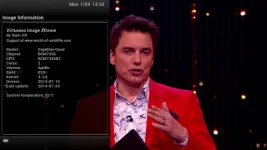
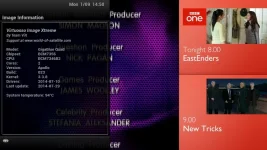
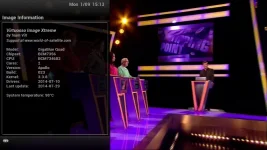
I checked a min later and it was 99C, I walked to my PC to do another screen grab but I was too late, the box rebooted.
When it rebooted it showed 96C and the recordings automatically restarted. Within 5 mins it reached 99C and it rebooted, and it kept doing this, I managed to do a screen grab just before it rebooted
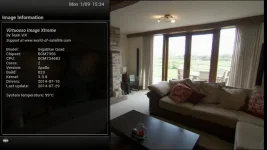
And when Richard reported a rebooting problem I asked him to try and see if the same thing happened, and it did, a min ir so after reporting 99C it reboots.
And this is repeatable over and over and over again.
I had the lid screws removed while messing about trying things over the weekend. It reports 99C with the lid on, then reboots. I remove the lid without turning off while it reboots, and the reported temp drops by a bit (cant remember how much offhand) and while it still slowly crept up to 99, again until it did, it didn't reboot.
So I am not disputing for one second that the reported temperature is incorrect, but I do dispute my problem is nothing to do with the temperature, because it seems from these easily repeatable tests that when the box thinks it's 100C (regardless of the fact it isn't), that is what is causing it to reboot.
All I'm trying to do is help you guys and Stef.
T
thestoress
Guest
I would suggest your box isn't really compatible with 023, why don't you flash it with black hole and see what happens?
O
Ojustaboo
Guest
It's been picked up by UPS and is on the way back to World of Satellite
Joe_90
Moderator
Hopefully the issue can be replicated once it arrives back at WoS and a solution found. No one doubts that the box is rebooting at some point where the reported temperature goes over 99C. I think what you're seeing in the thread is some debate among support about whether there is some code in enigma (the underlying DVB system or middleware upon which all images are built) which is actually checking the reported temperature and rebooting the box or whether there is some hardware reason for it.
There is absolutely no doubt about ther other issues with glitchy playback of recordings, though. Since build 025 of ViX (or OpenATV 2.4) users have been reporting issues with playback of recorded files. This is caused by memory usage/fragmentation issues introduced by new drivers and how they interact with the linux kernel. Gigablue are working on a fix for that. In the meantime users can revert to ViX 024 or lower or OpenATV 4.1. I've gone back to a lower version of ViX and all playback issues are gone.
There is absolutely no doubt about ther other issues with glitchy playback of recordings, though. Since build 025 of ViX (or OpenATV 2.4) users have been reporting issues with playback of recorded files. This is caused by memory usage/fragmentation issues introduced by new drivers and how they interact with the linux kernel. Gigablue are working on a fix for that. In the meantime users can revert to ViX 024 or lower or OpenATV 4.1. I've gone back to a lower version of ViX and all playback issues are gone.
R
rossi2000
Guest
is this probs only when playing back recordings? or playing back mkv movie files aswell?
i dont record much, if anything at all tbh. so i havent seen any of those issues
but playing back movies i havent had a problem with, using the latest base 2.3.
ive been using the new base for a few weeks on the quad and now a quad+, playing back via plex.
i will double check though tonight.
i dont record much, if anything at all tbh. so i havent seen any of those issues
but playing back movies i havent had a problem with, using the latest base 2.3.
ive been using the new base for a few weeks on the quad and now a quad+, playing back via plex.
i will double check though tonight.
richardinspain
New member
- Joined
- Dec 17, 2010
- Messages
- 197
- Reaction score
- 0
- Points
- 0
Surely 023 must be compatible with the box (like all the other images/upgrades) after all it's designed to use with it and last time i looked Black Hole ISN'T compatible with itI would suggest your box isn't really compatible with 023, why don't you flash it with black hole and see what happens?
richardinspain
New member
- Joined
- Dec 17, 2010
- Messages
- 197
- Reaction score
- 0
- Points
- 0
Ok did my test again, started off 2 recordings and it seemed ok but was quite high 97/98...tested for 30 mins...Set off a 3rd and it went straight to 99 and rebooted...It's not really a problem for me as i only normally record 1 at a time but for Ojustaboo it is...
I don't know what the problem was before when i upgraded to 026 with the new bootloader when i kept on getting constant reboots by just watching tv or going through the menus..This has seemed to gone away since i reflashed from 028 back to 026
Rossi, test yours tonight with 3 recordings, see if it does it to you
I don't know what the problem was before when i upgraded to 026 with the new bootloader when i kept on getting constant reboots by just watching tv or going through the menus..This has seemed to gone away since i reflashed from 028 back to 026
Rossi, test yours tonight with 3 recordings, see if it does it to you

bellejt
Forum Supporter

- Joined
- Dec 24, 2013
- Messages
- 2,253
- Reaction score
- 53
- Points
- 48
- Age
- 65
For the moment I am using apollo 24 with ATV 4.2 on remote box OS1 and that is working fine.As soon as I update the box to 26 problems off stackering begin.Had to update also CCcam to V 2.3.0 .Did not try apollo 28 yet. Info on vu duo2 box says that is it back on 2.2 instead of new 2.3.The OS1 is on 2.3 (incorporated in ATV 4.2)
Similar threads
R
[TM-NANO-2-SUPER]
AutoTimers bugs / issues / problems - causing marital problems!
- Replies
- 22
- Views
- 9K
C
- Replies
- 3
- Views
- 2K
[GiGaBlue QUAD]
Time shift play pause issue
- Replies
- 0
- Views
- 1K

- Replies
- 1
- Views
- 1K