Superb quality and spec AB-Com PULSe 4K SE. Crazy offer! Only £99! FREE UK DELIVERY! 4K UHD, Enigma 2, Multiboot 4 images & more!...
Superb quality and spec AB-Com PULSe 4K Rev II Twin Satellite tuner only £149! FREE UK DELIVERY! 4K UHD, Enigma 2, SATA HDD facility, Multiboot 4 images & more!...

UKCvS AutoBouquets E2 by LraiZer BETA.

If it still shows an older date then it did not overwrite the older one. You will need to ftp latest ipk and install by telnet with force and overwrite options. Double check exact command, it should be
Code:
opkg install -force-overwrite /tmp/*ipk
 
Last edited:
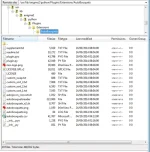
If it still shows an older date then it did not overwrite the older one. You will need to ftp latest ipk and install by telnet with force and overwrite options. Double check exact command, it should be
Code:
opkg install -force-overwrite /tmp/*ipk

Hi I have just tried that telnet command and it give me the following errors

first I tried the telnet command with the full name of the ipk file - that didn't work

then tried with the pik file name - that didn't work - I did see in the error it said something about it not downgrading
 
Last edited by a moderator:
Attachment for those unable to install. Replace existing one located at /usr/lib/enigma2/python/Plugins/Extensions/

The following files must have 755 properties
autobouquetsreader
autopicon_convert.sh
autobouquets_e2.sh
 

Attachments

Ive got a problem that I can't work out. Ive always used AutoBouquets E2 28.2 and never had a problem, but since yesterdays daily update, Ive lost all TV services. When I press the guide button (set to show Bouquets on launch), it only showed Radio channels.

I FTP'd to: /etc/enigma2 and deleted userbouquet.ukcvs00.radio, then the guide showed nothing so obviously ive changed the default somehow from TV to radio. :confused:

So two questions, how did I change the default from TV to radio (or how do I change it back)
And; how do I switch between TV and Radio bouquets?

Thanks :D
 
Ive got a problem that I can't work out. Ive always used AutoBouquets E2 28.2 and never had a problem, but since yesterdays daily update, Ive lost all TV services. When I press the guide button (set to show Bouquets on launch), it only showed Radio channels.

I FTP'd to: /etc/enigma2 and deleted userbouquet.ukcvs00.radio, then the guide showed nothing so obviously ive changed the default somehow from TV to radio. :confused:

So two questions, how did I change the default from TV to radio (or how do I change it back)
And; how do I switch between TV and Radio bouquets?

Thanks :D
Push the TV button on the remote :) However, push the correct one! On my remote there are 2 - one for controlling the TV and one at the bottom next to a Radio button for changing the Bouquet selection:)
 
Ha ha can't believe I didn't see that. Tried for ages as well and even factory reset my box. Annoying friends playing with buttons :(

Thanks :)
 
I have install it but I get this error /bin/sh: ./autobouquets_e2.sh Permission denied
Execution finished !!
help pleases thanks
 
just did a fresh flash to build 80

for some reason I can not change the bouquet channel sort.it wont change from HDfirst even when I select stlye 1-3 it still shows as HD first in channel selection
 
Just noticed that the plugin is not picking up 752 SBO HD which is one of the unblocked HD channels. I have manual scanned but this is removed with each scheduled scan.
 
Any one having problems with the kids channels, had to wipe my box yesterday got ever thing back apart from the kids channels, get the message "ssd not found in pat", im using Auto Bouquets 25th august 2013 version.
 
latest beta version is 24 sept. update to that.

sid not found in pat usually happens on channels that switch off.
 
Toggle the FTA encryption by editing the supplement file

Can i also use this file to REMOVE/HIDE channels, to remove/hide the standard versions of HD channels that are free.
 
Last edited by a moderator:
Anyone else having problems with Nick Junior? Its on 12265 H but the plugin puts it at 12266 H
 

OpenViX Feeds Status

Back
Top