Superb quality and spec AB-Com PULSe 4K SE. Crazy offer! Only £129! FREE UK DELIVERY! 4K UHD, Enigma 2, Multiboot 4 images & more!...
Superb quality and spec AB-Com PULSe 4K Rev II Twin Satellite tuner only £179! FREE UK DELIVERY! 4K UHD, Enigma 2, SATA HDD facility, Multiboot 4 images & more!...

Engima 2 - Samsung SMART TV Streaming app

Quite probably... other thing which it could be, which was a bug I've spotted recently - if all your tuners are in use, and you try to watch another channel, you'll see this error. I need to detect and grey out channels that can't be tuned when tuners are locked!

I will investigate better later in the week, away at the minute!

It wasn't the tuner issue as boxes were in standby with nothing recording on either.. It is more than likely not possible on my Blu-ray player then!

I had a thought a few weeks back for a new web interface for smart tv's etc. If the requesting device was a smart tv etc. then a new interface would be shown like yours but only sourced directly on the receiver and the smart tv would just open it in a browser.

It should be possible but it would mean it would be more compatible with many other devices. I contacted the developers of OpenWebIf but no reply as yet..
 
I had a thought a few weeks back for a new web interface for smart tv's etc. If the requesting device was a smart tv etc. then a new interface would be shown like yours but only sourced directly on the receiver and the smart tv would just open it in a browser.

It should be possible but it would mean it would be more compatible with many other devices. I contacted the developers of OpenWebIf but no reply as yet..

The problem here is the limitations of smart TV browsers. They tend not to be able to run flash or HTML4 video (and if they do it's not done very well). The browser seems to be sandboxed so they can't launch it's own internal video player, and even if it can, these api calls would be different per TV.
 
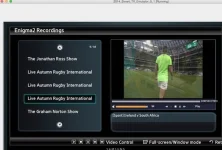
I got an app working to view recordings. It is working good, but needs some refining before I post it.

Might make sense to merge it with yours Pembo, although a standalone app for recordings playback might be good.

I managed to get the SD video aspect ratio working, eventually, so let me know if you want to see the code to sort that in your app. It's simple enough.
 
Wow. This is great. I have a Solo 2 but dont use the second tunner for recording. I will be testing this today on my Samsung TV.

Great Job
 
Just tested and works fine. The only issue is regarding the full screen mode as it does not full screen
 
I got an app working to view recordings. It is working good, but needs some refining before I post it.

Might make sense to merge it with yours Pembo, although a standalone app for recordings playback might be good.

I managed to get the SD video aspect ratio working, eventually, so let me know if you want to see the code to sort that in your app. It's simple enough.

looks great - lets merge!
 
I've fixed the full screen issue now...

in terms of movies - I have more than one location, so have been implementing this in the same way I do the bouquets.
 
E2Stream v1.2

Now available to download from here:
http://www.pembo.co.uk/2014/11/11/e2stream-v1-2/

Changelog
Code:
v1.2
- Resolved the 4:3 SD Channel issue to now display in full screen
- Remote the erroneous return button from the full screen view

v1.1
- Added installation of additional packages via a command line option.  Pass the folder containing smart tv apps as a command line parameter and these will be installed along with E2Stream.

v1.0
- Initial public release
 
OK - got the recordings playback across multiple locations sorted now.
Need to refine the interface a little more to switch things off when viewing recordings/etc, but it works well...

The refinements will take a few days so it's likely to be the weekend before I can get the next version out.
 
i cant use it on my mac

You need to install java v1.7 or v1.8
unzip the download, and from a shell type

Code:
java -jar E2Stream-installer.jar

This should launch the installer. I've not tried it on a non-windows machine but there's nothing in the installer that shouldn't work on Mac/Linux
 
Whats the best way to upgrade. Just remove the old and re install again

E2Stream v1.2

Now available to download from here:
http://www.pembo.co.uk/2014/11/11/e2stream-v1-2/

Changelog
Code:
v1.2
- Resolved the 4:3 SD Channel issue to now display in full screen
- Remote the erroneous return button from the full screen view

v1.1
- Added installation of additional packages via a command line option.  Pass the folder containing smart tv apps as a command line parameter and these will be installed along with E2Stream.

v1.0
- Initial public release
 
@pembo I have published my source code on gibhub.

Working so far:
  • View a list of all recordings
  • Click on a recording to start watching from the beginning
  • Click on 4 or 6 on the remote to move back or forward 60 seconds
  • Click on 7 or 9 on the remote to move back or forward 5 minutes

Yet to do:

  • Show screen to input Enigma box IP (it is hardcoded for now)
  • Complete video overlay to show progress and time elapsed/remaining.
  • Show extended description in main list when selected.
  • Remember playback position from last time, for each video
  • Re-skin
 
@m1nz - you should just be able to run the installer and re-synchronize the apps on the tv.
 
The problem here is the limitations of smart TV browsers. They tend not to be able to run flash or HTML4 video (and if they do it's not done very well). The browser seems to be sandboxed so they can't launch it's own internal video player, and even if it can, these api calls would be different per TV.

I'm afraid my Blu-ray player must not be able to play these streams, all the ports etc. seem fine..

My other suggestion on how a new web interface would work would depend mostly on whether the stream on the sat receiver could be played using HTML5 video.

Most smart TV's now support HTML5 so in theory the code behind the WebIf would just generate html with the desired layout and a Video tag for each service. When you select a service then it'd start streaming.

Again, all theory as I don't know if you can stream to a HTML5 video tag with the services as I think they have to be mp4 etc..
 
The problem is that the <video> tag in html5 does not give the developer any indication of the codecs installed on the client device. We don't even do it for standard desktop browsers yet, let alone Smart TV browsers!

E.g. when you open a stream in OpenWebIf on your desktop, a program like VLC must play the media, because the browser sure as hell doesn't know how to handle it!
 
The problem is that the <video> tag in html5 does not give the developer any indication of the codecs installed on the client device. We don't even do it for standard desktop browsers yet, let alone Smart TV browsers!

E.g. when you open a stream in OpenWebIf on your desktop, a program like VLC must play the media, because the browser sure as hell doesn't know how to handle it!

In the samsung app what method is used to launch the stream?
 
I have tried the new version on a UE40H6410 and I cant get the channels full screen. The screen only centre fills the screenm
 
In the samsung app what method is used to launch the stream?

There is one method to play the stream, but then there are multiple callback functions to listen to events. Then different buffering mechanisms and different ways of skip, rewind and do error handling.

Here are my function headers for just my 'Player' class:

Code:
$ grep "function()" Player.js 
Player.init = function()
Player.onGetAVPlayError = function() {
Player.onError = function(){
Player.onSuccess = function(){
Player.deinit = function()
Player.setFullscreen = function()
Player.playVideo = function()
Player.pauseVideo = function()
Player.stopVideo = function()
Player.resumeVideo = function()
Player.getState = function()
Player.onBufferingStart = function()
Player.onBufferingComplete = function()
Player.setTotalTime = function()
onServerError = function()
OnNetworkDisconnected = function()
onDecoderReady = function() { alert("onDecoderReady"); }
onRenderError = function() { alert("onRenderError"); }
stopPlayer = function()


There is no 'standard' way among device manufacturers.

Take a look here for example. There is lots to think about. Then go to the LG TV API guide, and let me know how one could possibly standardise all this?
 

OpenViX Feeds Status

Back
Top