dsayers
ViX Beta Tester
- Joined
- Mar 19, 2016
- Messages
- 1,872
- Reaction score
- 20
- Points
- 38
@dsayers
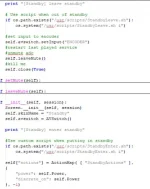
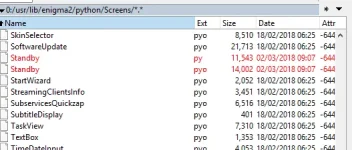
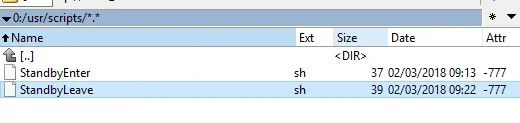
Thank you for going through the trouble, I have tried but for some reason i cannot get it to work. I have backups of the origional standby.pyo, deleted it, put your standby.py in, restarted and it created the pyo as expected. i created my script and put it in the correct folder and set correct permissions but nothing happens.
I have but the script in the bin folder and ran the script from putty and it changes the channel, my script is just this,
Code:wget -q -O - http://127.0.0.1/web/zap?sRef=1:0:19:1B1D:802:2:11A0000:0:0:0
i tried running the script from the usr\scripts folder in putty but keep getting, no such file or directory found, but its there, to try and run the script from that folder i am simply typing in the following, usr/scripts/StandbyEnter.sh
any ideas? ( i am pretty new at this linux commands stuff)
I have just copied and pasted the wget script and pasted in putty and it zaps to BBC 1 HD, it can also be ran in script runner, menu, setup, vix, script runner choose StandbyEnter.sh
Im currently on OpenATV and they call it Job manager and it runs fine but not when pressing standby.
So I thought I would try another script so in StandbyEnter.sh I put
Code:
#!/bin/bash
wget -O /tmp/ABM.xml "https://raw.githubusercontent.com/oe-alliance/AutoBouquetsMaker/master/AutoBouquetsMaker/providers/sat_282_sky_uk.xml" &> /dev/null 2>&1
Pressed standby and it downloaded sat_282_sky_uk.xml to ABM.xml in tmp, so im not sure why it doesnt change change channel on standby