
Superb quality and spec AB-Com PULSe 4K SE. Crazy offer! Only £129! FREE UK DELIVERY! 4K UHD, Enigma 2, Multiboot 4 images & more!...
Superb quality and spec AB-Com PULSe 4K Rev II Twin Satellite tuner only £179! FREE UK DELIVERY! 4K UHD, Enigma 2, SATA HDD facility, Multiboot 4 images & more!...
You are using an out of date browser. It may not display this or other websites correctly.
You should upgrade or use an alternative browser.
You should upgrade or use an alternative browser.
[ViX_Misc] Recording, playback & timeshift in 5.4
- Thread starter knet
- Start date

B
BrokenUnusableAccount
Guest
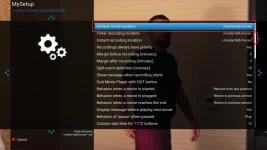
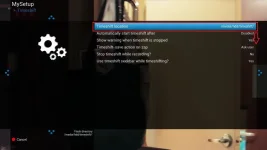
I think you'll have to give more details about how you got to this point because I have tried on my Zgemma H7S and I can definately change some of the things on those menus and successfully save the new values.

spanner123
Forum Supporter

- Joined
- Jun 22, 2015
- Messages
- 362
- Reaction score
- 5
- Points
- 18
All ok on my Solo2

abu baniaz
Moderator
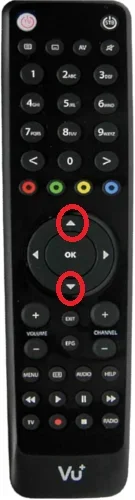
Sorry to ask, which buttons are you pressing to go down?

Willo3092
ViX Beta Tester
Working fine for me :thumbsup:
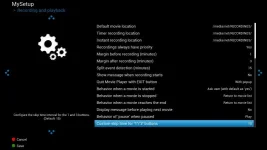

Do the up and down buttons work ok in, say, the EPG ??
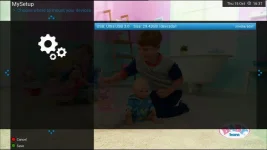
yes work and also on other menu too
abu baniaz
Moderator
I have checked and can change options.
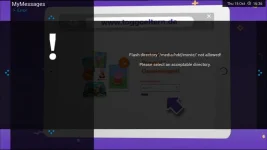
It looks like there is an issue with your storage device/mount points. If you only have a USB device connected, it should be mounted as /media/hdd/ without any user input.
It looks like there is an issue with your storage device/mount points. If you only have a USB device connected, it should be mounted as /media/hdd/ without any user input.
B
BrokenUnusableAccount
Guest
@knet, when you upgraded from 5.3 did you set up again from default or restore settings?
It might be relevant.
Later: abu baniaz will get you sorted. He's the expert.
It might be relevant.
Later: abu baniaz will get you sorted. He's the expert.
Last edited:

Joe_90
Moderator
The standard Vix night skin would be the "default" then? I've tested the menu navigation changes using that skin and the normal left/right/up/down arrows on the D-pad should work. Pressing the HELP key should list the navigation keys specific to that box and remote.
abu baniaz
Moderator
Please issue this command and post back the results
df -Th
df -Th
Thanks ThoughtfulLurker61 and ccs
My setup is I have obh 4.3 in flash with openmultiboot 2.6
In omb I have obh 4.3 / openvix 5.3(before) and now 5.4 and other images
before with 5.3 I had no issue with recordings and timeshift options
Like ccs said I installed brand new one with no settings restoreEntry Info in post #1 suggests he's flashed 5.4.001 with no settings restored.
My setup is I have obh 4.3 in flash with openmultiboot 2.6
In omb I have obh 4.3 / openvix 5.3(before) and now 5.4 and other images
before with 5.3 I had no issue with recordings and timeshift options
Similar threads
- Replies
- 1
- Views
- 97

[Mut@nt] HD51
Timeshift fails to start
- Replies
- 31
- Views
- 2K
- Replies
- 2
- Views
- 445
- Replies
- 10
- Views
- 1K