Superb quality and spec AB-Com PULSe 4K SE. Crazy offer! Only £129! FREE UK DELIVERY! 4K UHD, Enigma 2, Multiboot 4 images & more!...
Superb quality and spec AB-Com PULSe 4K Rev II Twin Satellite tuner only £179! FREE UK DELIVERY! 4K UHD, Enigma 2, SATA HDD facility, Multiboot 4 images & more!...

[Zgemma H7] New crash

Still not clear what you've got, but I'd connect a powered usb hub to the H7, and then connect the HD to the powered usb hub.

You can get mini usb to usb adapters (and vice versa), so anything is possible (I doubt you'd need any).

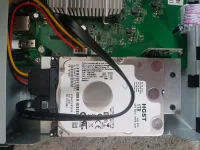
Might be better longer term to get an internal HD for the H7.
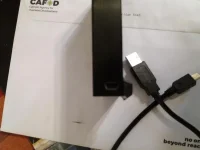
20210419_184429.webp20210419_184244.webp

Hard drive with mini usb and usb cable (mini usb to usb
 
i think your questions have been answered.
 
A powered USB hub will have normal-sized female USB-A (female) connectors.
So a USB-A (male) to USB-A (male) from the box to hub then just plug the disk into the powered hub instead of into the box.

Thanks, as I understand this means: usb cable from hard disk>powered usb in> usb cable from powered usb out to sat receiver?
 
Yes, thanks. I didn't know that powered USB units had any in/out usb sockets (ports)
Think of it as an expansion pack. It has one input from the host system, and allow multiple peripherals to be plugged into it (how many depends on the hub - between 4 and 7 is common).
 
Think of it as an expansion pack. It has one input from the host system, and allow multiple peripherals to be plugged into it (how many depends on the hub - between 4 and 7 is common).

Thanks, I've started searching on line. Thanks everyone for all your help.
 
An internal drive is always the best option - any 2.5" drive will fit in the H7.
 
An internal drive is always the best option - any 2.5" drive will fit in the H7.

But not all work as think i read about this one
M.2 NVME chip and was told not suitable for the h7.

So many drives about makes your head spin.
 
My H7S takes a hdd in a slot and only accepts an SSD, normal 2.5 hdd wont fit in slot.
 
My H7S takes a hdd in a slot and only accepts an SSD, normal 2.5 hdd wont fit in slot.

What's "normal", as WoS sells the H7 with the option of a 2.5" hard drive.
 
I've a 2.5" inch HDD in mine

There is no slot in my H7S - the drive attaches to a mounting bracket like most receivers

20210420_170441.webp

Edit: it seems there is a variant of the H7S that has a HDD slot but there is a 6.5mm limit in drive height. Thicker HDD drives can be fitted by removing the stb lid. Not ideal but it works.
 
Last edited:
My H7S takes a hdd in a slot and only accepts an SSD, normal 2.5 hdd wont fit in slot.

Where is this slot?

Maybe the thing with the slot on it is in the position where a normal hard drive normally goes, in which case you could remove it and put a hard disk drive in it's place.

My Zgemma H7S has a 2.5inch SATA hard disk drive in it, as fitted by World-of-Satellite.co.uk.
 
Edit: it seems there is a variant of the H7S that has a HDD slot but there is a 6.5mm limit in drive height. Thicker HDD drives can be fitted by removing the stb lid. Not ideal but it works.
7mm might make sense. Lots of 2.5 inch SATA SSDs are 7mm high, as are some HDDs.
 
I'd say zgemma binned the idea when it dawned on somebody that regular 7mm HDDs couldn't fit in the slot and reverted to the internal bracket like ours.
 
There's a slot on the front of the ZGemma H7, under the card slot, but AFAIK it's for a CAM, not an SSD or HDD.
 
No Brian - there was a batch with a slot on the back for HDD but the slot isn't deep enough for a regular 2.5" HDD. So they changed back to internal mounting.

IMG_8309.webp

IMG_8308.webp
 
Last edited:
Hi, I've purchased a "NEWlink 4 Port USB2.0 Hub - PSU", Appears to work OK, All recordings are still there, and all the files on the HDD are still accessible. I thought about an internal HDD one, but i doubt i'd be able to fit it OK. Thanks for your helpful suggestion!
 
Hi, I've purchased a "NEWlink 4 Port USB2.0 Hub - PSU", Appears to work OK, All recordings are still there, and all the files on the HDD are still accessible. I thought about an internal HDD one, but i doubt i'd be able to fit it OK. Thanks for your helpful suggestion!
If you can use a screwdriver and press cables in you can fit it. Really it is very simple to do.
 
If you can use a screwdriver and press cables in you can fit it. Really it is very simple to do.

OK, maybe next time. ATM the box is already using an external 1TB HDD and the new hub cost £15 odd.
 

OpenViX Feeds Status

Back
Top