Superb quality and spec AB-Com PULSe 4K SE. Crazy offer! Only £99! FREE UK DELIVERY! 4K UHD, Enigma 2, Multiboot 4 images & more!...
Superb quality and spec AB-Com PULSe 4K Rev II Twin Satellite tuner only £149! FREE UK DELIVERY! 4K UHD, Enigma 2, SATA HDD facility, Multiboot 4 images & more!...

Unable to upgrade image, USB flash not working

Photovoltaic

New member
Joined
Dec 25, 2015
Messages
40
Reaction score
0
Points
0
I've got an XT10000 purchased from WoS many years ago, I've neglected to update the image for quite a while because it "just worked" but wanted to add a plugin recently and then realised the image is so old, all the sources are outdated so nothing works.

So I can't upgrade it via the UI, so I tried the USB flash route. Smallest USB stick I have is 16GB, formatted to FAT32 using recommended HP tool popped the xt1000 folder in the root of the drive, popped that in the back of the xt10000, powered off, waited a bit, powered on, and it just boots the regular image. Never prompts for me to do anything with the usb stick image.

Also tried another USB port, also tried popping the contents of the xt10000 folder in the root on the usb in case I misunderstood that, but it always just boots the existing image.


Is there any other way to reflash via ssh/telnet/ftp etc?
 
No, because Image manager is trying to connect to an internet resource that no longer appears to exist. So it just fails to connect.


However if I know what file(s) the sources list are stored in, I can ssh in, manually edit it to point to a current URL, and try again. but I'm not sure where about the configs for that are, nor do I know what I'd need to amend it to.


I'm currently on OpenViX 5.2.015 (2018-11-27) wanting to jump to the latest stable version.
 
How do you launch/invoke Image Manager? When I follow these prompts it just sort of fails. I can't see Image manager anywhere else in the Menu.

Can you run it via ssh?

ImageMgr_Continue.webp
ImageMgr_Packagelistupdate.webp
ImageMgr_Packagelistupdate_failed.webp
 
Oh, NOW I see. It's not under the software update menu, it's under the Vix menu;

image_mgr.webp

I should be good, now.

image_mgr2.webp
 
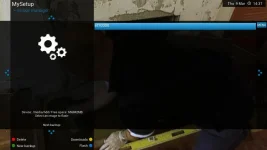
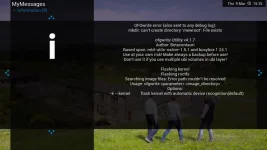
Bah, that did not work. I get this Error message:

image_mgr_OFGWrite_Error.webp


There does exist a /newroot directory, and whatever script is running appears to mount a tmpfs at /newroot as mount point but I don't really see what's causing it to get stuck.

ls -l |grep newroot
drwxrwxrwt 2 root root 60 Mar 9 15:37 newroot

(note stcky bit)

mount |grep newroot
tmpfs on /newroot type tmpfs (rw,relatime)


Successive iterations of trying to Flash the image via image manager are creating multiple tmpfs mounts there too, very odd. I don't know where the script image manage is running is, so haven't yet managed to unpick it further.


I really didn't expect reflashing this box to be so difficult :/


Edit: Clearing out the stuck newrootdir and running it again, it no longer mentions an error related to newroot but it's still created the directory and mounted a tempfs there, but still OFG Write fails with some error about the path;

image_mgr_OFGWrite_Error2.webp
 
Last edited:
I don't know if it's down to the version of ofgwrite :confused: I'm not sure what the latest is.

I flashed my Vu+ Uno 4K this morning using putty but I would hate you to try it and soft brick the box without further advice from someone more knowledgeable.
 
Last edited:
Bah, that did not work. I get this Error message:

Wrong file - the file for image manager is the .zip file you downloaded and NOT the unzipped file you put on the USB stick

Example - the top line of my image manager after downloading an update - the other lines are previous downloads or backup images generated by image manager.

image_manager.webp


Don't forget with your v5xxxxx to backup settings menu/setup/vix/backup manager/ press green to backup
You should be able to reinstall these settings after an image manager upgrade (you will get prompt/option to restore at the setup stage of the new update)

Note:backups generated by image/backup manager have the date embedded in the name yyyymmdd
 
Last edited:
Yeah, I eventually figured out that it needed to be zipped - easy and simple when you know how, but it was not immediately obvious to me.

It is finally sorted, now.
 

OpenViX Feeds Status

Back
Top