Superb quality and spec AB-Com PULSe 4K SE. Crazy offer! Only £99! FREE UK DELIVERY! 4K UHD, Enigma 2, Multiboot 4 images & more!...
Superb quality and spec AB-Com PULSe 4K Rev II Twin Satellite tuner only £149! FREE UK DELIVERY! 4K UHD, Enigma 2, SATA HDD facility, Multiboot 4 images & more!...

[VU+ Duo4K] Latest Image

Hmmnd

Forum Supporter ,
Joined
Oct 20, 2011
Messages
108
Reaction score
0
Points
16
Hi
I wanted to update my VU DUO 4K to latest image. Present 5.4.003
I tried as follows:

VIX/image manager/downloads(yellow)/OpenVIX

Results in:
No image found for selected download server…if pa…….(cannot read remainder of sentence as dialogue box cannot be expanded)

Can anyone advise how I should proceed
Thanks Hmmnd
 
Download image using PC, Transfer using FTP to /media/hdd/imagebackups You will then be able to flash it using Image Manager. You would have bypassed the download stage.
 
I have done that and image is now available to install, but before I do can you advise if I need to backup or make a note of any settings and/or plugins I currently have? Or should everything install seamlessly?
 
When you flash using Image Manager, by default, a settings backup is made. After the new image boots, you will be offered an option to restore settings and restore plugins that you had installed. Your box will need to be connected to the network for the second stage. It should be seamless, but if you are concerned, create an image backup first.
 
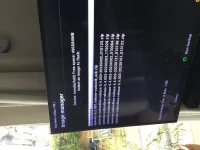
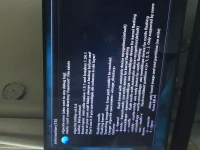
Failed to install new image

E89D1DE2-7E01-4D81-A519-45834EA498D7.webpACBCC18E-E65C-4559-B11C-549AEE807254.webpE89D1DE2-7E01-4D81-A519-45834EA498D7.webpACBCC18E-E65C-4559-B11C-549AEE807254.webp

Hopefully you can see the results in photos of trying to flash new image.
Running 6.3.007
Further help appreciated
 
Thanks for that I now have Image 6.4.001 and it is working fine except for my JediMakerXtream plugin that crashes the system every time I click on the 'Playlist' menu option.
I have tried uploading Jedi via telnet and from the plugin download menu with the same result.
It creates a log file and request to send to W of S but does not stay on screen long enough to take address down.

Can you advise or offer any help
Thanks
 
Thanks for that I now have Image 6.4.001 and it is working fine except for my JediMakerXtream plugin that crashes the system every time I click on the 'Playlist' menu option.
I have tried uploading Jedi via telnet and from the plugin download menu with the same result.
It creates a log file and request to send to W of S but does not stay on screen long enough to take address down.

Can you advise or offer any help
Thanks

menu/setup/system/logs/settings --> save to HDD/usb (not to flash), enable, show log Manager, log time format ---> local time ---> Yes to restart
After crash, post last 2 logs here
 
Hopefull logs attached !
something wrong with your playlists.txt file (from /etc/enigma2/jediplaylists) ... thinks your port number is 25461:80 which is not valid
 
Strange!
I still have access to some items on the playlist I saved as favourites prior to the image upgrade. I just cannot add new ones via Jedi.
Is this consistent with the invalid port number?
Do I correct by re entering the playlist.txt ?
 
Strange!
I still have access to some items on the playlist I saved as favourites prior to the image upgrade. I just cannot add new ones via Jedi.
Is this consistent with the invalid port number?
Do I correct by re entering the playlist.txt ?

Go to etc/enigma2/jediplaylists and delete playlists.txt and then re-enter details in Jedi.
 
How confidant are you that this will not still result in a Jedi system crash?

Pretty confident, if it doesn't work then also delete json file in same folder and then re-enter your details in Jedi plugin.
 
How confidant are you that this will not still result in a Jedi system crash?

The plugin author (kiddac) is normally pretty good at checking these parameters, so I am surprised that this was saved into the playlist… but the port is invalid…..so Spanner123 is correct.. reenter
 
[FONT=&quot]I will certainly try what you suggest as it seems a logical step to take and I thank you both.[/FONT]
[FONT=&quot]However I still cannot understand why (as I mentioned previously) I am still able to stream the 44 channels saved as a favourites bouquet when image 5.4.003 was being used and JediMakerExtream was working prior to the installation of 6.3.007. It seems that the playlist is still working but I just cannot access the full playlist as Jedi crashes when trying to access it. I wondered if there was a different IPTV Bouquets Creator I might try as it seems I can remove Jedi and the 44 channels still stream.[/FONT]
[FONT=&quot]
[/FONT]
 
[FONT="]I will certainly try what you suggest as it seems a logical step to take and I thank you both.[/FONT][/COLOR]
[COLOR=#000000][FONT="]However I still cannot understand why (as I mentioned previously) I am still able to stream the 44 channels saved as a favourites bouquet when image 5.4.003 was being used and JediMakerExtream was working prior to the installation of 6.3.007. It seems that the playlist is still working but I just cannot access the full playlist as Jedi crashes when trying to access it. I wondered if there was a different IPTV Bouquets Creator I might try as it seems I can remove Jedi and the 44 channels still stream.[/FONT]

[FONT="]
[/FONT]

A bouquet is a different entity and has nothing to do directly with the plugin once generated.
Personally I prefer using Xstreamity ( a follow on plugin - but doesn,t generate Bouquets) but if you don,t want to use Jedi and want bouquets, there are plenty of alternatives - just google.
 
Jedi

I will certainly try what you suggest as it seems a logical step to take and I thank you both.
 
Last edited:
I did as both of you advise and it has cleared the problem.
Thanks for your prompt replies, much appreciated.
I often feel like a brain surgeon with just a flat screwdriver so glad you exist
 

OpenViX Feeds Status

Back
Top