Superb quality and spec AB-Com PULSe 4K SE. Crazy offer! Only £99! FREE UK DELIVERY! 4K UHD, Enigma 2, Multiboot 4 images & more!...
Superb quality and spec AB-Com PULSe 4K Rev II Twin Satellite tuner only £149! FREE UK DELIVERY! 4K UHD, Enigma 2, SATA HDD facility, Multiboot 4 images & more!...

Image initial setup

ml55

New member
Joined
May 12, 2017
Messages
24
Reaction score
1
Points
3
Age
62
hi guys
I am trying to set up the image the way I like :cool:

green button open plugins
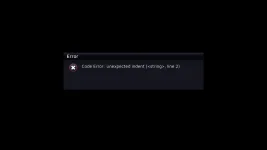
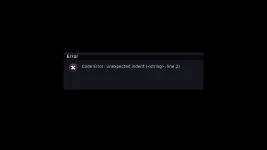
The blue button opens the cam manager, but it gives me an error (check the attachment).

Unfortunately, I cannot do this even with the Multiquick button Panel.

 

Attachments

  • 3.webp
    3.webp
    10.7 KB · Views: 22
  • 2.webp
    2.webp
    11.2 KB · Views: 22
  • 1.webp
    1.webp
    6.4 KB · Views: 23
There's a bug in some dynamically-generated code. Probably(?) code generated by the plugin.
Report it to the Multiquick author.

Oh!, it seems that's a standard Vix plugin....

A debug log might help.
 
Last edited:
hi guys
I am trying to set up the image the way I like :cool:

green button open plugins
The blue button opens the cam manager, but it gives me an error (check the attachment).

Unfortunately, I cannot do this even with the Multiquick button Panel.

OpenViX has its own button setup that you can change things like that. No idea why you're using that addon.

Personally I'd leave blue button as default in OpenViX, you'll see softcam manager in the blue button menu anyway.
 
OpenViX has its own button setup that you can change things like that. No idea why you're using that addon.

Personally I'd leave blue button as default in OpenViX, you'll see softcam manager in the blue button menu anyway.
see the third image
that what i get when i press blue button :cry:
 
We can no longer access softcam manager from blue button. Has been like that for a while. I think we should have blue button to also access the softcam script control as most images also use that so would be similar for people image hopping.
 
We can no longer access softcam manager from blue button. Has been like that for a while. I think we should have blue button to also access the softcam script control as most images also use that so would be similar for people image hopping.
thank you I thought I am lone on the boat
btw the I installed Multi quick button to try to avoid the message I get on my 3rd image
hope some body can guid us how to restore blue button to use emu manager
 
You know, there is a way of setting up remote keys already in OpenViX why don,t you try that.
Like most images, softcam script is a better way of managing your softcam and you should be using that…softcam script wa introduced (by me) because of issues with softcam manager…….and its used by all main images.

I have been asked before to change things in the past by your other posters “because in other images they do it this way or its called xyz“ so I have changed it in OpenviX and then the other image changes it again.
So thanks to the other posters but NO
 
You know, there is a way of setting up remote keys already in OpenViX why don,t you try that.
Like most images, softcam script is a better way of managing your softcam and you should be using that…softcam script wa introduced (by me) because of issues with softcam manager…….and its used by all main images.

I have been asked before to change things in the past by your other posters “because in other images they do it this way or its called xyz“ so I have changed it in OpenviX and then the other image changes it again.
So thanks to the other posters but NO
thanks for your response so when i press blue button i get this error see attached file
can you simple guide on setting up reomte keys
cheers
 

Attachments

  • 1.webp
    1.webp
    6.4 KB · Views: 7
That error is because of whatever you installed. Personally I’d reflash the image and start fresh. Don’t install loads of pointless plugins. Spend a few days learning what OpenVix has already embedded in the image.
 

OpenViX Feeds Status

Back
Top