Superb quality and spec AB-Com PULSe 4K SE. Crazy offer! Only £129! FREE UK DELIVERY! 4K UHD, Enigma 2, Multiboot 4 images & more!...
Superb quality and spec AB-Com PULSe 4K Rev II Twin Satellite tuner only £179! FREE UK DELIVERY! 4K UHD, Enigma 2, SATA HDD facility, Multiboot 4 images & more!...

ViX Team VU+ Duo Image v2.2 - 11/06/2011 - Discussion

Status
Not open for further replies.
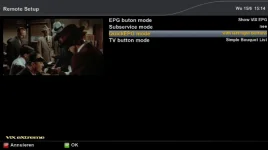
Hold the down arrow on ur d pad that brings up the current channel in the bouquet u r in

the long hold of Up/Down is just the reverse of short Up/Down ie one does Full screen the other does Slim. this can be controlled in Customise.
 
BUG Report.

If you set a "Zap" event in the EPG, and set the "Set End Time" to No, the event prior to the one you selected gets coloured red.
 
BUG Report.

If you set a "Zap" event in the EPG, and set the "Set End Time" to No, the event prior to the one you selected gets coloured red.

need a step by step procedure
 
need a step by step procedure

press EPG
Select an event
Press Green
Set timer type to Zap
Set Set End Time to No
Press Green

In fairness, my description pretty much covered it, and if you are into step by step procedures, how come you didn't ask for such in my previous bug report threads.

what do you set end time to NO, it has to have a end time ?
 
press EPG
Select an event
Press Green
Set timer type to Zap
Set Set End Time to No
Press Green

In fairness, my description pretty much covered it, and if you are into step by step procedures, how come you didn't ask for such in my previous bug report threads.

Isn't that a result of having the settings to start every recording 5 minutes before the start time and to stop some minutes after? You should try to set both values to 0 in the menue and the issue
should be a thing of the past.
 
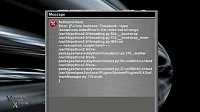
whats does the error screen say ?


There is an image of this error message somewhere in this forum, will try and locate it for you. I have turned off the auto start feature in the cam manager, and so far it has not returned.


I see someone has reposted the error message.
 
Last edited:
Seems a very stable image, well done Vix team.
 
Last edited:
press EPG
Select an event
Press Green
Set timer type to Zap
Set Set End Time to No
Press Green

In fairness, my description pretty much covered it, and if you are into step by step procedures, how come you didn't ask for such in my previous bug report threads.

what do you set end time to NO, it has to have a end time ?


no GS here, can post crash log
 
Hold the "down" arrown on the d pad and it should bring up the channel listing for the current bouquet
Do you think its possible to implement the code so a single press down or up in radio mode displays a simple radio channel list as a single press in tv mode brings up tv channel list? This would be a nice feature in a future update.
 
Do you think its possible to implement the code so a single press down or up in radio mode displays a simple radio channel list as a single press in tv mode brings up tv channel list? This would be a nice feature in a future update.

ive passed on the request so will wait and see what is said :p
 
sorry to change the subject, openvpn status while running still shows as red instead of green, not a big problem just making you aware, it was the same in vix 2.1 maybe got missed. anyhoo keep up the good work. as far as i am concerned there is no alternative to vix as it IS the best img for the vu duo.
 
Great image so far, have not had the spinning logo that I kept gettin on previous image. Just 1 thing I cant seem to get working is my NAS drive.After i enter the settings for the drive it seems to say "drive has been mounted" very quickly, in the last image it would take about a minute but for some reason i can not get it to work on this image so far..... anyone else had this problem??
 
Yes, thanks. But now I have to find a way to download the Benelux EPG....In a way that 2.2 shows it, that is.
EDIT 23:26 - I now understand that Rytec is doing things on the server during this weekend. So after 13/6 things must go good again. Not a VIX problem then, I think.
Indeed that was due to Rytec maintaining his site. All is up & working now!
 
Everytime I try to go on the Softcam settings page, I get the green screen. It worked fine when I installed the softcam, but now it won't let me autostart the softcam.
Anyone else having this problem (I'm using Magic HD)
If that is still the case: please post a crashreport!
 
Status
Not open for further replies.

OpenViX Feeds Status

Back
Top