Superb quality and spec AB-Com PULSe 4K SE. Crazy offer! Only £129! FREE UK DELIVERY! 4K UHD, Enigma 2, Multiboot 4 images & more!...
Superb quality and spec AB-Com PULSe 4K Rev II Twin Satellite tuner only £179! FREE UK DELIVERY! 4K UHD, Enigma 2, SATA HDD facility, Multiboot 4 images & more!...

ViX Team VU+ Duo Image v2.2.100 - 21/07/2011

So it looks like your image has not been fully updated: bothIMDB and Weather show errors that were there in the previous version, and are now solved.
Maybe an de-install, E2 restart and a new install might do the trick?

sorted now all is working fine thanks
 
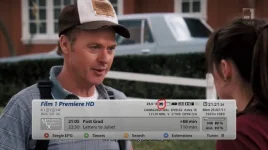
Thanks Andy noticed the icon on the info bar nice touch
So that's why there's something green flickering on my info bar :eek: That'll teach me to update without reading the info on the new version :whistle:
 
lol, flickering icon confused me too :D
Then i tried to update software and bingo, 31 packages :)
 
Without going into too much detail for obvious reasons I have noticed that the CCcam info displayed in the info bar is not correct whenever a recording is in progress.
 
Just to confirm IMDB is working perfectly for me on latest image, hadn't worked on previous 1 or 2 VIX images.
Thanks guys, amazing Image as usual.
 
Hello,
Thanks for this fantastic image, it works perfectly for me!
Just one question, how do you uninstall a soft cam ?
I installed cccam 2.1.4 works well ( through the link in this site)
I tried to upgrade to 2.2.1 but the msg shows some files were already installed by package 2.1.4
Hence searched how to uninstall 2.1.4 but option seem not to be present anymore

Also I would like to be able to have both cccam installed and then choose which I want to run as I had previously unstable 2.2.1.

Also in the softcam menu there is the info button activated, but I am sorry if I sound stupid what button is that on my remote? Sorry for such a stupid question

Thanks for your answers and congratulation for this nice image!!!
 
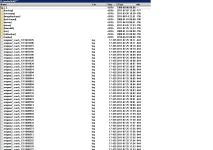
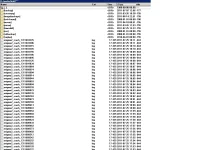
the crash logs are in that folder as you can see from the picture, but the debug logs are in home/root which is found on the root of your box and not in the media/hdd folder
 
the crash logs are in that folder as you can see from the picture, but the debug logs are in home/root which is found on the root of your box and not in the media/hdd folder

Hmm,
Well there is nothing its empty.
I can do a nother update and see if there will be a file in it.
Its also strange after every update i have done i get evere time not the same amount of package.
some times i get 150, next time 101, nother time i get 126, and so on and so on not the same amout of package every update, from the same file i restore?

I just made a update i get 102 packages and then i reboot, then i crash again but still nothing in the folder.

And i did not even get a crash.log for today?
all is from yesterday?
 
Last edited by a moderator:
no you have to enable debug logs in Log Manager which is found in menu/setup/system/Logs/Settings.
Do you have any plugins or skins installed?

Oki,
Now i have set the setting let me try again,
Yes i have enigma2-plugin-cams-cccam.2.1.3_1.1-r2_mipsel.ipk, enigma2-plugin-extensions-cooltvguide_Coolman_V4.0.0_all.ipk, enigma2-plugin-extensions-cooltvguideskin_Coolman_V4.0_all.ipk, thats all.
 
have you tried just using the default vix HD skin as im sure when i tried the coolman guide skin and coolman tv guide i was having loads of problems so im not sure whether that is whats causing your issue, but just to cancel out the problem can you backup ur settings via the backup manager and also backup your image. then do a reflash of the image and dont restore any settings when the restore wizard comes up after the flash. just do a clean install, install ur cccam and just use that and do the updates and see if that stops the crashes. if it doesnt then you can always go back and flash your backup image
 

OpenViX Feeds Status

Back
Top