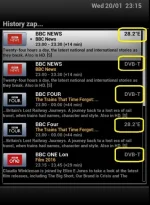
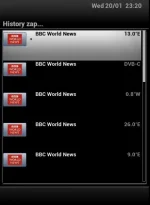
pressing <> history menu causes E2 crash
After today's update with fresh install of skin from feed.
After today's update with fresh install of skin from feed.
Code:
[InfoBarGenerics] KEY: 412 ARROWLEFT
[ActionMap] InfobarChannelSelection historyBack
<  7768.696665> [gAccel] alloc failed

<  7768.696759> [gSurface] ERROR: accelAlloc failed
<  7768.714358> [gAccel] alloc failed

<  7768.714454> [gSurface] ERROR: accelAlloc failed
<  7768.732605> [gAccel] alloc failed

<  7768.732703> [gSurface] ERROR: accelAlloc failed
<  7768.754496> [gAccel] alloc failed

<  7768.754593> [gSurface] ERROR: accelAlloc failed
<  7768.775381> [gAccel] alloc failed

<  7768.775479> [gSurface] ERROR: accelAlloc failed
<  7768.793559> [gAccel] alloc failed

<  7768.793661> [gSurface] ERROR: accelAlloc failed
<  7768.809945> [gAccel] alloc failed

<  7768.810205> [gSurface] ERROR: accelAlloc failed
[Skin] processing screen HistoryZapSelector:
<  7768.832675> [ePNG] couldn't open /usr/share/enigma2/skin_default/selectionbars/SelectionBar_H150x1160.png
[Skin] Error: [Skin] {YouViX-Blue/skin.xml}: [Skin] pixmap file /usr/share/enigma2/skin_default/selectionbars/SelectionBar_H150x1160.png not found!. Please contact the skin's author!
[Skin] processing screen SimpleSummary:
<  7768.839658> [gAccel] alloc failed

<  7768.839723> [gSurface] ERROR: accelAlloc failed
<  7768.856385> Backtrace:
<  7768.856798> /usr/bin/enigma2(_Z17handleFatalSignaliP9siginfo_tPv) [0x6F0FC]
<  7768.856932> /lib/libc.so.6(__default_rt_sa_restorer) [0xB63CE6C0]
<  7768.857157> /usr/bin/enigma2(_ZN26eListboxPythonMultiContent5paintER8gPainterR12eWindowStyleRK6ePointi) [0xF6460]
<  7768.857352> /usr/bin/enigma2(_ZN8eListbox5eventEiPvS0_) [0xF3028]
<  7768.857518> /usr/bin/enigma2(_ZN7eWidget7doPaintER8gPainterRK7gRegioni) [0xFB834]
<  7768.857686> /usr/bin/enigma2(_ZN7eWidget7doPaintER8gPainterRK7gRegioni) [0xFB880]
<  7768.857848> /usr/bin/enigma2(_ZN7eWidget7doPaintER8gPainterRK7gRegioni) [0xFB880]
<  7768.858008> /usr/bin/enigma2(_ZN14eWidgetDesktop10paintLayerEP7eWidgeti) [0xFD7D8]
<  7768.858176> /usr/bin/enigma2(_ZN14eWidgetDesktop5paintEv) [0xFD848]
<  7768.858309> /usr/bin/enigma2(_ZN6eTimer8activateEv) [0x7372C]
<  7768.858438> /usr/bin/enigma2(_ZN9eMainloop15processOneEventEjPP7_object9ePyObject) [0x73EE4]
<  7768.858560> /usr/bin/enigma2(_ZN9eMainloop7iterateEjPP7_object9ePyObject) [0x73FDC]
<  7768.858690> /usr/bin/enigma2(_ZN9eMainloop4pollE9ePyObjectS0_) [0x740E4]
<  7768.858857> /usr/bin/enigma2(n/a) [0x110D60]
<  7768.858879> -------FATAL SIGNAL (11)


 - is it because it says 28.2 - if so, not much use to me as that's the only sat i use