Superb quality and spec AB-Com PULSe 4K SE. Crazy offer! Only £99! FREE UK DELIVERY! 4K UHD, Enigma 2, Multiboot 4 images & more!...
Superb quality and spec AB-Com PULSe 4K Rev II Twin Satellite tuner only £149! FREE UK DELIVERY! 4K UHD, Enigma 2, SATA HDD facility, Multiboot 4 images & more!...

Blue-HD V2

  • Thread starter Thread starter rossi2000
  • Start date Start date
When I run software update there is two packages but when I go to view them the only one showing is a picon package.

Edit

Just to add I've tried the update and nothing happens
 
Last edited by a moderator:
yes thats right, i explained in one of the first posts, that the software update is detecting the new update but not shoiwing it in the view changes screen, i need to find out why.

if you go ahead and update it will grab the latest.

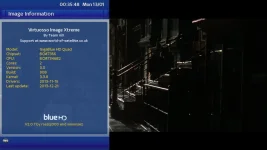
im putting in a build number reference now on the about information screen so you check what version your running.
 
I should have stated in the last post that I had already gone ahead with the update but it wasn't successful. I had just edited my last post when I seen yours.
 
VERSION 2.0.7 online update available.

new menu screen
many fixed, additions, changes
skinned crossepg, more moviebar edits, new picon_default
added logo to information screen
re-aligned the time on various screens
enabled software update icon on the infobar.

information screen now contains the build number so you can see if your on the latest build.

info.webp


also attached the latest ipk to install manually.
 

Attachments

im really not sure why your having the issue mate.

try this,
set the default skin and then completey uninstall the skin, from remove plugins and delete all the files in /var/lib/opkg/lists aswell.
restart e2
install v2.0.5 ipk, restart e2.

try a software update to 2.0.7.

if its still failing for you, just install the ipk for now please


I should have stated in the last post that I had already gone ahead with the update but it wasn't successful. I had just edited my last post when I seen yours.
 
I've already tried all of what you've suggested. 2.0.7 installed fine from the ipk

Thanks for the skin.
 
Thanks Rossi, time now aligned to left on various screens, so looks better.
Timeline bar still missing from Multi EPG.
Update icon working on first infobar, not on second infobar.

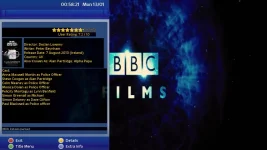
Inbuilt screens, (long yellow) IMDB look slightly odd with transparancy working in certain areas & not others.
imdb.webp
 
yup i'll sort the timeline tomorrow evening.
i only added the update icon to the infobar atm, it will come to the secondinfo bar soon.

im slowly working through plugin screens. whilst adding skin support to others that arent, like autobouquets 28.2e from lraizer, i skinned that to vix.
ive added imdb to the to-do-first list.


you can check on the progress @ github:-
Code:
https://github.com/rossi2000/Blue-HD/commits/master


cheers


Thanks Rossi, time now aligned to left on various screens, so looks better.
Timeline bar still missing from Multi EPG.
Update icon working on first infobar, not on second infobar.

Inbuilt screens, (long yellow) IMDB look slightly odd with transparancy working in certain areas & not others.
View attachment 31847
 
very nice work buddy, looking great so far.
 
good looking skin bit of a noob here can i have more than 1 skin installed if i use this skin will i lose the picons on my quad...thanks
 
good looking skin bit of a noob here can i have more than 1 skin installed if i use this skin will i lose the picons on my quad...thanks


you can have multiple skins installed but they take up valuable memory and you can only use one at a time any way.
 
Very nice skin Rossi2000. One question...how do you get the channel numbers displayed on your planner? Mine only displays the channel name

Thanks
 
VERSION 2.0.8 available through online updates.


changelog:-
skinned IMDB
fixed software update icon on infobar (was in the wrong location) and added it to the secondinfobar.


attached the ipk aswell.
 

Attachments

The update still isn't showing in the list but it does update the skin.

Should the update icon be flashing?
 
yes ive found out the rreason it doesnt show in the view changes page, its no fault of my feeds or the skin, but the vix server, (its no fault really just that my information isnt held on the vix server)
it will be fixed soon.

the icon will start to flash once the software update does its routine 6 hour check online and finds updates. (you can reduce the 6hour check in the settings if you want)
and as im putting online that there is a new version you wont see the icon flash as you are going staright to the software update for it. if u get what i mean.
 

OpenViX Feeds Status

Back
Top