Superb quality and spec AB-Com PULSe 4K SE. Crazy offer! Only £99! FREE UK DELIVERY! 4K UHD, Enigma 2, Multiboot 4 images & more!...
Superb quality and spec AB-Com PULSe 4K Rev II Twin Satellite tuner only £149! FREE UK DELIVERY! 4K UHD, Enigma 2, SATA HDD facility, Multiboot 4 images & more!...

Cannot connect VU+Duo2 to the internet!

keithr

New member
Joined
Feb 15, 2012
Messages
19
Reaction score
0
Points
0
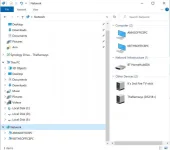
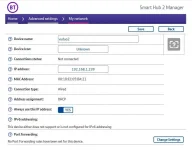
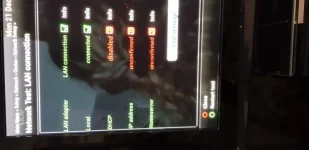
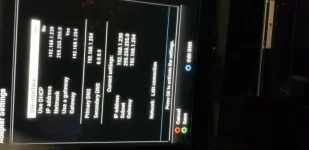
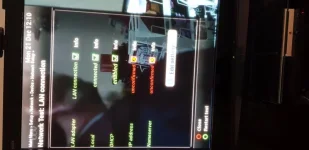
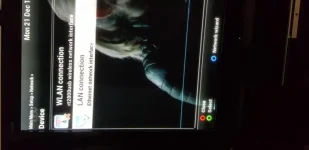
Help! Following a mains spike, my VU+duo2 stopped working, I installed the latest Vix and everything seemed back to normal until I tried to access the HDD from my pc, it was not showing in my network. I tried a network test from the VU, it says LAN and Local are connected but does not show an IP address. My router shows the VU but says not connected and using DHCP although I had disabled it, I have tried enabling DHCP but it still does not show an IP address. I have re-started the router, Vu and PC many times to no avail. FlashFXP seems to access the box but it does not show the content of the HDD. I have attached some screen shots and would appreciate any help.
 

Attachments

  • NetworkSettings.webp
    NetworkSettings.webp
    24.1 KB · Views: 8
  • HubSettings.webp
    HubSettings.webp
    27.2 KB · Views: 13
  • 20201221_122332.webp
    20201221_122332.webp
    25.1 KB · Views: 10
  • 20201221_122058.webp
    20201221_122058.webp
    27.2 KB · Views: 9
  • 20201221_121125.webp
    20201221_121125.webp
    29.8 KB · Views: 9
  • 20201221_120914.webp
    20201221_120914.webp
    20.5 KB · Views: 8
ethernet of the box maybe blown out.Had the same here with my first duo2 after short cut in house an fuse blown out.Or maybe your lan cable became defect.Try setting all on DHCP enabled and see what happens. On my box ethernet interface was defect and box had to go to VU .Was away 3 months.
To see your HDD I think samba needs to be enabled
 
You should enable DHCP on the VU+ as your router is set to allocate the same address .239 to it each time (assuming the VU MAC address still matches what your router is expecting!).
The newest versions of Vix now require you to set a password for root in the setup (it's one of the options in the network menu). This will need to be set in your FTP client also. If FlashXP is actually contacting the box, then the ethernet connection is presumably ok, but the router needs to be showing it. It may be a hardware issue if you've had a voltage surge, though :(
 
Thank you, problem sorted, a cable switch was causing the fault.
 

OpenViX Feeds Status

Back
Top