Superb quality and spec AB-Com PULSe 4K SE. Crazy offer! Only £99! FREE UK DELIVERY! 4K UHD, Enigma 2, Multiboot 4 images & more!...
Superb quality and spec AB-Com PULSe 4K Rev II Twin Satellite tuner only £149! FREE UK DELIVERY! 4K UHD, Enigma 2, SATA HDD facility, Multiboot 4 images & more!...

[SX88v2] Cannot expand mount setting

No, I do not have Filezilla. Will look into it.
 
I had same problem, but I got it fixed.

Windows 11 :

1. Share the folder (give proper rights) you would like to get access from Enigma2 box
2. Menu --> Setup --> Network --> Mounts
3. Mount Manager --> User Management --> enter user name & password for you PC
4. Network Browser --> expand your PC's IP and press OK
5. Mount using AUTOFS & CIFS share & enter user name and password
6. Save and you see that under expanded PC's share it is now green
7. Test it by opening MovieSelection, press yellow button and select PC's share
 
Last edited:
Do you have FileZilla on pc if so open it up and enter box ip and root lower case and your password and does it connect to box?

@cactikid - my reading of the OP's issue is that he is trying to access the Windows 11 PC FROM the box. I think you are assuming he is trying to access the box FROM the PC.
If OP is actually trying to access Win 11 from the box, then he needs a share set up on the PC (as per @Orlandox post #22). The fact that the TV can access the Windows PC may be that it is using a different protocol than SMB.
 
Thank you all. All fixed with Orlandox's very clear instructions.
 
Ok thanks @Hpavil. So just to be clear for other users who land on this thread when searching - you needed to specify a shared folder on the PC and then specified a Windows user and password in the Mount Manager on your sat box - correct?
 
Yes, that's correct. As there are a number of related menus in OpenVix, I found the detail in Orlandox's post particularly helpful.
 
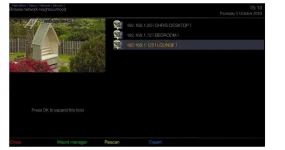
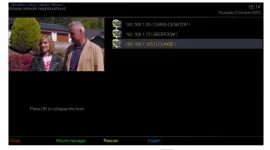
Having issues with NFS Mount on box running 6.4.007, I have three Vu boxes (Lounge, Study & Bedroom) all now running VIX 6.4.007, I have just flashed the Lounge box with fresh image (previously 6.3.007) in Network Browser I can see (192.168.1.125) Lounge, I get asked to press Ok to expand the host, after a short while another message appears (press Ok to collapse host) but nothing appears underneath the main folder. When the Lounge is running 6.3.007 all this works fine with the other two boxes running 6.4.007.

Going the other way from the Lounge box, I can see and expand both Study & Bedroom mounts and play correctly.

Anyone any ideas...........?
 
Last edited:
@spevs - I would suggest you start a new thread for your issue. The OP in this thread was using SMB (not NFS) and was trying to expand a Windows PC share. He/she fixed issue with config changes on PC and box.
 
@spevs - I would suggest you start a new thread for your issue. The OP in this thread was using SMB (not NFS) and was trying to expand a Windows PC share. He/she fixed issue with config changes on PC and box.

Done, Thanks Joe_90
 

OpenViX Feeds Status

Back
Top