Superb quality and spec AB-Com PULSe 4K SE. Crazy offer! Only £99! FREE UK DELIVERY! 4K UHD, Enigma 2, Multiboot 4 images & more!...
Superb quality and spec AB-Com PULSe 4K Rev II Twin Satellite tuner only £149! FREE UK DELIVERY! 4K UHD, Enigma 2, SATA HDD facility, Multiboot 4 images & more!...

[VU+ Solo2] Can't Access OpenWebif

dpullen87

Member
Joined
Sep 2, 2014
Messages
356
Reaction score
0
Points
16
Age
39
Hi

I can't open openwebif from a browser, i can FTP onto the box and telnet but openwebif has stopped working for some reason.

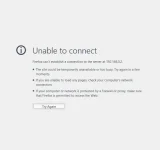
I just get a unable to connect message, I've tried different browsers but i get the same result.

Any help would be much appreciated.

Thanks,
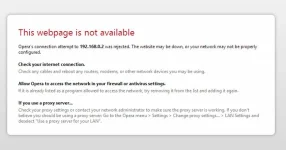
Opera.webp
Firefox.webp
 
I know this does not help your problem but I just flashed multiple receivers including a Solo2 to Apollo build 106 and all are working fine when connecting to the OpenWebIF.
 
It was working fine and then i uninstalled a plugin called Platinum IPTV, by deleting it from /usr/lib/enigma2/python/Plugins/Extensions and a folder in /usr/lib/python2.7/json called tests as that's where the plugin installed data too.

Can i uninstall and reinstall openwebif without restoring to an older image?

I've tried running this from a telnet but it made no difference

opkg install --force-reinstall enigma2-plugin-extensions-openwebif
 
Last edited:
I dont believe you can to be honest, otherwise it would be available to remove via the plugins menu
 
Are you using http or https? Have you checked the OpenWebif settings from the plugins menu?
When I updated my Vu+ Ultimo from Apollo 100 to 106, the online update turned https off in the OpenWebif settings.
I started the update through an OpenWebif https session, and wondered why I also still got the error message of unavailable page about 15 minutes after starting the update, when the box should have finished rebooting.
I went to the living room and checked that indeed the reboot was ready, but when I went to the plugins menu and checked the OpenWebif settings, I noticed that https had been disabled in the update.
When I turned it back on, the refresh button in the browser worked.
This looks like a bug in the update process. I haven't so far noticed other changed settings and don't know whether it happens with other receivers beside ultimo or updates from other images beside Apollo 100.
 
Restored back to 100 and updated back to 106 and all ok now.

Thanks for all your help.
 

OpenViX Feeds Status

Back
Top