A
Andy778
Guest
Hi everyone,
I just purchased the remote ‘VU+ Universal IR remote control for all VU + receivers - LATEST VERSION’ for my Vu+ Duo2 box from World of Satellite.
I’m trying to program it to turn my TV on/off.
For this I’m following these instructions:
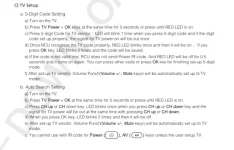
1. Press and hold 1 + 3 for 3 seconds until LED light is on.
2. Enter 4 digit TV code.
But I can’t get past step 1. The LED light does not come on.
Could anyone help me with this issue please? Do I need to press different numbers for this remote to complete step 1?
Regards,
Andrew.
I just purchased the remote ‘VU+ Universal IR remote control for all VU + receivers - LATEST VERSION’ for my Vu+ Duo2 box from World of Satellite.
I’m trying to program it to turn my TV on/off.
For this I’m following these instructions:
1. Press and hold 1 + 3 for 3 seconds until LED light is on.
2. Enter 4 digit TV code.
But I can’t get past step 1. The LED light does not come on.
Could anyone help me with this issue please? Do I need to press different numbers for this remote to complete step 1?
Regards,
Andrew.