Superb quality and spec AB-Com PULSe 4K SE. Crazy offer! Only £99! FREE UK DELIVERY! 4K UHD, Enigma 2, Multiboot 4 images & more!...
Superb quality and spec AB-Com PULSe 4K Rev II Twin Satellite tuner only £149! FREE UK DELIVERY! 4K UHD, Enigma 2, SATA HDD facility, Multiboot 4 images & more!...

config switcher

  • Thread starter Thread starter stevesom
  • Start date Start date
S

stevesom

Guest
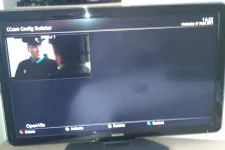
Hi can anybody tell me why i am missing the top 4 options above cccam config switcher? i have attached a screen shot.
i also get this error in menu config if i press the green button to save "could not save config file /media/cf CCaminfo.blacklisted!
Vu Duo vix ver 3.0 Build 632
thanks
 

Attachments

  • screenshot.webp
    screenshot.webp
    32 KB · Views: 102
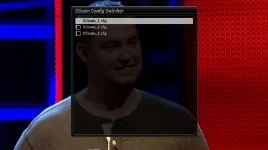
cccamswitch 1.webp

Hi mate

Looking at your pic did you press blue button the select CCcam info then press menu reason i ask on my screen you get colour button options to select cam etc which your pic does not show ?
 
Hi yes blue button> cccam info>then i scroll down to switch config and thats the screen i get no options.i didnt realise you can press menu and it opens switch config.
 
Hi mate

goes to show one never stops learning about these remarkable boxes lol hope it sorted out your problem
 
No still the same. Maybe some sort of bug. When i got a spare hour maybe i will do a fresh install.
 
done a clean install of vix 643 and exactly the same as my first post :confused:
 
Think i may have read what the problem with this error is /media/cf CCaminfo.blacklisted! there is no cf to save to, any idea where the menu config options should be stored options i have in location is media/hdd/ usb disk or internal flash.
 
Hi mate

If you mean other copies of your CCcam.cfg then they are to be posted in ect folder with your original CCcam.cfg file changing the others to CCcam_1.cfg CCcam_2.cfg etc etc
 
Yes thats how its set up in dcc, the problem i have as my first post no coloured options, also if i press blue button >cccam info>red button (cccam info config) if i then press green button save i get this error /media/cf CCaminfo.blacklisted!, there is a yellow location option i was wondering where and what can i save after selecting location for instance /media usb
 
Yes thats how its set up in dcc, the problem i have as my first post no coloured options, also if i press blue button >cccam info>red button (cccam info config) if i then press green button save i get this error /media/cf CCaminfo.blacklisted!, there is a yellow location option i was wondering where and what can i save after selecting location for instance /media usb

Do a advanced search top right hand corner of forum cfg switcher all you need to know in earlier post.
 
thanks ive tried loading cccam switcher and it doesnt see it in the plugins, i give up now just have to live with it i think.
 
Hi mate

Dont understand as this is in the image and if you clean installed then this should work using the key button i told you about in my first post, apart from the main config file in etc folder and the way i told you to add others what other files are you adding and where must be something your doing thats causing your problem
 
Hi mate

Dont understand as this is in the image and if you clean installed then this should work using the key button i told you about in my first post, apart from the main config file in etc folder and the way i told you to add others what other files are you adding and where must be something your doing thats causing your problem

Thanks, im adding files in /etc cccam_0.cfg and so on also opening menu config as you said in yout 2nd post, and still the same as my original post, after the clean install i didnt use any backups with the new install.im not adding any files apart from the cfg files/
 
View attachment 24578

Hi mate

Looking at your pic did you press blue button the select CCcam info then press menu reason i ask on my screen you get colour button options to select cam etc which your pic does not show ?


the coloured button disappeared from circa build 600 but still works pressing yellow etc to rename
 
Cheers steve now i know its not my set up may go back a few images tomorrow and see if it works. Satman what version you on out of curiosity? Thanks
 
Hi mate

wifes watching sat right now so come back with build but it will be almost the latest at the time i took the pic did you after input of cfg files restart the receiver? then check via ftp they are still showing and also did u chmod them?
 
Fixed thanks guys ive gone back to ver3 build 558 and config switcher is fine now, perhaps this should be moved to vix support? as it seems as if its an update that caused this for me
 
Hi Mate

Running 3.0 643 build

Could be this has been in the machine quite a long time and the updates dont overwrite the file or as you say a glitch that andy and the team should look at so drop him a line so he can add it to his caseload.
Glad to hear your now sorted b4 you message andy why not try commin forward on the build from where you are now and see if it corrupts the proggy? least you know to go back to working version if it does
 
@Satmanbasil, is this the same cfg switcher you and i had trouble with about a year ago when the Cccam cfg file kept disappearing ?
 
Hi Mate

Running 3.0 643 build

Could be this has been in the machine quite a long time and the updates dont overwrite the file or as you say a glitch that andy and the team should look at so drop him a line so he can add it to his caseload.
Glad to hear your now sorted b4 you message andy why not try commin forward on the build from where you are now and see if it corrupts the proggy? least you know to go back to working version if it does


Cheers i will do a full image backup tomorrow and work my forward as the updates are back online and see how it goes as i want to run the newest image if possible.
 

OpenViX Feeds Status

Back
Top