Superb quality and spec AB-Com PULSe 4K SE. Crazy offer! Only £129! FREE UK DELIVERY! 4K UHD, Enigma 2, Multiboot 4 images & more!...
Superb quality and spec AB-Com PULSe 4K Rev II Twin Satellite tuner only £179! FREE UK DELIVERY! 4K UHD, Enigma 2, SATA HDD facility, Multiboot 4 images & more!...

[VU+ Duo2] DVB-T broken after upgrade to 5.0.014

  • Thread starter Thread starter sewalsh
  • Start date Start date
S

sewalsh

Guest
My tuner is listed as Vuplus DVB-T NIM(CXD1978).

Blank screen, the PAT error appears after a short while.

Also, image manager times out when trying to go back to the previous working image. Is there a way this can be done via CLI?
 
Service scan returns nothing.

sriVaXm.jpg
 
Double check your tuner configuration please

Is your tuner card/module a twin tuner unit?
 
Hi,

I am seeing the same issue on my VU+ DUO2. The issue seems to be intermittent and affects all DVB-T broadcasters I can recveive, 5 in total, but in some instances only one of the 5 is affected, but then it can affect all 5, or 3 of the 5, and so on. It often comes good after 5-10 min or a shutdown/restart. I have not been able to find any reliable/repeatable pattern to this.

I have two VU+ dual tuner DVB cards "Vuplus DVB-C NIM(TT3L10)". This behaviour *only* started after updating to 5.0.014.
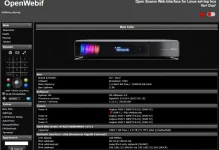
Ive attached the latest debug log as well as a screenshot of the openwebif "box info" screen. I've gone through it and cant see anything that stands out, well to me that is.

View attachment Enigma2_debug_2017-05-18_17-36-18.loginfo-1.webp

Craig
 
Can you try following please?

Make a settings backup,
Using Image manager download 5.0 014
Using Image manager, flash/restore 5.0 014
After reboot, restore your settings.
 
Can you try following please?

Make a settings backup,
Using Image manager download 5.0 014
Using Image manager, flash/restore 5.0 014
After reboot, restore your settings.

Ok, will do this as soon as current recordings have completed as will post my results.

Regards,

Craig
 
Same to me. I have the internal dvbt tuner and two external. Any of the three tunners work after update to new version.
 
There was an issue with the dual tuner in the Vu receivers. A script was made to overcome the issue and is in the image.

It may be that an image update does not allow this to work, but install of new image does. Please test.
 
Hi,

I did as requested,

- made a backup
- downloaded and re-installed 5.0.014 using Image Manager
- At startup did a settings restore
- At startup did a plugins restore

At the moment it has been on the plugins restore message for close to 30min. I can ssh into the unit but the /root/logs folder is empty and the files in /var/logs arenn't telling me much either, so I do not know if the plugins restore is stuck or not. I'll give it another 30min, 1hr should be enough time, they only took 2-3min each to install manually.

Craig
 
Mine went off after software update ,i blamed Mrs for talking to me while i did it .Flashed with usb image manager with restores and it came back. (i didnt tell her it wasnt her fault)
 
What about flash with no restores? Does that cure the tuning issues?

Hi Abu,

sorry, I just restarted the unit, it's getting late here (Australia), it's 1:40am here. It has restarted ok and the plugins all seem ok. Just had to re-install a skin that wasn't saved by the backup system.

So far so good, but given the issue was occuring intermittently and I couldn't find a way to make it occur, I can;t say for sure if it's fixed the issue, time will tell I suppose.

If it does occur again, I'll do a clean install of 5.0.014 with NO setting/plugin restores. Fingers crossed that won't be needed.

If this does turn out to be the issue it may be worth a sticky, esp if the only fix at the moment is to do a full image install.

Thanks for all your help,

Regards,

Craig
 
Last edited:
Same problem here, Duo2 with 2 dvb-T twin tuners. Only tuners A and B were working properly, got pat errors on C and D. Gone back to 13 for now.
 
There was an issue with the dual tuner in the Vu receivers. A script was made to overcome the issue and is in the image.

It may be that an image update does not allow this to work, but install of new image does. Please test.

Yes, the online update failed to activate the script (driver_fix for Vu+Duo2) when testing the developer images... I had to do a clean install, confirm that tuners C & D were fixed, and then I was able to do a backup restore (both settings & plugins). This got me back to my normal setup with the new image. Since then I've been able to do online updates without further problems.
 
Can you not try the suggested workaround?

Can confirm that since installing the new image via Install Manager the unit seems fine today after 3-4hrs of use. No signs of the previous issue. Many thanks to Abu for assisting me in rectifying this issue.

Regards,

Craig
 
Flashed 014 and restored settings just now. All the tuners seem fine, no pat errors. Thanks :)
 

OpenViX Feeds Status

Back
Top