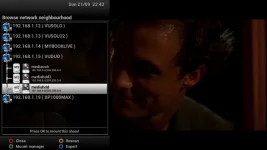
If you're still having problems, it's worth being aware that there are a couple of system network files that sometimes get out of sync with the Vix mount manager. I'm not sure why this happens, but sometimes old corrupt network mount details can remain in these files, even though you've deleted them from the Vix mount manager. Trying to remount with the same alias can then cause mount issues. The only way I've managed to fix this is by deleting the corrupt network mount entries from the system files. The two system files are fstab and auto.network both of which can be found in /etc.
The example below is from my auto.network file. Note the incorrect mmovie entry for the Livingroom mount. Deleting the Livingroom mount from Vix mount manager wouldn't remove this file entry, and every time I tried to re-create a Livingroom mount via Vix, this file would never get updated with the correct info.
Once I had deleted the Livingroom mount from Vix, I then manually removed the Livingroom line from the auto.network file. Once I had done this I could then create the correct Livingroom mount in Vix.
Yes it should. However, I managed to corrupt my system network files trying to create network mounts after doing a fresh install when going from Apollo build 32 to build 37. In your case it's probably not a corrupt file, but if all else fails it might be worth checking.
This site uses cookies to help personalise content, tailor your experience and to keep you logged in if you register.
By continuing to use this site, you are consenting to our use of cookies.