Superb quality and spec AB-Com PULSe 4K SE. Crazy offer! Only £129! FREE UK DELIVERY! 4K UHD, Enigma 2, Multiboot 4 images & more!...
Superb quality and spec AB-Com PULSe 4K Rev II Twin Satellite tuner only £179! FREE UK DELIVERY! 4K UHD, Enigma 2, SATA HDD facility, Multiboot 4 images & more!...

Engima 2 - Samsung SMART TV Streaming app

3.8 vs 5.2 won't make any difference.
Following an extensive debugging session with gvsb, I'm pretty sure this is now related to the multi-transcoding plugin, and I need to make a few changes to support this. For some reason the audio stream isn't always streamed correctly.

I've put in better error handling, and am currently testing/making changes to handle this.
 
Okay, no worries pembo.

Great work BTW!


Sent from my iPhone using Tapatalk
 
i can confirm that there is huge progress, some of the channels that were not working are now working and some others work but without the audio

can't thank you enough for your work Pembo

to be honest, if only just out of curiosity i would not mind trying version 3.8 if somebody can send it to me
 
Hi Pembo,

I can confirm enter button now works on H TV on version 5.2
 
Ive updated both mine too to v5.2, enter button working on both, now and next/scrolling/navigating also seems more responsive.

Cheers!


Sent from my iPhone using Tapatalk
 
v5.3 is now available to download from here:
Code:
http://www.pembo.co.uk/e2stream/e2stream-download/

Change log

Code:
v5.3 - 09/01/2015
 * Moved transcode to settings screen
 * Added 'multi-transcoder' settings to the advanced settings 
   screen  for those receivers that use this.  Note:
   - On enabling multi-transcode it disables the default 
     transcode mechanism as it's not relevant
   - Doesn't apply to recordings as this is a different e2 api
 * Fixed(hopefully?) return button for H-Series TVs to enable
   the exit dialog, and return to exit from full screen player.
 * Fixed advanced/parental settings to return to the settings
   screen rather than back to the main screen
 * Made Rewind button delete a character on number entry in
   settings/advanced settings screen
 * Following resolution of enter issue in v5.2, changed the help
   bar to reference the enter button now.
 * Improved error handling on some network/stream communications
 
Last edited:
Hi pembo,

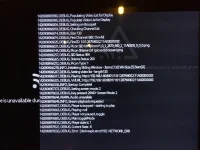
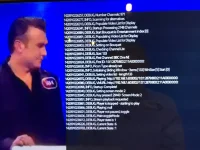
All good with the F + H series. I noted you had put up a debug version, so I have provided you the screen shots on the D series using the legacy player for streaming, which fails and transcoding which works. Hope this helps your endeavours.

IMG_0050-1.webp
Streaming which fails with "Network Interference" and [device apis (19)]:NETWORK_ERR

IMG_0051-1.webp
Transcoding which works
 
Thanks sigpark. We might be running out of options on the D-Series unfortunately and a transcoded stream through the legacy player might be the only option. Although the error says 'NETWORK_ERR' I wouldn't read too much into that, and I suspect there's some limitation in the D-Series APIs that are giving a problem that's being masked. The 'deviceapis' isn't my code, it's Samsung libraries.
 
The 'deviceapis' isn't my code, it's Samsung libraries.

Thanks pembo. I was wondering if you have seen the Samsung Device API Guide - section 3.13 has the PLAYER functions. If you had the time and wanted to I would be happy to run some debug modules to try and identify at what point this "Network Interference" error is happening. It does seem common if you search the internet, and indeed as an app - I think it was Plex - updated on the Smart Hub the other day I saw the error pop up and it subsequently went away.

Either way no worries, the app is a great job as it is. BTW, did any of your previous versions of E2stream work on the D series?
 
Just came across this app now. Have the h series TV. The recordings work fine and the channel list loads in quickly and shows EPG. When I try to load a channel, it shows any error of "not found here". It works fine from the laptop and phone streaming channels.
 
Just came across this app now. Have the h series TV. The recordings work fine and the channel list loads in quickly and shows EPG. When I try to load a channel, it shows any error of "not found here". It works fine from the laptop and phone streaming channels.

You need to make sure that
a) The streaming port is 8001, or changed in the smart tv app to match
b) You don't have stream authentication turned on.

Can you confirm both of those things?
 
Thanks ,the above settings are set up correctly I think, I will double check this evening. I loaded a few channels in the end, I changed it to legacy player in the app settings. Also I remembered that I had switched to WiFi from a home plug on the TV. I will change back to homeplug later and see how I get on.
 
Hooked up the TV to a home plug but I mostly get spinning wheel then network not available. It works fine on phone and laptop. The box is a vu solo 2 on blackhole image.
 
E2Stream v5.4 is now available to download here:
Code:
http://www.pembo.co.uk/e2stream/e2stream-download/

Change log
Code:
v5.4 - 17/01/2015
 * Added now/next description when in full screen mode.  To
   show press the 'info' button when the info bar is showing.
   The info bar has a 6 second timeout and will hide after 
   this timeout unless you show now/next detail which cancels
   the timeout.
 * Moved alert bar, audio bar and changed z-index
 * Changed z-index on volume/mute OSD.
 * Altered debug view to highlight the more important log
   messages ('tools' button).
 * Separated CSS into separate files for ease of change
 
@redbellied - not really sure what the issue is. Works fine for many people from the H-series TV, so it has to be something in your configuration on the solo or in BlackHole.

Basically the apps needs
a) OpenWebIf running on port 80
b) OpenWebIf NOT to have authentication enabled
c) Streams on port 8001/8002 but can be changed and NOT to have authentication enabled

The app queries open webIf to get the channels list, which must be working as you can see the list

From this list, it pulls the service id, then to stream it connects to
http://<ip>:<stream port>/<service id>

If at any point an authentication challenge/reponse is issued the app won't work, but again, the fact you saw something work with the legacy player implies this is set correctly as well..

Do you have any unusual plugins/settings/etc that might be affecting the streams?
Are you routing all this locally through local ip addresses/etc?
Is there a lot going on over your network (e.g. many downloads/etc) that might be getting in the way of the stream working?
 
Thanks sigpark. We might be running out of options on the D-Series unfortunately and a transcoded stream through the legacy player might be the only option. Although the error says 'NETWORK_ERR' I wouldn't read too much into that, and I suspect there's some limitation in the D-Series APIs that are giving a problem that's being masked. The 'deviceapis' isn't my code, it's Samsung libraries.

Small bit more info. I have tried to play "recordings" and I get exactly the same error. Recordings are .TS - transport stream. If I place movie files in the recordings folder of E2 box - .avi container with differing sound tracks and encoding - all .avi files stream without issue! (.mkv do not play) and of course without the network error.

I am guessing that perhaps there may be a problem with .TS - not sure what the player stream is for channels, but on a computer webif sends a .m3u playlist. Anyway, just a little more info - not expecting anything to come of it.
 
Sigpark - definitely sounds like an issue with the D-Series and codec support then.
The .m3u just contains a .TS stream link within it.

Here's a couple of examples of the formats that I've seen:

Video: MPEG4 Video (H264) 1920x1080 25fps [Video]
Audio: Dolby AC3 48000Hz stereo 192kbps [Audio]
Subtitle [Subtitle]

Video: MPEG2 Video 544x576 (16:9) 25fps [Video]
Audio: MPEG Audio 48000Hz stereo 192kbps [Audio]

Obviously those are HD and SD streams. I can only assume the D-Series struggles with the contents within the .TS container

Out of interest - have you tried non HD channels?

The non-HD stream ia sabout as standard as you can get for DVB transmissions from what I know!
I might have to take a look at the stream in a bit more detail... however there would be very little I could do short of recommend transcoding and playing around with the transcoder settings to get the best quality stream.
 
@redbellied - not really sure what the issue is. Works fine for many people from the H-series TV, so it has to be something in your configuration on the solo or in BlackHole.

Basically the apps needs
a) OpenWebIf running on port 80
b) OpenWebIf NOT to have authentication enabled
c) Streams on port 8001/8002 but can be changed and NOT to have authentication enabled

The app queries open webIf to get the channels list, which must be working as you can see the list

From this list, it pulls the service id, then to stream it connects to
http://<ip>:<stream port>/<service id>

If at any point an authentication challenge/reponse is issued the app won't work, but again, the fact you saw something work with the legacy player implies this is set correctly as well..

Do you have any unusual plugins/settings/etc that might be affecting the streams?
Are you routing all this locally through local ip addresses/etc?
Is there a lot going on over your network (e.g. many downloads/etc) that might be getting in the way of the stream working?
If I try the default player I get an error with an x. Then I had some success with the legacy player where the odd channel would load. The recordings played perfectly no issue on that side. The solo2_is wired directly to the router using gigabit ethernet, the TV is connected by homeplugs to the network all using local IP addresses. I wasn't downloading at the time and I have tried it when there wasn't much activity on the network. I have updated blackhole to the newest version but still the same.
 
redbellied - can you press 'tools' on your remote to turn on debug, and then try to play a channel and report back what shows?
 

OpenViX Feeds Status

Back
Top